
Matrix Entry
To document matrix items, select the menu item "Open matrix" in the product's documentation area for the matrix item.
Product selection options
Select a single item by clicking on the coordinate.
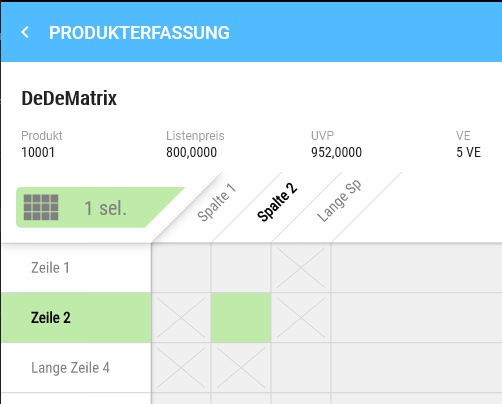
The green selection indicates that this field has been selected, and you will receive information about the selection in the upper area.
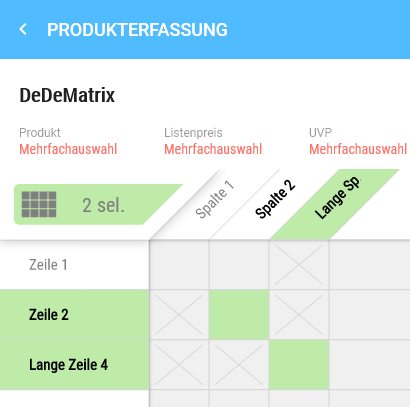
If you click another variant, you will receive a notice about a multiple selection.
Clicking on a column heading selects all items located in that column which can be documented.
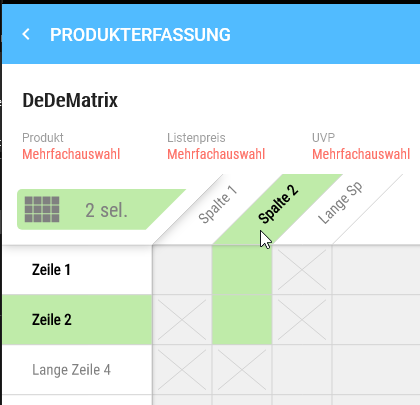
Clicking on a row heading selects all items located in that row which can be documented.
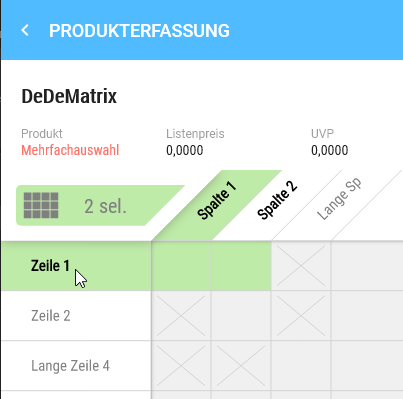
Variants that cannot be documented are marked with an X and cannot be selected.
Deselect product selection
If you want to clear the entire selection, this can be done via the green marked button in the head of the matrix (see mouse pointer).
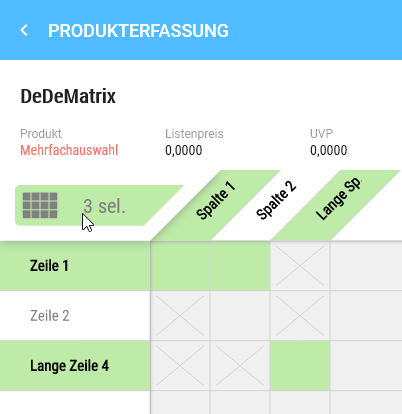
Individual products can be removed from the selection by clicking on the coordinate.
Add variant to the cart
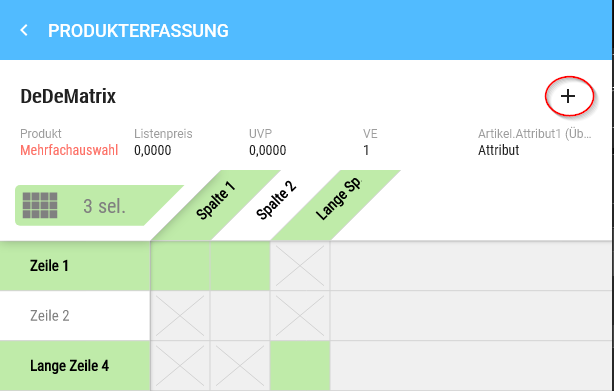
All selected products can be added to the cart using the plus. As usual, you have the option to use the functions of the documentation mask.
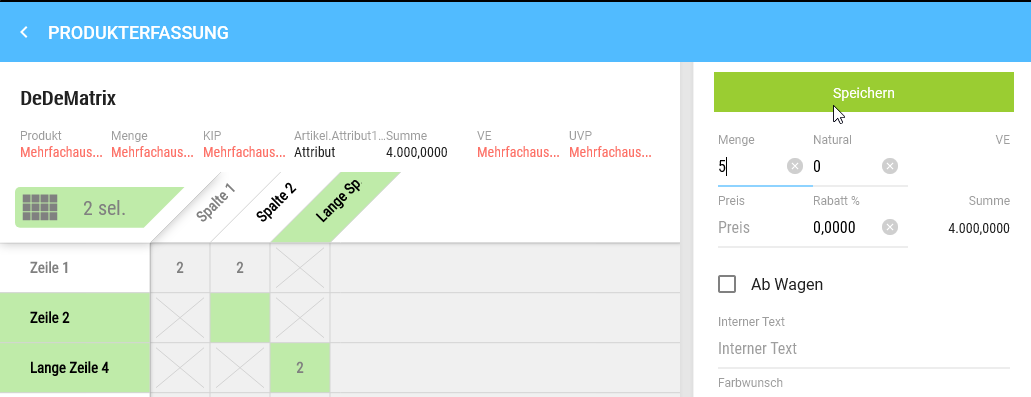
Save sets the quantity for each selected product.
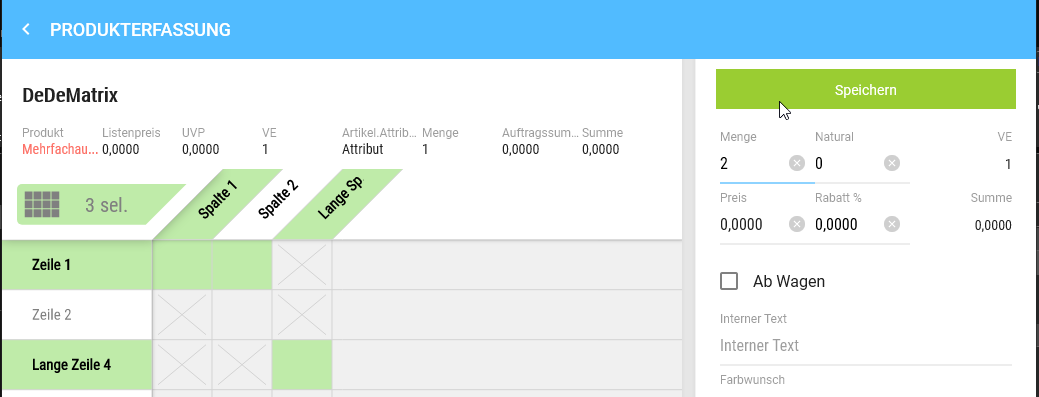
If you want to make amendments, click the corresponding coordinates again and select the pencil. At this point, you can also add further coordinates to the selection.
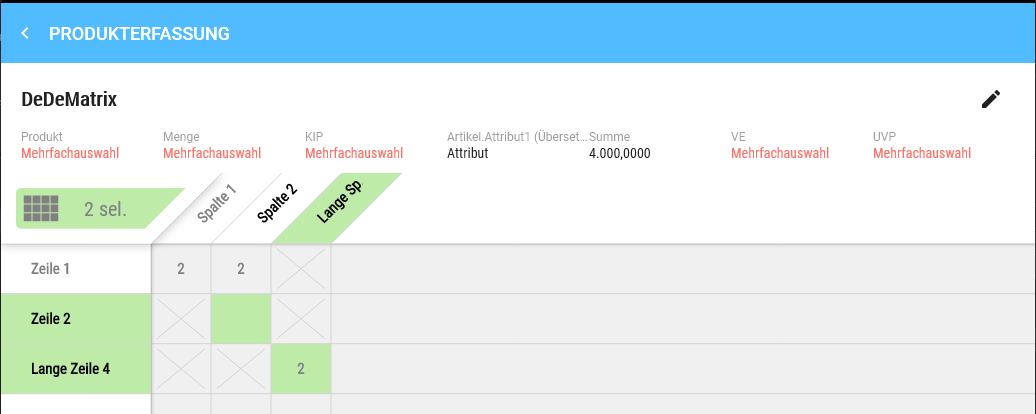
If you have added another field to the selection and switched to the documentation mask via the pencil, the quantity field is empty because there is no unique value anymore, i.e. a quantity must be set that should be added to the cart.
In the cart, the selected matrix products are displayed as individual products and summed. You can also make further amendments here.