
Editing already completed tasks afterwards
Once a job is completed in the DeDeSales Client, there is no longer any possibility to edit it there. However, it occasionally happens that the user has made errors during input that prevent automatic evaluation of the job or distort the data. For this purpose, it is possible to edit jobs in the DeDeSales Web Backend, even if they are already completed.
Step 1
In the DeDeSales Web Backend, select the customer for whom you want to edit the job.

Step 2
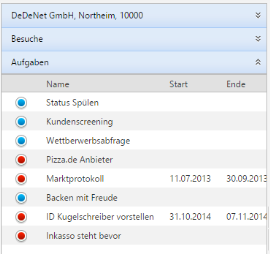
After the Customer masterdata screen has loaded, select the Type "Tasks" on the left and then select the corresponding job you want to edit.
Step 3
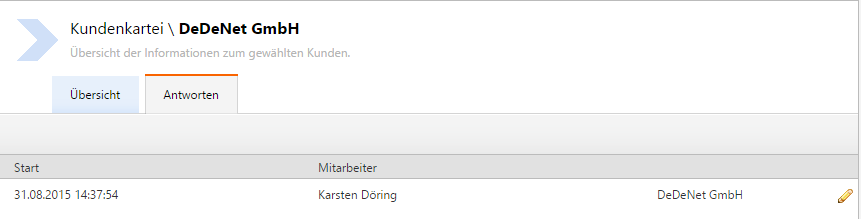
Select the "Replies" tab and click on the pencil to edit the reply.
Step 4
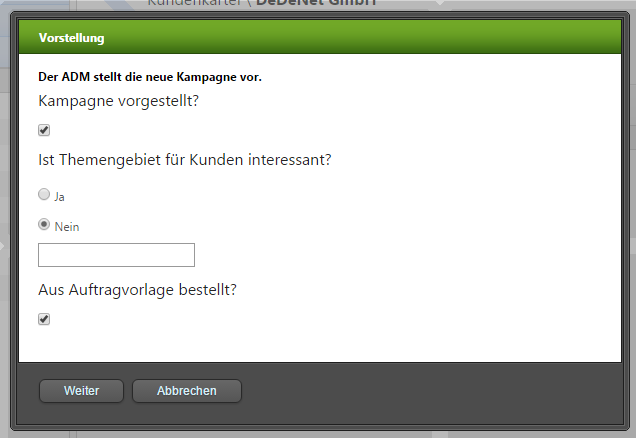
Edit the reply.
FAQ CRM and Tasks
Question: I do not see my page, my question or my reply in the Client:
Reply: No page, question or reply created
Question: I cannot evaluate my job via the Backend
Reply: No ID stored in the job and the questions
Question: Do I have to wait for the Total import every time to get a new or changed job on the Client?
Reply: No, a simple Data Transfer in the Client is sufficient.