
iOS - Apple Business Manager – App Provision & Redemption Codes
Status 2024.03 - We do not guarantee that this guide is up to date. In case of uncertainties, please refer to the Apple Support page. We only provide a rough summary here for orientation.
Prerequisite
To create the redemption codes in ABM, an ABM account and a user with admin rights are required.
Activate Custom Apps
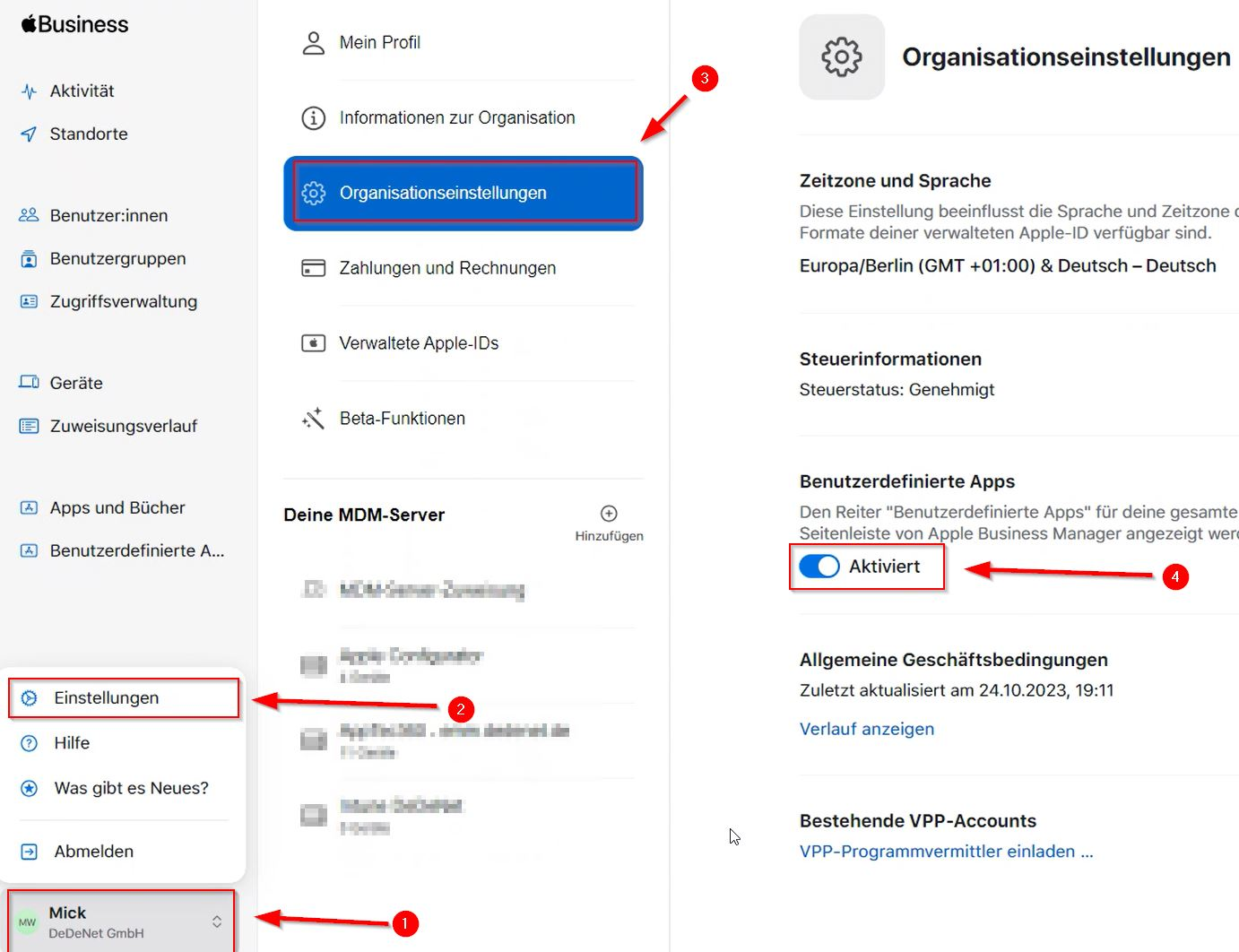
To be able to select the DeDeSales app in ABM, the tab "Custom Apps" must be activated; for this, a user with admin rights is required. The following steps explain how to activate the "Custom Apps" tab.
- Click on your user
- Select Settings
- Go to Organisation Settings
- On the right side, set the slider under Custom Apps to Active.
Create Redemption Codes
To create the redemption codes, proceed as follows.
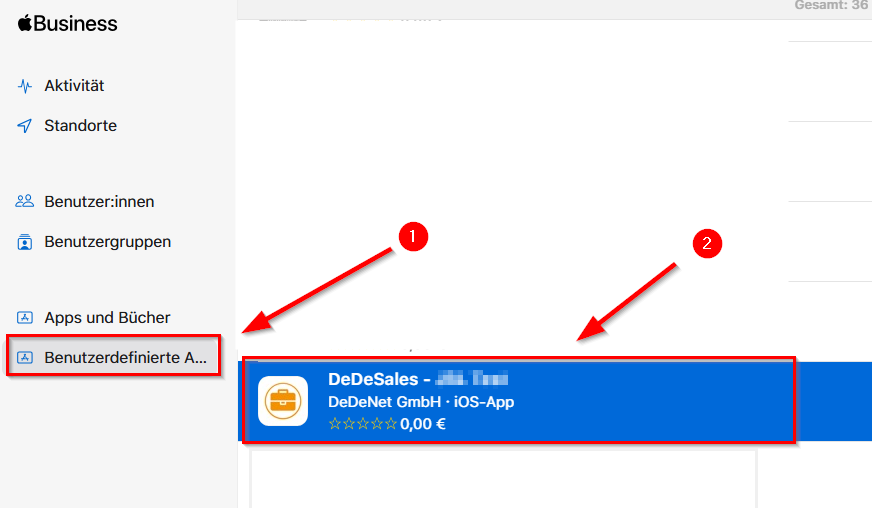
- Select Custom Apps
- Click on the desired app
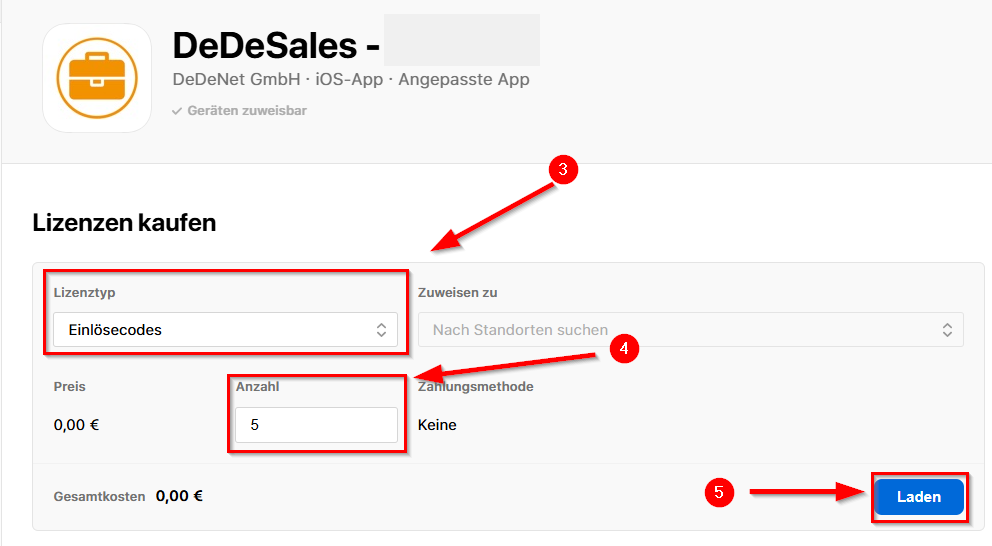
- Select the licence type "Redemption Codes"
- Select the desired quantity of codes
- By clicking Load, the redemption codes are created.
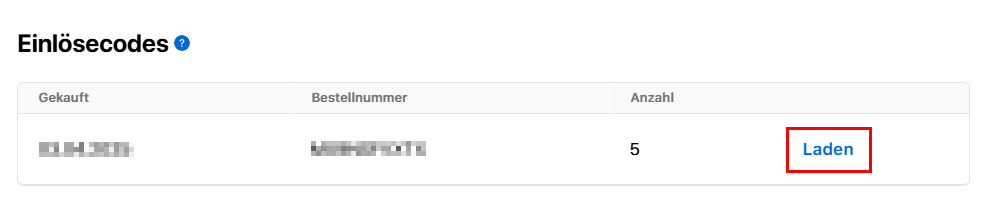
After the redemption codes have been created, they can be downloaded in the lower area under "Redemption Codes" via "Load".
The created redemption codes are displayed in the downloaded Excel file.
The redemption link behind the code can be executed directly on the device. This link automatically opens the redemption dialog.
Further Information
The redemption codes can only be redeemed in the country where the ABM is registered.
Example: If the ABM is registered at a company location in Germany, the redemption codes can only be activated on devices that use the German App Store. (Have an Apple ID registered in Germany.)