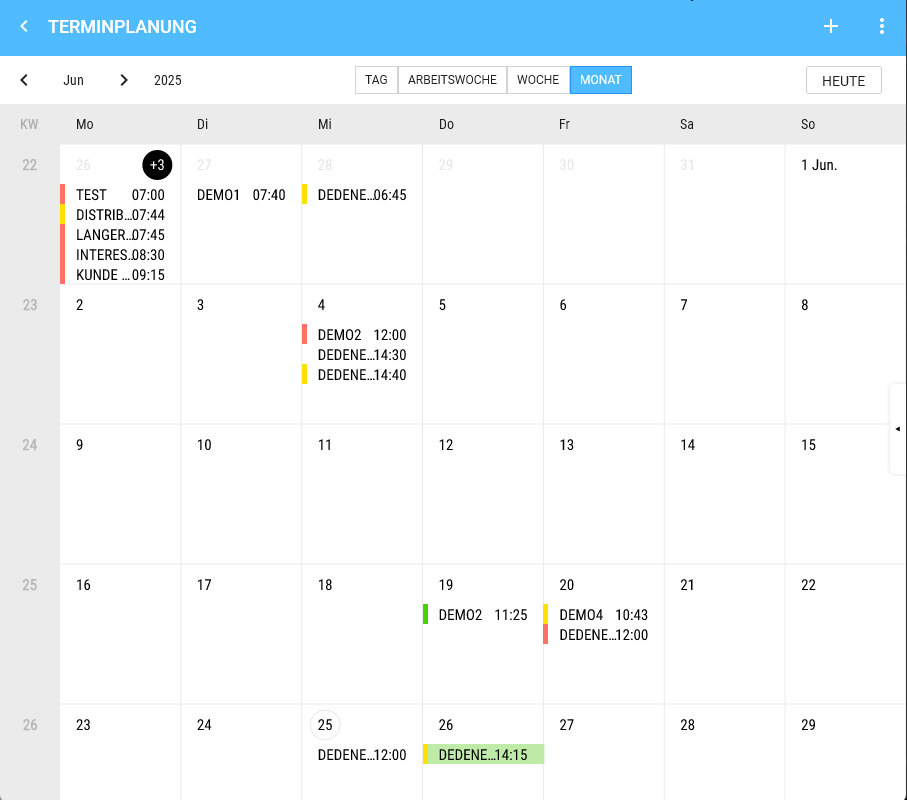
View Month
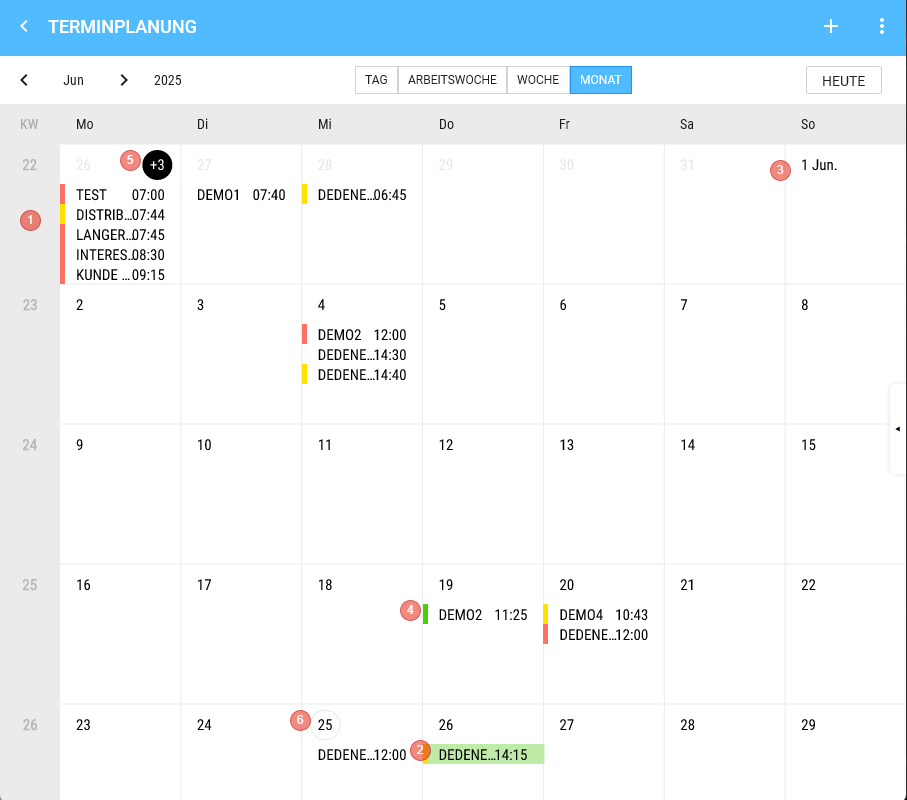
- Weeks
- Appointment, if one is selected.
- The calendar can be scrolled vertically (endless)
- We show 4 Weeks + remainder.
- On the 1st of a Month, we always add the Month (abbreviated).
- Appointment
- Height is fixed (there is space for 5 appointments stacked)
- Content
- 1) Colour code
- 2) Customer
- 3) Time
- Click shows the appointment details on the Right.
- Day
- Day title
- 1) If more appointments exist on that Day than can be displayed, the number of non-visible appointments is shown in the day title (e.g. "+2")
- a) Clicking on the "+2" switches to the Day View.
- 2) Double-click switches to the Day View of the corresponding Day.
- 1) If more appointments exist on that Day than can be displayed, the number of non-visible appointments is shown in the day title (e.g. "+2")
- Day title
- The current Day is shown with a grey border.
- Appointments are displayed top-down
- Longpress
- Creates an appointment on that Day
|
|
|
| View Month | Click on the eye opens the Customer masterdata. |
|
| |
| Click on the pencil changes the Customer. |