# View Month

<div drawio-diagram="1866"><img src="https://en.wiki.dedesales.de/uploads/images/gallery/2026-08/M9wM04aguDup8Cw2-pzuuvsbbst00dbaw-drawing-9-1750847679.png" alt="pzuuVsbbST00DbAw-drawing-9-1750847679.png"/></div>

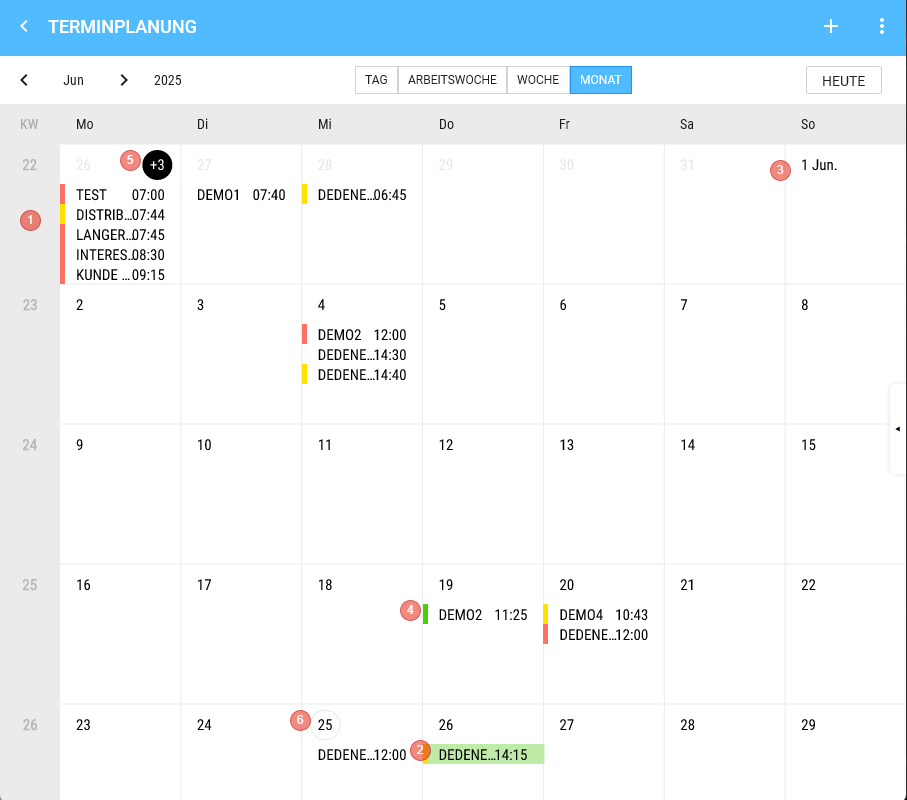
1. Weeks
2. Appointment, if one is selected.
3. The calendar can be scrolled vertically (endless) 
    - We show 4 Weeks + remainder.
    - On the 1st of a Month, we always add the Month (abbreviated).
4. Appointment 
    - Height is fixed (there is space for 5 appointments stacked)
    - Content 
        - 1) Colour code
        - 2) Customer
        - 3) Time
    - Click shows the appointment details on the Right.
5. Day 
    - Day title 
        - 1) If more appointments exist on that Day than can be displayed, the number of non-visible appointments is shown in the day title (e.g. "+2") 
            - a) Clicking on the "+2" switches to the Day View.
        - 2) Double-click switches to the Day View of the corresponding Day.
6. The current Day is shown with a grey border. 
    - Appointments are displayed top-down
    - Longpress 
        - Creates an appointment on that Day
 
<table id="bkmrk-klick-auf-das-auge-%C3%B6" style="border-collapse:collapse;width:100%;"><colgroup><col style="width:50%;"></col><col style="width:50%;"></col></colgroup> <tbody> <tr> <td>[![image.png](https://en.wiki.dedesales.de/uploads/images/gallery/2026-08/rPz1CtmK1UQqByFl-3fzdtg2jvw2d1wmx-image.png)](https://wiki.dedesales.de/uploads/images/gallery/2025-06/3FzDTg2JvW2d1WMX-image.png)

 </td> <td>[![image.png](https://en.wiki.dedesales.de/uploads/images/gallery/2026-08/oL8MsLe3xTeuyt28-keszcaecmfrgfwoy-image.png)](https://wiki.dedesales.de/uploads/images/gallery/2025-06/KESZCaecMFrGFWOy-image.png)

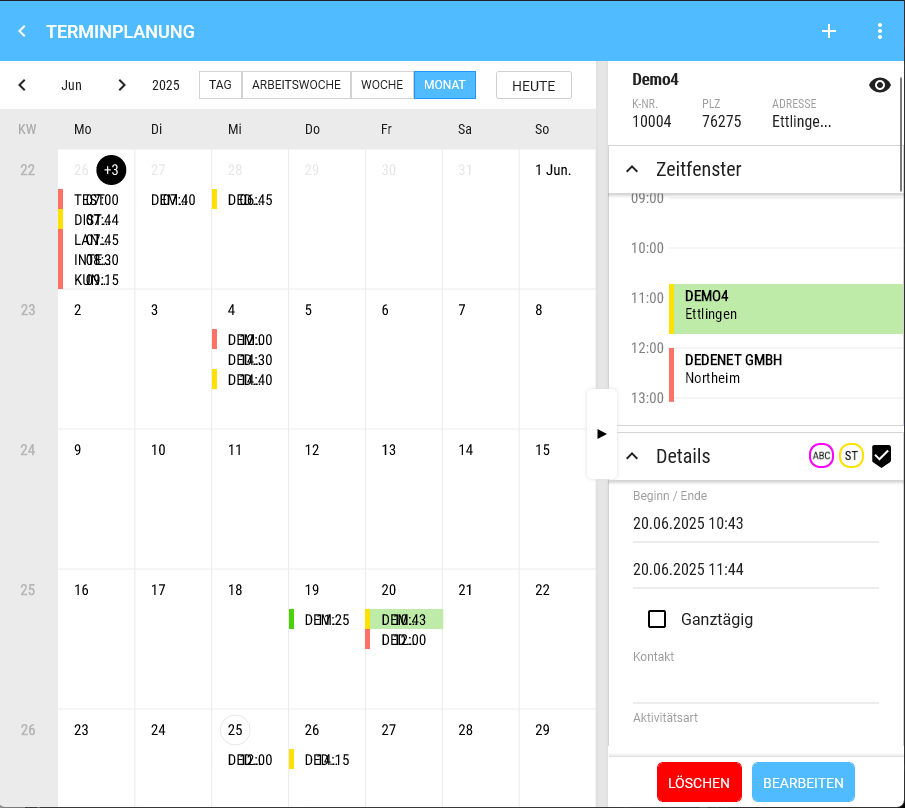
 </td> </tr> <tr> <td>View Month</td> <td>Click on the eye opens the Customer masterdata.  
</td> </tr> <tr> <td>[![image.png](https://en.wiki.dedesales.de/uploads/images/gallery/2026-08/EYt8Fx9xAlVPbibR-0do0qtsoppjuh3fp-image.png)](https://wiki.dedesales.de/uploads/images/gallery/2025-06/0Do0QTSopPJUh3fP-image.png)

 </td> <td>  
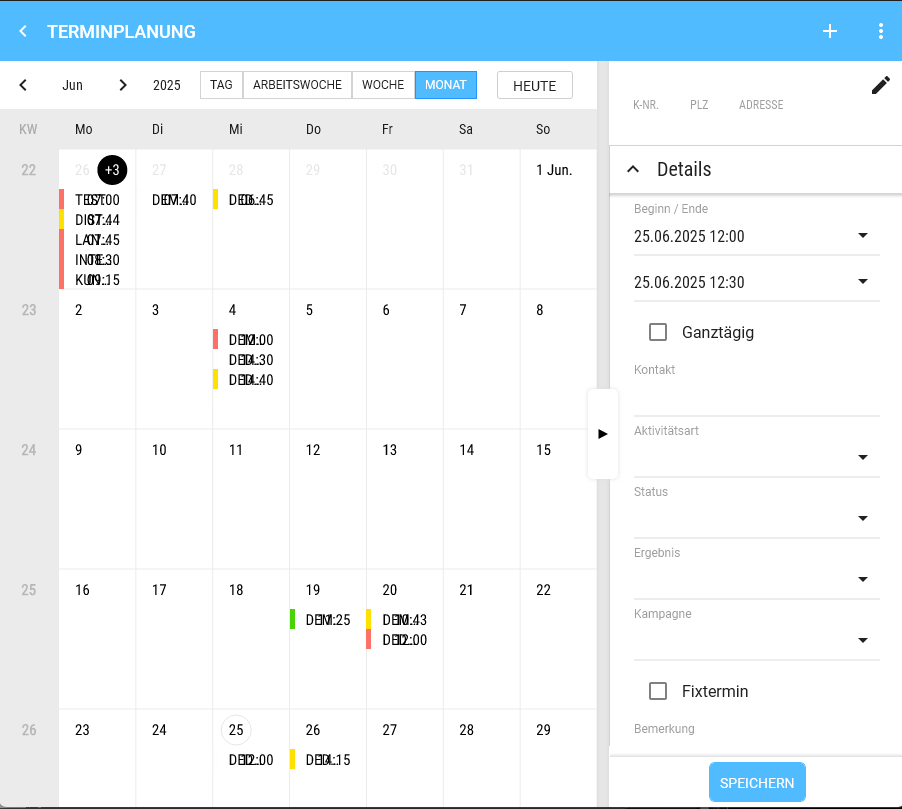
</td> </tr> <tr> <td>Click on the pencil changes the Customer.

 </td> <td>  
</td> </tr> </tbody></table>