
Landscape Mode
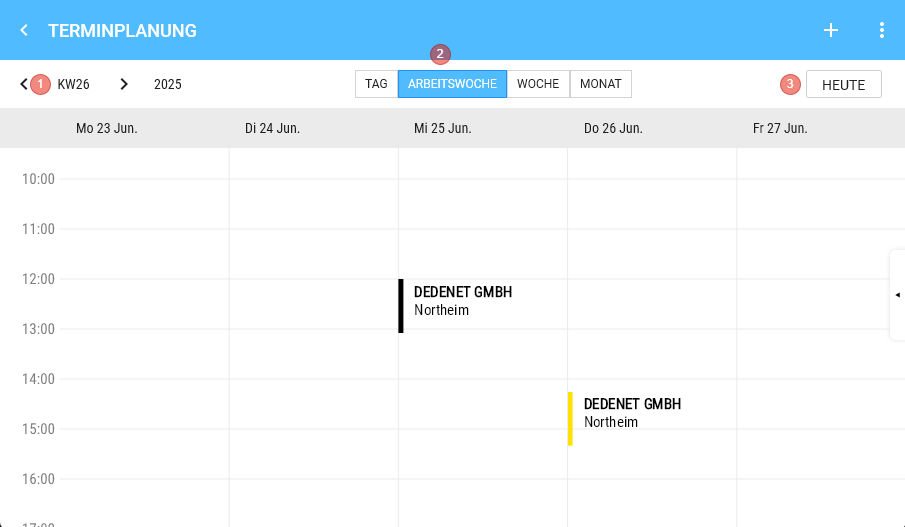
- Week and Year
- Toggle functions between the views Day View / Work week / Week / View Month
- Today - Button
- Jumps to the current week of the day bar and selects Today.
Day Bar
(only Visible in Day View / Weekly Overview)

Shows the Days of week and Day date and Month (Short form, Jan., Feb.) for each Day in the Week.
Day View
The selected Day is displayed in green.

Drag & Drop
Longpress on an Appointment entry in the View Calendar allows moving the Appointment to another Day or Time.
1) View Month: Moves the Appointment to another Day with the same Time
2) Day View and Weekly Overview: Moves the Appointment in 15 Minutes Steps to the desired Time / Day.
Appointment Details
Clicking on an Appointment opens the right Type via splitter and it can also be Hidden again this way.