
KDC 200 Reset and Configure Windows
Initial Situation
The KDC200 no longer functions as expected. The connection is only established sporadically or the scanned barcodes are no longer transferred.
Solution
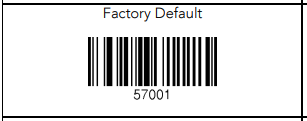
Reset the scanner to factory settings and set it up again.
- Exit DeDeSales completely and Disable Bluetooth on the PC
1.1 To Disable Bluetooth, press the Windows key + A and click on the Bluetooth icon.
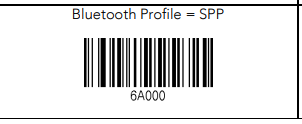
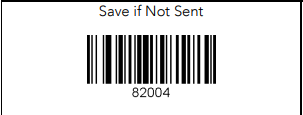
- Scan the following barcodes one after the other. Pay attention to the scanner and only scan the next barcode when the green status LED goes out.


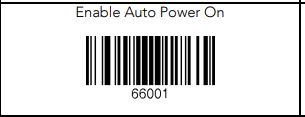
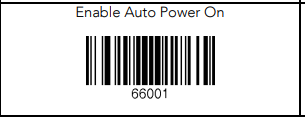
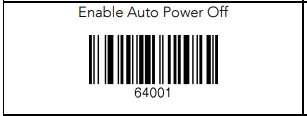

- Enable Bluetooth again by pressing Windows key + A and clicking on the Bluetooth icon, then Start DeDeSales.
- The scanner now works as usual again.