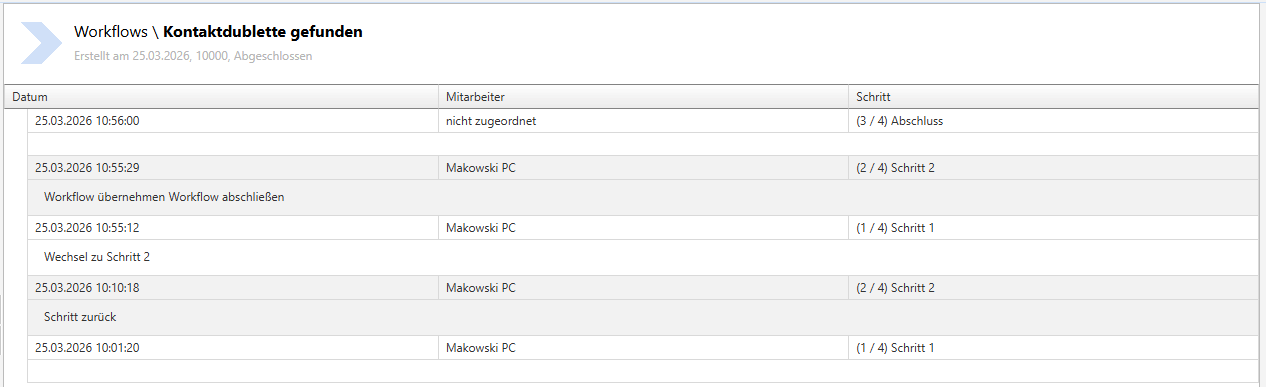
Workflow - Evaluation
Workflow - Summary - ongoing workflows
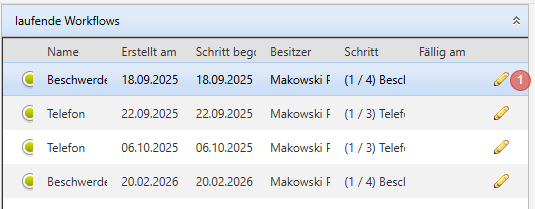
- The current owner of the workflow can be changed or the workflow can be deleted via the pencil icon.
Colour code
-
- green:
- Status "In progress"
- red:
- Status "escalated"
- without colour code:
- not assigned or step unknown
- Name
- Created on
- Step started
- Owner
- Step
- Due on
- Edit (pencil icon)
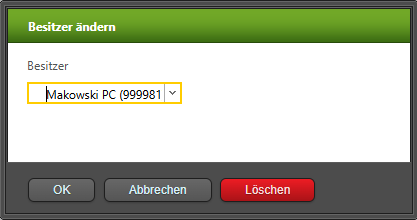
- Here you can change the owner of the workflow:
- green:
Clicking on a workflow displays the Workflow Details.
Workflow - Summary - completed workflows


- A completed workflow can be deleted via the icon.
Workflow Details (History)
Clicking on a workflow shows the details of the individual steps with any notes stored.