
Jobs / Copy CRM

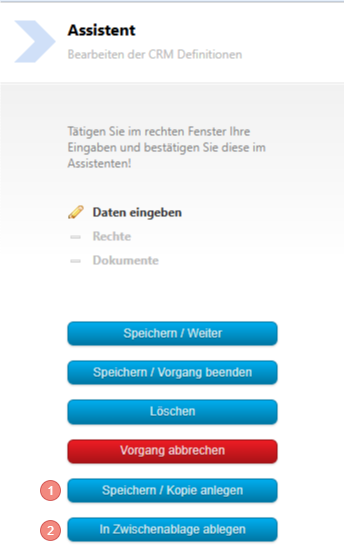
1. Save / Create a copy
You can copy a Job or a CRM with the button "Save / Create a copy" in the same Type. That means a query in the Customers Type will also be copied into the Customers Type. The new name will be "Copy of ...".
A new ID must be created for the copy so that it can be evaluated.
2. Save to clipboard
If you want to copy the Job from Customers to, for example, Contact in the CRM Type, use the button "Save to clipboard".
You can use the same in the Jobs Type if you want to transfer a Job, for example, from your test system to your live system.
Open the source Job and select the button "Save to clipboard"

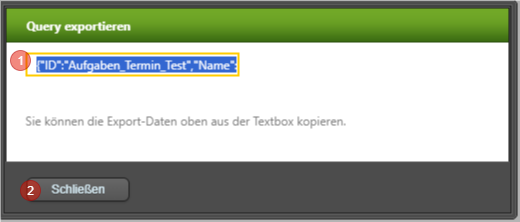
1. Click into the text field and copy the entire string from the text field using the right mouse button or Ctrl+C
2. Close the window and switch to your target Type.
3. There select the button "Paste from clipboard".



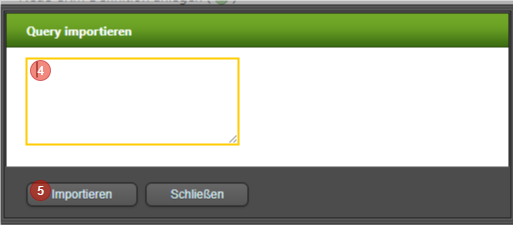
4. Click into the text field and paste the text from the clipboard with Ctrl+V or right mouse button.