
Customer Satisfaction
First, create a job or contact/customer CRM definition. Pay attention to the status and the assigned customer list.
Then switch to the Tasks - Customer Satisfaction type.
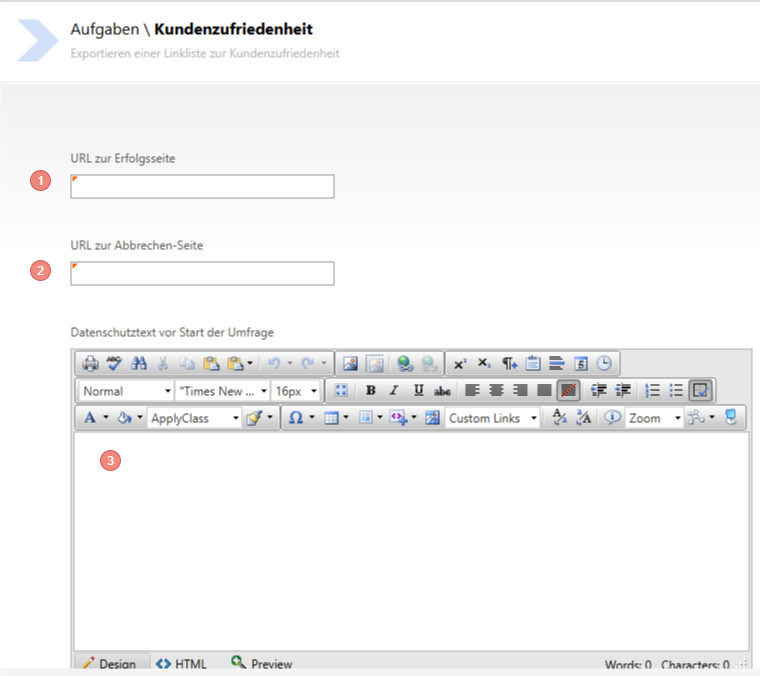
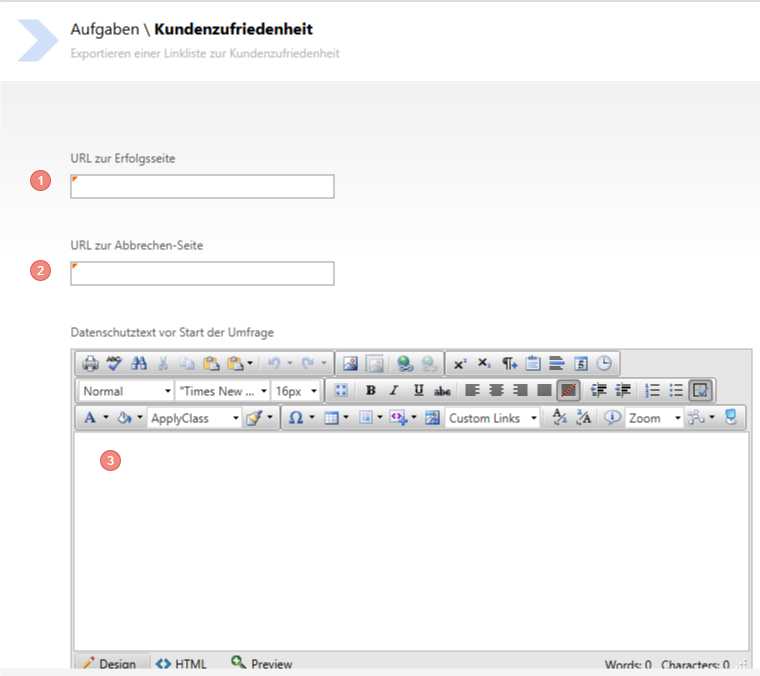
- Enter the link to the success page (Mandatory)
- Enter the link to the cancellation page (Mandatory)
- Enter the Privacy policy text (HTML formatting is possible)
Note that the Privacy policy must be confirmed beforehand, otherwise the survey cannot be answered.
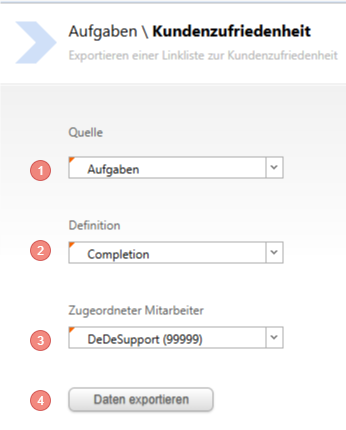
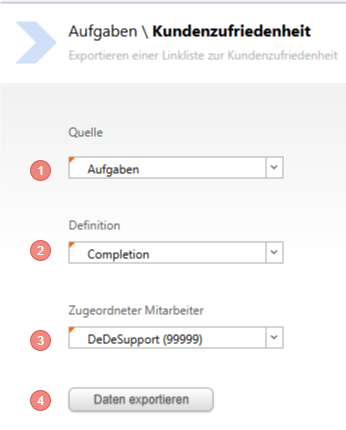
- Enter the source (Tasks or CRM Customer/Contact are possible sources)
- The definition is the job you created for the survey
- Assign an employee to the survey
- Export the data to obtain an Excel list
In the list, you will get all customers to be considered for the job, with an encrypted link. Send this link to your customers (by e-mail or other means).
You can evaluate customer satisfaction in the client under the respective customers in the Tasks/CRM or in the backend under Evaluation - CRM.