
DeDeSales Entra Application Permissions
Register Application
1. Log in at https://entra.microsoft.com/ with an administrative Microsoft account.
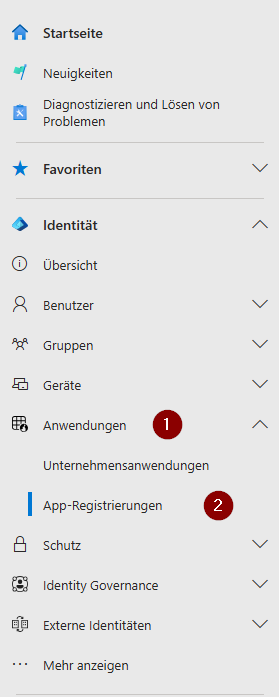

Click on "+ New registration" and assign any name.
Supported account types: Select Only accounts in this organisational directory (only "DeDeNet GmbH" – single Client).
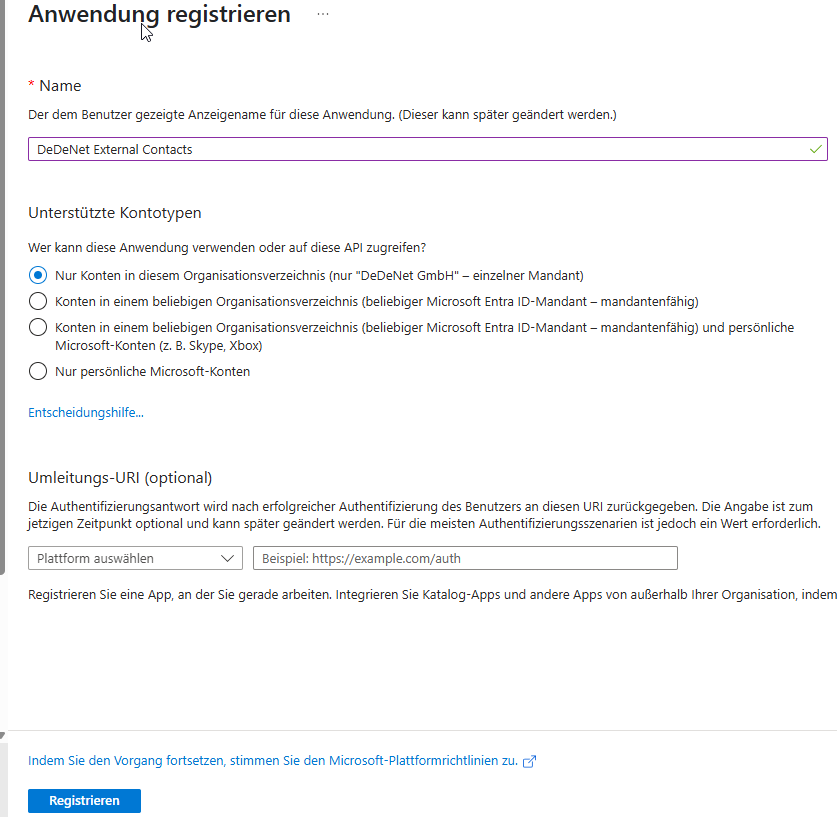
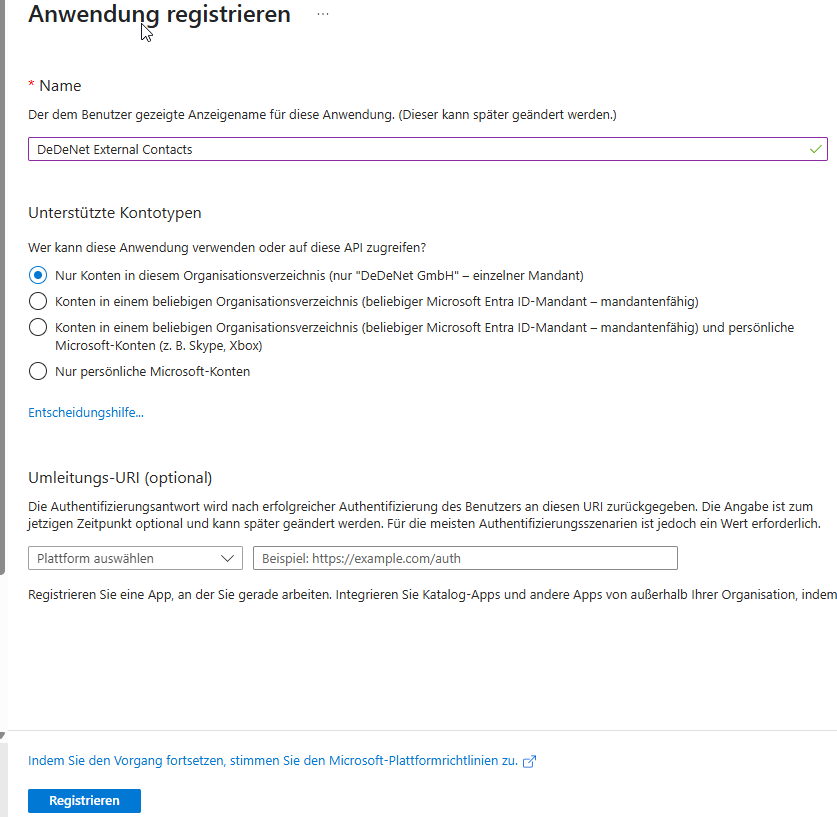
Select Register.
Set API Permissions
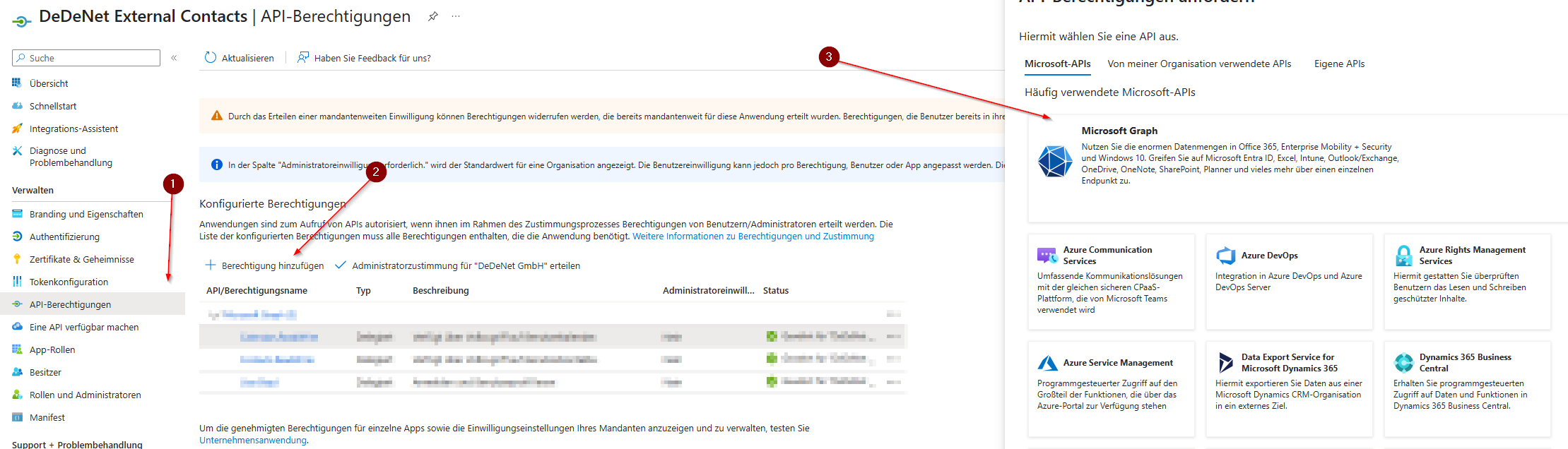
1. In the app overview, switch to "API permissions".
2. Click on "Add a permission" and in the following window (3) select the Microsoft Graph API (Delegated permissions).
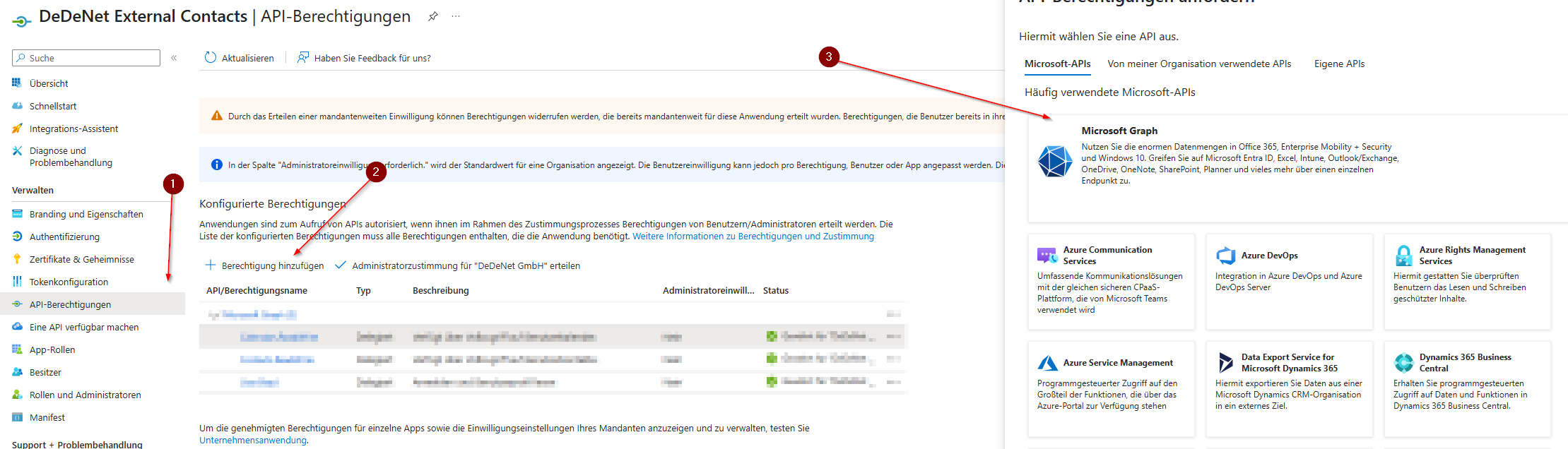
Use the search "Select permissions" to find and check the following permissions one after another:
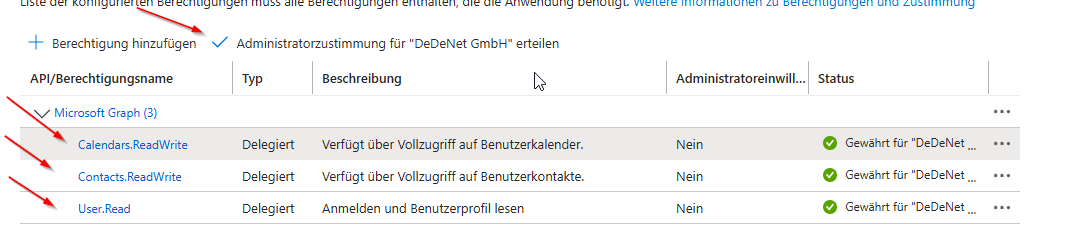
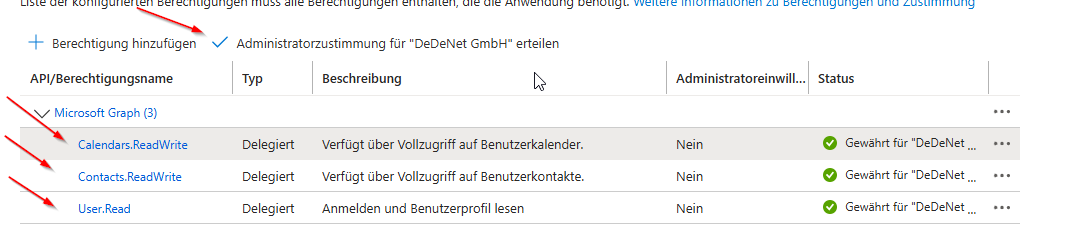
- Calendars.ReadWrite
- Contacts.ReadWrite
- User.Read
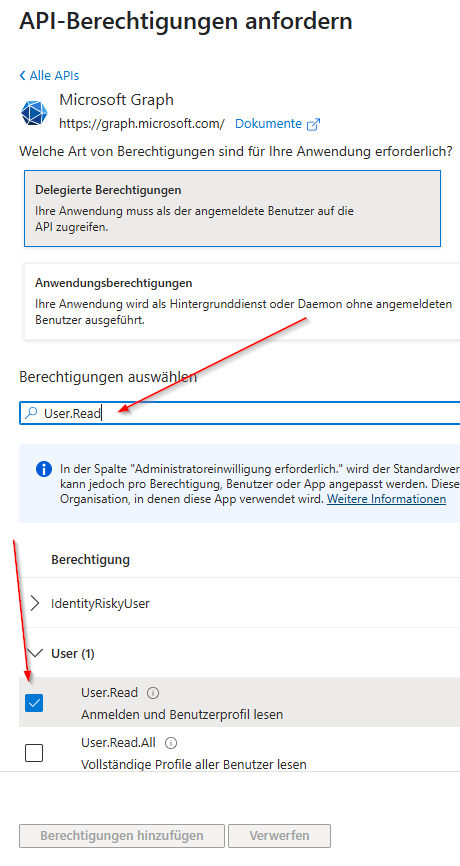
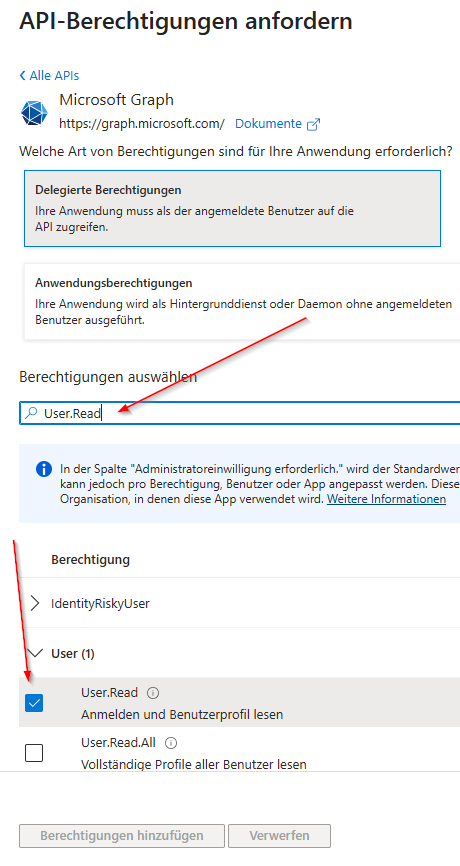
If all 3 permissions have been checked, click on "Add permission".
In the overview, grant admin consent for all 3 API permissions for the "Client".
Set Authentication
2. Check the box for "ID" (MSA only) and determine the URL from the Client (hidden behind the black exclamation mark).

4. Then click Save.
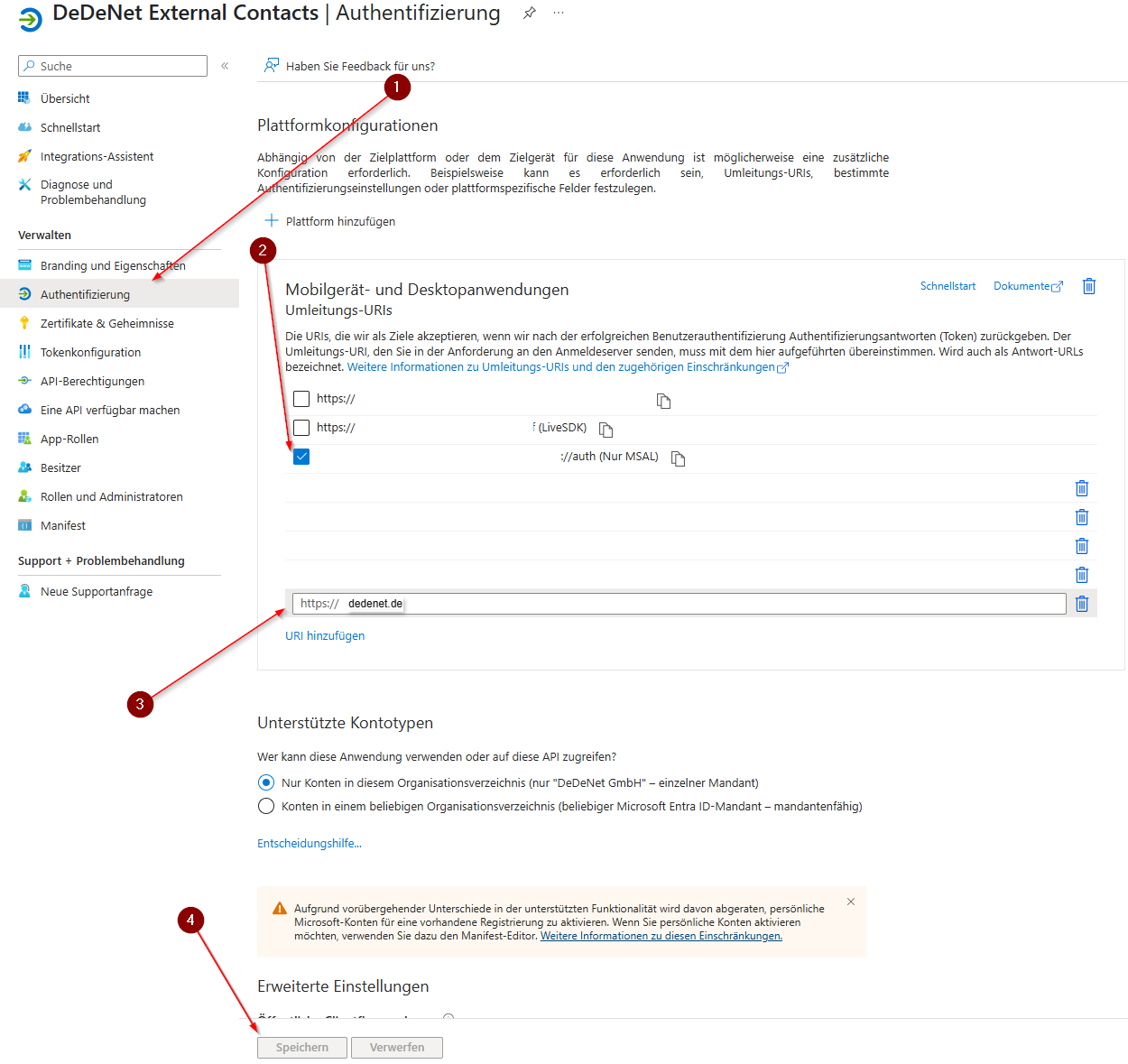
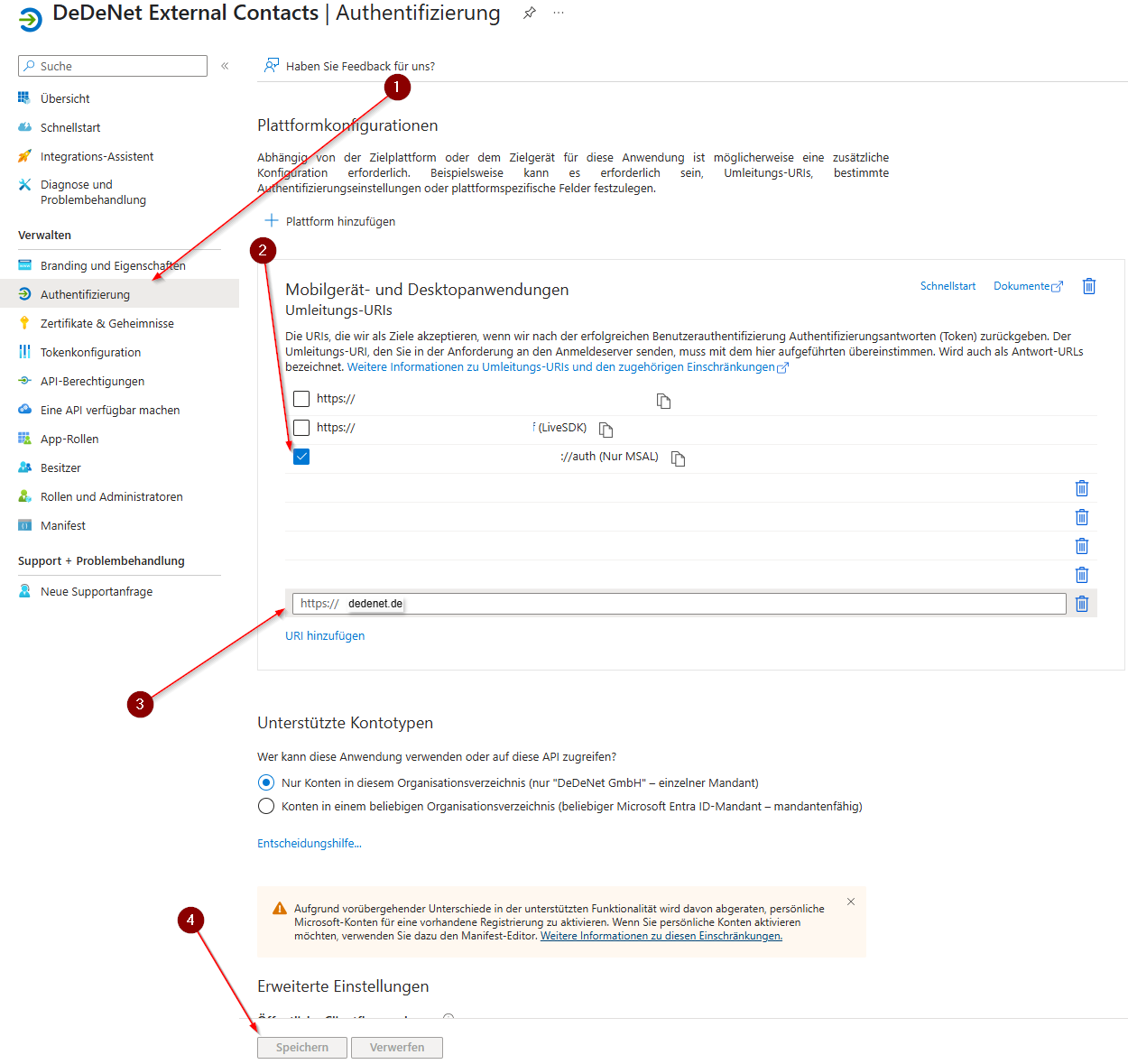
The setup is completed.
Retrieve IDs for Backend Configuration
To retrieve the ClientID and TenantID, switch to "Summary".
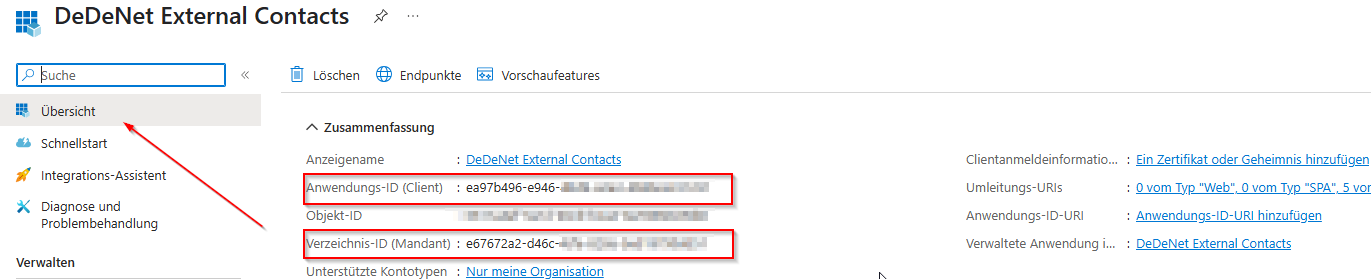

Copy both IDs and store them in the backend under Basic configuration - Settings - Microsoft Graph API Client Settings.