TAPI Connection

TAPI Installation

Installation

Ein Bild, das Text, Elektronik, Screenshot, Display enthält.  Automatisch generierte Beschreibung

Ein Bild, das Text, Elektronik, Screenshot, Display enthält.  Automatisch generierte Beschreibung

Ein Bild, das Text, Elektronik, Screenshot, Display enthält.  Automatisch generierte Beschreibung

Ein Bild, das Text, Elektronik, Screenshot, Display enthält.  Automatisch generierte Beschreibung

After the installation is completed, the corresponding TAPI client icon will appear in the system tray.

Ein Bild, das Text, Screenshot, Multimedia-Software, Software enthält.  Automatisch generierte Beschreibung

Right-click here to open the Settings:

Ein Bild, das Text, Software, Schrift, Multimedia-Software enthält.  Automatisch generierte Beschreibung

Enter the desired Data at this point:

User: Your Sales rep. Number from the backend

Password: You set the Password in the backend in your Employee using the button:

MRZj3pudQ3XAtoVt-embedded-image-zutjis8p.png

URL: Here you enter the URL to your backend

TAPI Line: here you activate the telephone software

Ein Bild, das Text, Screenshot, Schrift, Zahl enthält.  Automatisch generierte Beschreibung

Ein Bild, das Text, Screenshot, Schrift, Zahl enthält.  Automatisch generierte Beschreibung

Save everything.


If the TAPI Line cannot be selected, it must be added here:
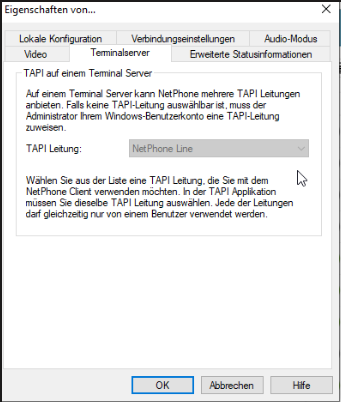
image.png