# Service Description Appointments

# Calendar management

<table id="bkmrk-titel-verf%C3%BCgbar-widg" style="border-collapse:collapse;width:100%;height:143.391px;"><colgroup><col style="width:10.1503%;"></col><col style="width:28.1096%;"></col><col style="width:61.7402%;"></col></colgroup> <thead> <tr style="height:29.7969px;"> <td style="height:29.7969px;">Title</td> <td style="height:29.7969px;">Widget</td> <td style="height:29.7969px;">Widget description</td> </tr> </thead> <tbody> <tr style="height:113.594px;"> <td style="height:113.594px;">Appointments</td> <td style="height:113.594px;"><div drawio-diagram="1629">[![zOU5xw4PHPMN8Su3-drawing-9-1749029780.png](https://en.wiki.dedesales.de/uploads/images/drawio/2026-10/av76fMi9OQNM9ND0-drawing-8-1793274513.png)](https://wiki.dedesales.de/uploads/images/gallery/2025-06/uScpGvamf84aXzwa-image.png)</div>

 </td> <td style="height:113.594px;">

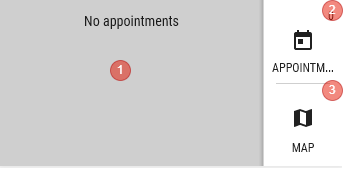
1. Number of today's appointments
 

Click shows today's day in the calendar

Available  
     a. Cockpit

     b. Customer details

 </td> </tr> <tr> <td>  
</td> <td><div drawio-diagram="1631">[![axPsfnilj8Wsm1zh-drawing-9-1749029840.png](https://en.wiki.dedesales.de/uploads/images/drawio/2026-10/CMohZRbEHFYd6VjH-drawing-8-1793276439.png)](https://wiki.dedesales.de/uploads/images/gallery/2025-06/fhRW5JuiEOWE97Fa-image.png)</div>

 </td> <td>

1. Shows the first 4 customer appointments of the current day. Appointments without a customer (e.g. prospects) are not shown  
    Click opens the appointment
2. Number of today's appointments  
    Click shows today's day in the calendar
3. Switch to the Map view
 

Available

    a. Cockpit

 </td> </tr> </tbody> </table>

### General

#### Kebab menu ([![image.png](https://en.wiki.dedesales.de/uploads/images/gallery/2026-08/DSOzSi3uEaiMZWCJ-hpximage.png)](https://wiki.dedesales.de/uploads/images/gallery/2025-02/hpximage.png))


<table id="bkmrk-typ-men%C3%BCpunkt-erl%C3%A4ut" style="border-collapse:collapse;width:100%;height:504.532px;"><colgroup><col style="width:5.24434%;"></col><col style="width:31.2214%;"></col><col style="width:63.5343%;"></col></colgroup> <thead> <tr style="height:29.7969px;"> <td style="height:29.7969px;">Type</td> <td style="height:29.7969px;">Menu item</td> <td style="height:29.7969px;">Explanation</td> </tr> </thead> <tbody> <tr style="height:35.7969px;"> <td style="height:35.7969px;"> </td> <td style="height:35.7969px;">[Map](https://wiki.dedesales.de/link/319#bkmrk-page-title)</td> <td style="height:35.7969px;">  
</td> </tr> <tr style="height:29.7969px;"> <td style="height:29.7969px;"> </td> <td style="height:29.7969px;">[List](https://wiki.dedesales.de/link/320#bkmrk-page-title)</td> <td style="height:29.7969px;">  
</td> </tr> <tr style="height:29.7969px;"> <td style="height:29.7969px;"> </td> <td style="height:29.7969px;">[Tour suggestion](https://wiki.dedesales.de/link/324#bkmrk-page-title)</td> <td style="height:29.7969px;">  
</td> </tr> <tr style="height:29.7969px;"> <td style="height:29.7969px;">  
</td> <td style="height:29.7969px;">---------------------------------------</td> <td style="height:29.7969px;">  
</td> </tr> <tr style="height:63.375px;"> <td style="height:63.375px;">![Only one active entry is possible.](https://en.wiki.dedesales.de/uploads/images/gallery/2026-08/PGlgF4qwhON8QACO-jbemwch2ontcwalv-r6pimage.png)

 </td> <td style="height:63.375px;">Visit colour</td> <td style="height:63.375px;"> </td> </tr> <tr style="height:29.7969px;"> <td style="height:29.7969px;">![Only one active entry is possible.](https://en.wiki.dedesales.de/uploads/images/gallery/2026-08/8ycOdrgjYaVLgSa2-onzmmy6khifxybqm-5awimage.png)

 </td> <td style="height:29.7969px;">Activity colour</td> <td style="height:29.7969px;">  
</td> </tr> <tr style="height:29.7969px;"> <td style="height:29.7969px;">![Only one active entry is possible.](https://en.wiki.dedesales.de/uploads/images/gallery/2026-08/8ycOdrgjYaVLgSa2-onzmmy6khifxybqm-5awimage.png)

 </td> <td style="height:29.7969px;">ABC status</td> <td style="height:29.7969px;">  
</td> </tr> <tr style="height:29.7969px;"> <td style="height:29.7969px;">![Only one active entry is possible.](https://en.wiki.dedesales.de/uploads/images/gallery/2026-08/8ycOdrgjYaVLgSa2-onzmmy6khifxybqm-5awimage.png)

 </td> <td style="height:29.7969px;">Revenue</td> <td style="height:29.7969px;">  
</td> </tr> <tr style="height:29.7969px;"> <td style="height:29.7969px;">![Only one active entry is possible.](https://en.wiki.dedesales.de/uploads/images/gallery/2026-08/8ycOdrgjYaVLgSa2-onzmmy6khifxybqm-5awimage.png)

 </td> <td style="height:29.7969px;">Due date</td> <td style="height:29.7969px;">  
</td> </tr> <tr style="height:29.7969px;"> <td style="height:29.7969px;">  
</td> <td style="height:29.7969px;">---------------------------------------</td> <td style="height:29.7969px;">  
</td> </tr> <tr style="height:35.7969px;"> <td style="height:35.7969px;"> </td> <td style="height:35.7969px;">[Change agent](https://wiki.dedesales.de/link/321#bkmrk-mitarbeiter-wechseln)</td> <td style="height:35.7969px;">DAILY REPORT / calendar management / Change agent in appointment scheduling</td> </tr> <tr style="height:35.7969px;"> <td style="height:35.7969px;"> </td> <td style="height:35.7969px;">[Move appointments](https://wiki.dedesales.de/link/321#bkmrk-termine-verschieben)</td> <td style="height:35.7969px;">  
</td> </tr> <tr style="height:35.7969px;"> <td style="height:35.7969px;"> </td> <td style="height:35.7969px;">[Copy appointments](https://wiki.dedesales.de/link/321#bkmrk-termine-kopieren-%28ab)</td> <td style="height:35.7969px;">  
</td> </tr> <tr style="height:29.7969px;"> <td style="height:29.7969px;"> </td> <td style="height:29.7969px;">---------------------------------------</td> <td style="height:29.7969px;">  
</td> </tr> <tr> <td> </td> <td>[Create serial appointments](https://wiki.dedesales.de/link/322#bkmrk-page-title)</td> <td>DAILY REPORT / calendar management / Calendar management / Create serial appointments</td> </tr> <tr> <td> </td> <td>---------------------------------------</td> <td>  
</td> </tr> <tr> <td> </td> <td>[Tour optimisation](https://wiki.dedesales.de/link/323#bkmrk-page-title)</td> <td>Requires licence for: Tour optimisation module</td> </tr> <tr> <td> </td> <td>[Personal locations](https://wiki.dedesales.de/link/323#bkmrk-titel-icons)</td> <td>Requires licence for: Tour optimisation module</td> </tr> <tr> <td> </td> <td>Follow-ups</td> <td>  
</td> </tr> </tbody> </table>

#### Functions in the title bar

<table id="bkmrk-icon-erl%C3%A4uterung-erm" style="border-collapse:collapse;width:100%;"><colgroup><col style="width:17.2704%;"></col><col style="width:82.7296%;"></col></colgroup> <thead> <tr> <td>Icon</td> <td>Explanation</td> </tr> </thead> <tbody> <tr> <td>+</td> <td>Add appointment (if a day is selected in the calendar view, that date is used. If no day is selected, today's date applies. Time is 12:00 noon.

Appointment end is start + visit duration (if visit duration is not present, 30 minutes applies)

 </td> </tr> <tr> <td>[![image.png](https://en.wiki.dedesales.de/uploads/images/gallery/2026-08/KpJQIMM8YaNV3hyk-7qqrczyvooujbcwd-image.png)](https://wiki.dedesales.de/uploads/images/gallery/2026-01/7qQRczYvOOUJBcWD-image.png)

 </td> <td>Starts a workflow

Only visible if the "Workflow" module is licensed and a corresponding workflow exists.

 </td> </tr> <tr> <td>Calendar management (name)</td> <td>Display of another calendar

 </td> </tr> </tbody> </table>

#### Header

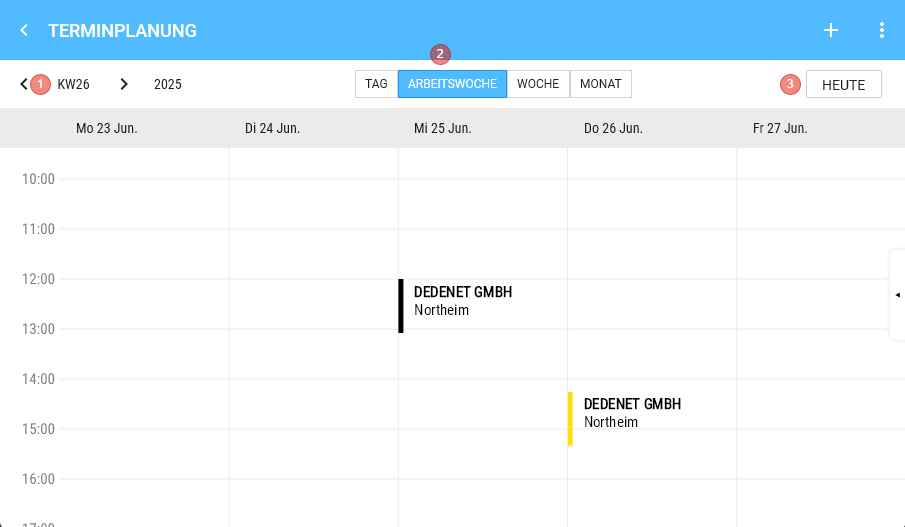
<div drawio-diagram="1606"><img src="https://en.wiki.dedesales.de/uploads/images/gallery/2026-08/XdOIDctrXY02XESS-s0wlx2ej3pnqicq7-drawing-9-1748934347.png" alt="s0wlx2EJ3Pnqicq7-drawing-9-1748934347.png"/></div>

1. Left and right arrows to change the calendar week
2. Display of the shown calendar week
3. Current day
4. Displaymode
5. Switch to today
 

#### Form

##### Details

<table id="bkmrk-feld-recht-referenz-" style="border-collapse:collapse;width:100%;height:255.172px;"><colgroup><col style="width:33.3333%;"></col><col style="width:33.3333%;"></col><col style="width:33.3333%;"></col></colgroup> <thead> <tr style="height:29.7969px;"> <td style="height:29.7969px;">Field</td> <td style="height:29.7969px;">Right</td> <td style="height:29.7969px;">Reference</td> </tr> </thead> <tbody> <tr style="height:29.7969px;"> <td style="height:29.7969px;">Contact</td> <td style="height:29.7969px;"> </td> <td style="height:29.7969px;">Customer contacts</td> </tr> <tr style="height:46.5938px;"> <td style="height:46.5938px;">Type of activity</td> <td style="height:46.5938px;"> </td> <td style="height:46.5938px;">Code table: Appointment / Tour types of activity</td> </tr> <tr style="height:29.7969px;"> <td style="height:29.7969px;">Status</td> <td style="height:29.7969px;">  
</td> <td style="height:29.7969px;">Code table: Appointment status</td> </tr> <tr style="height:29.7969px;"> <td style="height:29.7969px;">Result</td> <td style="height:29.7969px;">  
</td> <td style="height:29.7969px;">Code table: Appointment results</td> </tr> <tr style="height:29.7969px;"> <td style="height:29.7969px;">Campaign</td> <td style="height:29.7969px;">  
</td> <td style="height:29.7969px;">[Campaigns](https://wiki.dedesales.de/link/72#bkmrk-page-title)</td> </tr> <tr style="height:29.7969px;"> <td style="height:29.7969px;">Fixed appointment</td> <td style="height:29.7969px;">  
</td> <td style="height:29.7969px;">  
</td> </tr> <tr style="height:29.7969px;"> <td style="height:29.7969px;">Comment</td> <td style="height:29.7969px;">  
</td> <td style="height:29.7969px;">  
</td> </tr> </tbody> </table>

##### Visit announcement

<table id="bkmrk-feld-recht-referenz--1" style="border-collapse:collapse;width:100%;height:148.984px;"><colgroup><col style="width:33.3333%;"></col><col style="width:33.3333%;"></col><col style="width:33.3333%;"></col></colgroup> <thead> <tr style="height:29.7969px;"> <td style="height:29.7969px;">Field</td> <td style="height:29.7969px;">Right</td> <td style="height:29.7969px;">Reference</td> </tr> </thead> <tbody> <tr style="height:29.7969px;"> <td style="height:29.7969px;">Send Notification of Visit</td> <td style="height:29.7969px;"> </td> <td style="height:29.7969px;">  
</td> </tr> <tr style="height:29.7969px;"> <td style="height:29.7969px;">Subject</td> <td style="height:29.7969px;"> </td> <td style="height:29.7969px;">Code table: Appointment text blocks</td> </tr> <tr> <td>Announce appointment</td> <td>DAILY REPORT / calendar management / Visit announcement</td> <td>  
</td> </tr> <tr> <td>Brief text</td> <td>  
</td> <td>  
</td> </tr> </tbody> </table>

##### Objectives

<table id="bkmrk-feld-recht-referenz" style="border-collapse:collapse;width:100%;height:89.3907px;"><colgroup><col style="width:33.3731%;"></col><col style="width:33.3731%;"></col><col style="width:33.3731%;"></col></colgroup> <thead> <tr style="height:29.7969px;"> <td style="height:29.7969px;">Field</td> <td style="height:29.7969px;">Right</td> <td style="height:29.7969px;">Reference</td> </tr> </thead> <tbody> <tr style="height:29.7969px;"> <td style="height:29.7969px;">Type</td> <td style="height:29.7969px;"> </td> <td style="height:29.7969px;">

-  [Order templates](https://wiki.dedesales.de/link/71#bkmrk-page-title)
- Tasks
- Objectives
 

 Code table: Objectives

 </td> </tr> </tbody> </table>

##### Miscellaneous

<table id="bkmrk-feld-recht-referenz--2" style="border-collapse:collapse;width:100%;height:182.578px;"><colgroup><col style="width:33.3731%;"></col><col style="width:33.3731%;"></col><col style="width:33.3731%;"></col></colgroup> <thead> <tr style="height:29.7969px;"> <td style="height:29.7969px;">Field</td> <td style="height:29.7969px;">Right</td> <td style="height:29.7969px;">Reference</td> </tr> </thead> <tbody> <tr style="height:29.7969px;"> <td style="height:29.7969px;">Created by</td> <td style="height:29.7969px;">  
</td> <td style="height:29.7969px;">  
</td> </tr> <tr style="height:46.5938px;"> <td style="height:46.5938px;">Created for </td> <td style="height:46.5938px;">DAILY REPORTS / calendar management / Change agent in appointment scheduling</td> <td style="height:46.5938px;">  
</td> </tr> <tr style="height:29.7969px;"> <td style="height:29.7969px;">Recorded</td> <td style="height:29.7969px;">  
</td> <td style="height:29.7969px;">Date and time of recording</td> </tr> <tr style="height:46.5938px;"> <td style="height:46.5938px;">Edited</td> <td style="height:46.5938px;">  
</td> <td style="height:46.5938px;">Current date and time on change</td> </tr> </tbody> </table>

##### Address

<table id="bkmrk-feld-recht-referenz--3" style="border-collapse:collapse;width:100%;"><colgroup><col style="width:20.0238%;"></col><col style="width:40.0477%;"></col><col style="width:40.0477%;"></col></colgroup> <thead> <tr> <td style="height:29.7969px;">Field</td> <td style="height:29.7969px;">Right</td> <td style="height:29.7969px;">Reference</td> </tr> </thead> <tbody> <tr> <td>Street</td> <td>  
</td> <td>Debtor master data</td> </tr> <tr> <td>Postcode</td> <td>  
</td> <td>Debtor master data</td> </tr> <tr> <td>City</td> <td>  
</td> <td>Debtor master data</td> </tr> <tr> <td>Country</td> <td>  
</td> <td>Debtor master data</td> </tr> </tbody> </table>


<details id="bkmrk-faq-wie-steuere-ich-"> <summary>FAQ</summary>

 </details><details id="bkmrk-release-ab-version-1"> <summary>Release</summary>

</details>

# Appointment Details

<table id="bkmrk-titel-verf%C3%BCgbar-widg" style="border-collapse:collapse;width:100%;height:54.3907px;"><colgroup><col style="width:100%;"></col></colgroup> <thead> <tr style="height:29.7969px;"> <td style="height:29.7969px;">Title</td> </tr> </thead> <tbody> <tr style="height:24.5938px;"> <td style="height:24.5938px;">Calendar management</td> </tr> </tbody> </table>

###   


#### <span style="font-family:'-apple-system', BlinkMacSystemFont, 'Segoe UI', Oxygen, Ubuntu, Roboto, Cantarell, 'Fira Sans', 'Droid Sans', 'Helvetica Neue', sans-serif;font-size:1.666em;font-weight:400;">Header</span>

<div drawio-diagram="1608"><img src="https://en.wiki.dedesales.de/uploads/images/gallery/2026-08/8mLlkhKIfaYv9FQH-hqnrpe493ukkucbo-drawing-9-1748939010.png" alt="hqnRPe493UkKucBO-drawing-9-1748939010.png"/></div>

1. Customer details
2. View mode  
    Eye icon (opens the customer masterdata)
 
<div drawio-diagram="1841"><img src="https://en.wiki.dedesales.de/uploads/images/gallery/2026-08/K66q2K68Exgx1lmq-vojdzh5x6lgkocyb-drawing-9-1750843099.png" alt="VOJDZH5X6lGkOCyB-drawing-9-1750843099.png"/></div>

1. Edit mode  
    Pencil icon (change customer)  
       i. Appointment end is updated and is start + Visit duration (if Visit duration is not available, 30 minutes applies)
 

#### Icon bar 

<table id="bkmrk-position-status-goog" style="border-collapse:collapse;width:100%;"><colgroup><col style="width:25%;"></col><col style="width:25%;"></col><col style="width:25%;"></col><col style="width:25%;"></col></colgroup> <tbody> <tr> <td>**Position**</td> <td>**Status**  
</td> <td>**Google Material Name**  
</td> <td>**Icon**</td> </tr> <tr> <td>1</td> <td>Done</td> <td>Beenhere</td> <td>[![image.png](https://en.wiki.dedesales.de/uploads/images/gallery/2026-08/5Yg9GXsELcPSonTe-pcxq3no0z3g69eat-image.png)](https://wiki.dedesales.de/uploads/images/gallery/2025-06/PCXQ3nO0z3g69eaT-image.png)

 </td> </tr> <tr> <td>2</td> <td>Cancelled</td> <td>Cancel</td> <td>[![image.png](https://en.wiki.dedesales.de/uploads/images/gallery/2026-08/XHpij40ejChcqyjT-1zxwndfaaytiuh5e-image.png)](https://wiki.dedesales.de/uploads/images/gallery/2025-06/1ZxWnDFaAytiuh5e-image.png)

 </td> </tr> <tr> <td>3</td> <td>Fixed appointment</td> <td>Watch Later  
</td> <td>[![image.png](https://en.wiki.dedesales.de/uploads/images/gallery/2026-08/Ry3oAmZTN4wwrKBd-p2yvkxntjdufrhp6-image.png)](https://wiki.dedesales.de/uploads/images/gallery/2025-06/p2yVkXnTjdUfrhP6-image.png)

 </td> </tr> <tr> <td>4</td> <td>Hotel</td> <td>Hotel</td> <td>[![image.png](https://en.wiki.dedesales.de/uploads/images/gallery/2026-08/YiipXzS8PAwdEdr3-adezsadyqdfjvnjo-image.png)](https://wiki.dedesales.de/uploads/images/gallery/2025-06/aDEzSADYQDFjVnJO-image.png)

 </td> </tr> <tr> <td>5</td> <td>Changed serial appointment</td> <td>Sync Disabled  
Changed appointment belonging to a series.</td> <td>[![image.png](https://en.wiki.dedesales.de/uploads/images/gallery/2026-08/OEWPj8P9HRN2JnDI-x0rv8kod8segivcj-image.png)](https://wiki.dedesales.de/uploads/images/gallery/2025-06/X0Rv8kOd8sEGiVCJ-image.png)

 </td> </tr> <tr> <td>6</td> <td>Serial appointment</td> <td>Loop</td> <td>[![image.png](https://en.wiki.dedesales.de/uploads/images/gallery/2026-08/oyWGDukwxldkvLgn-gg2cubhhnjbepis4-image.png)](https://wiki.dedesales.de/uploads/images/gallery/2025-06/Gg2CUbhhNjbepis4-image.png)

 </td> </tr> <tr> <td>7</td> <td>ABC status  
</td> <td>Circle with corresponding backend configured border colour. The circle contains ABC.  
The icon is only visible if a colour code for the corresponding status is configured.  
If no colour is defined for the ABC status, the icon is not displayed. The colour code is configured via Code tables: Appointment / Tour ABC status dependent colours.</td> <td>[![image.png](https://en.wiki.dedesales.de/uploads/images/gallery/2026-08/IxLsMi5S0bmfsX5t-lnruwowryajydf75-image.png)](https://wiki.dedesales.de/uploads/images/gallery/2025-06/LNruWowRyajyDF75-image.png)

 </td> </tr> <tr> <td>8</td> <td>Visit status</td> <td>Circle with corresponding border colour. The circle contains ST.  
The grey colour from 3.0 is not used, the icon remains as shown here.  
If no colour is defined for the visit status, the icon is not displayed.

 </td> <td>[![image.png](https://en.wiki.dedesales.de/uploads/images/gallery/2026-08/sUMNErC0PrD5CVHt-rg9awvquieknqxmo-image.png)](https://wiki.dedesales.de/uploads/images/gallery/2025-06/rg9AwVqUiekNqXmO-image.png)

 </td> </tr> </tbody> </table>

The icon bar is hidden if no icon is present.

### Data

#### 1. Panels

##### a. Time slot

- - - Visible only in view mode.
        - Always 4 hours visible, starting 60 minutes before the appointment start.
        - If the appointment lasts less than 3 hours, the appointment is vertically centred in the view.
        - Scrolling in the panel is disabled on all systems.
 

##### b. Details

- - - Start - End
        - DateTimeSpan Picker: if the start is changed, the end is automatically changed as well.
        - Full day
        - Contact
        - Type of activity 
            - Hidden if no code table entries are available.
            - The first is selected if available.
            - Code table: Appointment / Tour types of activity
            - Basic configuration - Settings: Type of appointment activity Visit and Type of appointment activity preselected
        - Status 
            - Hidden if no code table entries are available.
            - The first is selected if available.
            - Code table: Appointment status
            - Basic configuration - Settings: 
                - Appointment status "cancelled" - code table entry selection
                - Appointment status "done" - code table entry selection
                - Appointment status Follow-up visit completed - code table entry selection
                - Appointment status Follow-up visit necessary - code table entry selection
        - Result 
            - Hidden if no code table entries are available.
            - The first is selected if available.
            - Code table: Appointment results
        - Campaign 
            - Hidden if no campaigns are valid or created
            - No preselection, can also remain empty
            - see also [Campaign](https://wiki.dedesales.de/link/72#bkmrk-page-title)
        - Fixed appointment  
            - Checkbox, only visible if Tour optimisation is licensed
        - Comment 
            - Multiline input
 

#####         c. Visit announcement

- - - - Role DAILY REPORT / calendar management Visit announcement
            - Hidden if not possible due to missing recipient information
        - Send Notification of Visit 
            - Checkbox (corresponds to dropdown selection "None")
        - Announce appointment 
            - Mornings
            - In the Afternoons
            - Entire day
            - Time as specified in the appointment
        - Subject 
            - Hidden if no code table entries are available.
            - No preselection, can also remain empty
            - Code table: Appointment text blocks
        - Short text 
            - Multiline input. Automatically filled if a standard text is behind the subject.
 

#####         d. Visit objectives

- - - Lists all order template and task titles that are active for the customer. Here you mark which points you want to focus on in the appointment.
 

#####         e. Serial appointment

- - -  only visible when editing or creating a series 
            - Interval (weeks)
            - Series end
 

#####         f. Miscellaneous

- - - Created by
        - Created for
        - Recorded
        - Changed
 

#####         g. Address

- - - Filled by the selected customer 
            - Street
            - Postal code
            - City
            - Country
 

#### 2. Buttons

##### a. View mode

[![image.png](https://en.wiki.dedesales.de/uploads/images/gallery/2026-08/PK4zwViJ8gZIsHAm-thtaehag2gpgpz6p-image.png)](https://wiki.dedesales.de/uploads/images/gallery/2025-06/thtaeHag2gpgPz6p-image.png)
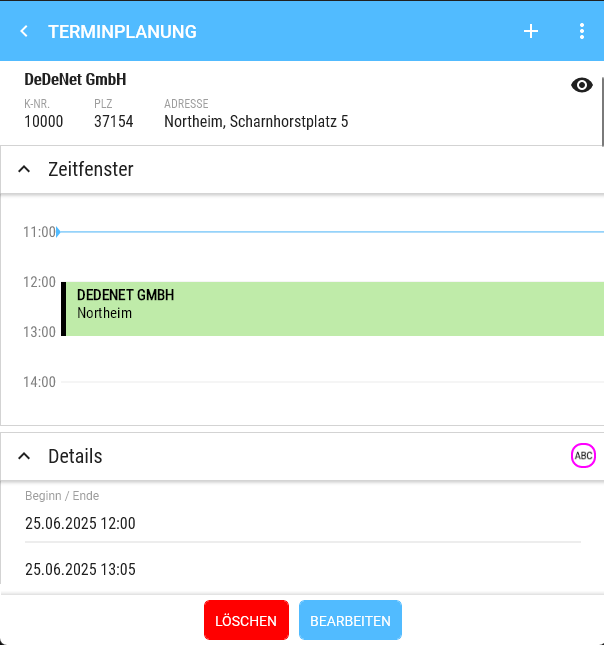
- - Delete (red) 
        - not shown if appointment is part of a series 
            - Confirmation is shown whether the appointment should really be deleted.
    - Series 
        - only shown if part of a series
        - switches to Edit series
 

##### b. Edit mode:

[![image.png](https://en.wiki.dedesales.de/uploads/images/gallery/2026-08/KGzprS7hKG6xtu42-c2rwzfy0erbnnu75-image.png)](https://wiki.dedesales.de/uploads/images/gallery/2025-06/c2rwZfy0ERBNNU75-image.png)
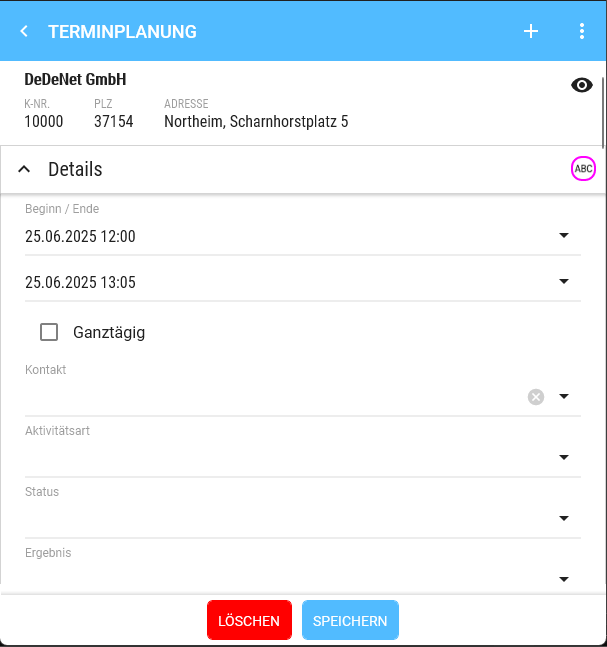
- - Delete (red) 
        - not shown if appointment is part of a series 
            - Confirmation is shown whether the appointment should really be deleted.
    - Save (blue)


#### Colour codes visit status 

<table id="bkmrk-status-farbe-standar" style="border-collapse:collapse;width:100%;height:178.781px;"><colgroup><col style="width:50%;"></col><col style="width:50%;"></col></colgroup> <tbody> <tr style="height:29.7969px;"> <td style="height:29.7969px;">Status</td> <td style="height:29.7969px;">Colour</td> </tr> <tr style="height:29.7969px;"> <td style="height:29.7969px;">Standard or Visit (planned) as intended</td> <td style="height:29.7969px;">none</td> </tr> <tr style="height:29.7969px;"> <td style="height:29.7969px;">Appointment not visited in the week</td> <td style="height:29.7969px;">Red</td> </tr> <tr style="height:29.7969px;"> <td style="height:29.7969px;">Appointment attended on another day in the week</td> <td style="height:29.7969px;">Yellow</td> </tr> <tr style="height:29.7969px;"> <td style="height:29.7969px;">Visit was not planned in the current week</td> <td style="height:29.7969px;">Green</td> </tr> </tbody> </table>


#### Colour codes ABC

The colour can be configured directly in the backend.

Code table: Appointment / Tour ABC status dependent colours

#### Colour codes activity

The colour can be configured directly in the backend.

Code table: Appointment / Tour types of activity dependent colours

#### Colour codes due date

<table id="bkmrk-status-farbe-kein-be" style="border-collapse:collapse;width:100%;height:208.578px;"><colgroup><col style="width:50%;"></col><col style="width:50%;"></col></colgroup> <tbody> <tr style="height:29.7969px;"> <td style="height:29.7969px;">Status</td> <td style="height:29.7969px;">Colour</td> </tr> <tr style="height:29.7969px;"> <td style="height:29.7969px;">No visiting frequency in customer masterdata</td> <td style="height:29.7969px;">Black</td> </tr> <tr style="height:29.7969px;"> <td style="height:29.7969px;">No last visit available</td> <td style="height:29.7969px;">Purple</td> </tr> <tr style="height:29.7969px;"> <td style="height:29.7969px;">Last visit + Visiting frequency &gt; current calendar week</td> <td style="height:29.7969px;">Green</td> </tr> <tr style="height:29.7969px;"> <td style="height:29.7969px;">Last visit + Visiting frequency == current calendar week</td> <td style="height:29.7969px;">Yellow</td> </tr> <tr style="height:29.7969px;"> <td style="height:29.7969px;">Last visit + Visiting frequency &lt; current calendar week</td> <td style="height:29.7969px;">Orange</td> </tr> <tr style="height:29.7969px;"> <td style="height:29.7969px;">Last visit + (Visiting frequency \* 2) &lt;= current calendar week</td> <td style="height:29.7969px;">Red</td> </tr> </tbody> </table>


<details id="bkmrk-faq-wie-steuere-ich-"> <summary>FAQ</summary>

##### Why don't I see the time when I want to change an appointment?

If the device is too small to display date selection and time simultaneously, the calendar selection is shown first and after tapping the date, the time selection appears.

 </details><details id="bkmrk-release-ab-version-1"> <summary>Release</summary>

</details>

# Serial appointments

### An appointment of a series is being edited

<div id="bkmrk-1.-panel-%22serienterm">1. Panel "Serial appointments" is not visible.</div><div id="bkmrk-2.-alle-durchgef%C3%BChrt">2. All amendments apply only to the selected appointment.</div><div id="bkmrk-3.-das-datum-des-ter">3. The date of the appointment must not be changed to a day on which another appointment of this series already exists. Only one appointment of the appointment series may take place per day. </div><div id="bkmrk-a.-die-dadurch-gespe" style="padding-left:40px;">a. The days blocked in the date selection are displayed in grey.</div><div id="bkmrk-4.-ein-ge%C3%A4nderter-te">4. A changed appointment still belongs to the series. </div><div id="bkmrk-5.-der-status-des-te">5. The status of the appointment is changed to "Changed serial appointment".</div><div id="bkmrk-">  
</div><div id="bkmrk--1">  
</div><div id="bkmrk--2">  
</div>### A complete series is being edited

<div id="bkmrk-1.-panel-serientermi">1. Panel Serial appointments is visible.</div><div id="bkmrk-2.-termine-in-der-ve">2. Appointments in the past are not updated.</div><div id="bkmrk--3"></div>##### a) One of the following values is changed:

<div id="bkmrk-a.-beginn---ende" style="padding-left:40px;">a. Start - End</div><div id="bkmrk-b.-intervall" style="padding-left:40px;">b. Interval</div><div id="bkmrk--4">  
</div>Enquiry as popup when saving:

"X appointments of the series have amendments and will be overwritten."

Button: OK

X = Cancel

<div id="bkmrk--5">  
</div><div id="bkmrk-alle-in-der-zukunft-">All future appointments of the series are overwritten with the current values of the series. This also includes all other values, such as Description or Campaign.</div><div id="bkmrk--6">  
</div><div id="bkmrk--7">  
</div>##### b) Other values are changed:

<div id="bkmrk-a.-die-ge%C3%A4nderten-we" style="padding-left:40px;">a. The changed values are updated in all appointments of the series whose respective values corresponded to the series.</div>

- - - Example: The Comment and the Campaign are changed in the series.
        - If the Campaign was previously changed in an appointment of the series, but not the Comment, only the Comment in that appointment is updated.
 
<div id="bkmrk-b.-serienende" style="padding-left:40px;">b. Series end</div>

- - - When shortening, all appointments of the series that lie beyond the series end are deleted (including changed serial appointments).
        - When extending, only new appointments are added. The new appointments are created based on Frequency and series start from the old series end.
 
<div id="bkmrk--8">  
</div><div id="bkmrk--9">  
</div>##### c) The series is deleted

<div id="bkmrk-a.-alle-in-der-zukun" style="padding-left:40px;">a. All future appointments of the series are deleted.</div><div id="bkmrk--10">  
</div><div id="bkmrk--11">  
</div>### Move appointments function

<div id="bkmrk-serientermine-werden">Serial appointments become changed serial appointments.</div><div id="bkmrk--12"></div>

# Tour suggestion

### Accessible via

Calendar management &gt; Triple-Point menu, when you are in the day, week, or work week view.

### Prerequisites

 1. The customer must not be a distributor.  
 2. The customer must not be deleted.  
 3. The field Tour is required (controls the day of the week)  
 4. If there is a start week, the start week is used for the calculation, otherwise the last completed visit.  
 5. If there is a start year, the start week is calculated based on the start year, otherwise the current year is used.  
 6. If there is no visiting frequency but a tour, the day of the week is selected, but the checkbox for the visit is not set.

### Header

![image.png](https://en.wiki.dedesales.de/uploads/images/gallery/2026-08/0oJ4vas7lFwuZFe2-ehao7w6n1sdrrode-image.png)

#### 2. Filter

 Standard filter with the following addition

- Order templates 
    - Checkbox list of all valid order templates.
- Tasks 
    - Checkbox list of all valid tasks.
 

#### Grid

<table id="bkmrk-click-swipe-ansichte" style="width:100%;height:56.0313px;"><colgroup><col style="width:13.9452%;"></col><col style="width:38.3868%;"></col><col style="width:47.668%;"></col></colgroup> <thead> <tr style="height:29.7969px;"> <td style="height:29.7969px;">Click</td> <td style="height:29.7969px;">Swipe</td> <td style="height:29.7969px;">Views</td> </tr> </thead> <tbody> <tr style="height:26.2344px;"> <td style="height:26.2344px;">Detail page</td> <td style="height:26.2344px;">

1. Calls up the customer
 
 </td> <td style="height:26.2344px;">1. Table</td> </tr> </tbody> </table>

### Column definition

<table id="bkmrk-bezeichnung-sichtbar" style="border-collapse:collapse;width:107.5%;"><colgroup><col style="width:20.0238%;"></col><col style="width:12.7533%;"></col><col style="width:5.95948%;"></col><col style="width:9.17589%;"></col><col style="width:52.0875%;"></col></colgroup> <thead> <tr> <td>Name</td> <td>Visible</td> <td>Sort.</td> <td>Full text</td> <td>Additional info</td> </tr> </thead> <tbody> <tr> <td>Checkbox</td> <td>ForceVisible</td> <td>  
</td> <td>  
</td> <td>Include select/deselect all  
Automatic preselection only occurs for assigned to an agent customers  
Disabled if the appointment was not created via another planning (e.g. manually).  
</td> </tr> <tr> <td>Day of week</td> <td>ForceVisible</td> <td>  
</td> <td>  
</td> <td>Dropdown of weekdays (Monday-Friday)  
</td> </tr> <tr> <td>Customer columns</td> <td>  
</td> <td>  
</td> <td>  
</td> <td>  
</td> </tr> <tr> <td>Turnover &lt;current year&gt;  
</td> <td>Hidden  
</td> <td>  
</td> <td>  
</td> <td>Format: yyyy (only for assigned to an agent customers)</td> </tr> <tr> <td>Turnover &lt;previous year&gt;  
</td> <td>Hidden  
</td> <td>  
</td> <td>  
</td> <td>Format: yyyy (only for assigned to an agent customers)</td> </tr> <tr> <td>Performance (year)  
</td> <td>Hidden  
</td> <td>  
</td> <td>  
</td> <td>=Turnover&lt;current year&gt; / Turnover&lt;previous year&gt;</td> </tr> <tr> <td>Turnover &lt;last month&gt;  
</td> <td>Hidden  
</td> <td>  
</td> <td>  
</td> <td>Format: mmm yy (only for assigned to an agent customers)</td> </tr> <tr> <td>Turnover &lt;last previous year month&gt;  
</td> <td>Hidden  
</td> <td>  
</td> <td>  
</td> <td>Format: mmm yy (only for assigned to an agent customers)</td> </tr> <tr> <td>Performance (moth)  
</td> <td>Hidden  
</td> <td>  
</td> <td>  
</td> <td>=Turnover&lt;last month&gt; / Turnover&lt;last previous year month&gt;  
</td> </tr> <tr> <td>Turnover / visit &lt;previous year&gt;  
</td> <td>Hidden  
</td> <td>  
</td> <td>  
</td> <td>Format: yyyy (only for assigned to an agent customers)  
</td> </tr> <tr> <td>Days since last visit  
</td> <td>Hidden  
</td> <td>  
</td> <td>  
</td> <td>Number of days  
</td> </tr> <tr> <td>Next visit  
</td> <td>Hidden  
</td> <td>  
</td> <td>  
</td> <td>Format: dd.mm.yyyy  
</td> </tr> <tr> <td>Number of visits  
</td> <td>Hidden  
</td> <td>  
</td> <td>  
</td> <td>  
</td> </tr> <tr> <td>Turnover / visit (actual)  
</td> <td>Hidden  
</td> <td>  
</td> <td>  
</td> <td>  
</td> </tr> <tr> <td>Turnover / visit (target)  
</td> <td>Hidden  
</td> <td>  
</td> <td>  
</td> <td>  
</td> </tr> </tbody> </table>

### Right area

    1. Header (like Calendar management)

    2. Details

 **Special feature Android**:

[![image.png](https://en.wiki.dedesales.de/uploads/images/gallery/2026-08/QjuRX68pxdpWoWqt-glihgusvhnoie2go-image.png)](https://wiki.dedesales.de/uploads/images/gallery/2026-06/GLihGuSvhNoIe2Go-image.png) On Android, the eye in the Details column must be clicked to see the right area.

<table id="bkmrk-bezeichnung-zusatzin" style="border-collapse:collapse;width:100%;height:148.984px;"><colgroup><col style="width:50%;"></col><col style="width:50%;"></col></colgroup> <thead> <tr style="height:29.7969px;"> <td style="height:29.7969px;">Name</td> <td style="height:29.7969px;">Additional info</td> </tr> </thead> <tbody> <tr style="height:29.7969px;"> <td style="height:29.7969px;">Visit (planned)  
</td> <td style="height:29.7969px;">Checkbox</td> </tr> <tr style="height:29.7969px;"> <td style="height:29.7969px;">Day of week</td> <td style="height:29.7969px;">Dropdown of weekdays (Monday-Friday)  
</td> </tr> <tr style="height:29.7969px;"> <td style="height:29.7969px;">Visiting frequency \| Visit duration \| Tour  
</td> <td style="height:29.7969px;">  
</td> </tr> <tr style="height:29.7969px;"> <td style="height:29.7969px;">Visit (last) \| Next \| Number  
</td> <td style="height:29.7969px;">Format: dd.mm.yyyy  
</td> </tr> <tr> <td>Turnover &lt;current year&gt; \| &lt;previous year&gt; \| %  
</td> <td>Format: yyyy \|   
Performance=Turnover&lt;current year&gt; / Turnover&lt;previous year&gt;

(only for assigned to an agent customers)

 </td> </tr> <tr> <td>Turnover &lt;last previous year month&gt; \| &lt;last month&gt; \| %</td> <td>Format: mmm yy  
Performance=Turnover&lt;last month&gt; / Turnover&lt;last previous year month&gt;

(only for assigned to an agent customers)

 </td> </tr> <tr> <td>Turnover / visit \| Target \| &lt;previous year&gt;   
</td> <td>Format: yyyy

(only for assigned to an agent customers)

 </td> </tr> <tr> <td>ABC status  
</td> <td>  
</td> </tr> <tr> <td>Parent customer number  
</td> <td>  
</td> </tr> </tbody> </table>

    1. Tasks  
        a. Columns  
            i. Name  
            ii. Start (width: 10 characters)  
            iii. End (width: 10 characters)  
    2. Order templates  
        a. Columns  
            i. Name  
            ii. Start (width: 10 characters)  
            iii. End (width: 10 characters)

### Miscellaneous

 1. Appointments created via this planning receive the appointment status "AUTO"  
 2. If at least one appointment with status "AUTO" exists in the selected week, no automatic planning will take place.  
 3. Employee changes are not possible in this planning.

### Leaving the page

If there were changes and you want to leave the page, a message appears:  
"You have changed data, do you want to cancel your changes?"

Action buttons: ok, Cancel Changes

# Further Functions

### Change agent

<div id="bkmrk-1.-listet-alle-mitar">1. Lists all employees who have appointments and to whom the user has access.</div><div id="bkmrk-2.-auflistung-erfolg">2. Listing is done as with responsible</div><div id="bkmrk-a.-anstelle-der-deta" style="padding-left:40px;">a. Instead of the detail page, the corresponding employee is selected by clicking.</div><div id="bkmrk-3.-ist-ein-anderer-m">3. If an employee other than oneself is selected, the title shows: "Calendar management &lt;Name&gt;"</div><div id="bkmrk-">  
</div>### Local appointments

<div id="bkmrk-wenn-termine-aus-dem">If appointments from the device's local calendar have been imported into DeDeSales, these are also displayed in one's own calendar management in grey colour with the information "Title" and "Location". Interaction with the local appointments is not possible.</div><div id="bkmrk--1">  
</div>### Radius selection

<div id="bkmrk-1.-die-umkreisauswah">1. The radius selection is only possible if </div><div id="bkmrk-a.-sich-pins-auf-der" style="padding-left:40px;">a. there are pins on the map</div><div id="bkmrk-b.-der-gew%C3%A4hlte-tag-" style="padding-left:40px;">b. the selected day &gt;= Today. </div><div id="bkmrk-c.-man-aus-der-tages" style="padding-left:40px;">c. One has switched from the day or work week view to the map view.</div><div id="bkmrk-d.-es-werden-nur-sic" style="padding-left:40px;">d. Only visible customers (pins) are selected in the radius selection.</div><div id="bkmrk-2.-zoom--und-schiebe">2. Zoom and pan functions on the map are disabled.</div><div id="bkmrk-3.-in-der-titelleist">3. The + symbol in the title bar is hidden. Instead, a "cancel" appears</div><div id="bkmrk-a.-klick-auf-%22cancel" style="padding-left:40px;">a. Clicking "cancel" or leaving the map view cancels the radius selection.</div><div id="bkmrk-4.-der-anwender-kann">4. The user can draw a circle on the map.</div><div id="bkmrk-a.-klick-setzt-den-k" style="padding-left:40px;">a. Click sets the circle centre, drag sets the radius.</div><div id="bkmrk-5.-sobald-ein-kreis-">5. As soon as a circle is drawn, a "check" symbol also appears in the title.</div><div id="bkmrk-6.-nach-klick-auf-da">6. After clicking the "check" symbol, the user receives a new view</div><div id="bkmrk-a.-titel%3A-kunden-der" style="padding-left:40px;">a. Title: Customers within the selected radius</div><div id="bkmrk-b.-grid" style="padding-left:40px;">b. Grid</div><div id="bkmrk-i.-spalten-wie-unter" style="padding-left:80px;">i. Columns as under "Customers".</div><div id="bkmrk-ii.-hat-checkboxen" style="padding-left:80px;">ii. Has checkboxes</div><div id="bkmrk-iii.-alle-kunden-sin" style="padding-left:80px;">iii. All customers are preselected.</div><div id="bkmrk-ab-version-16%3A-die-k" style="padding-left:80px;">From version 16: Customers who already have an appointment in the selected period are not preselected.</div><div id="bkmrk-c.-zur%C3%BCck-button-obe" style="padding-left:40px;">c. Back button top left (does not cancel the radius selection)</div><div id="bkmrk-d.-prozess-buttons" style="padding-left:40px;">d. Process buttons</div><div id="bkmrk-i.-abbrechen-%28bricht" style="padding-left:80px;">i. Cancel (cancels the entire radius selection)</div><div id="bkmrk-ii.-%C3%9Cbernehmen-%28%C3%BCber" style="padding-left:80px;">ii. Apply (applies the customers to the calendar and ends the radius selection)</div><div id="bkmrk--2">  
</div><div id="bkmrk--3">  
</div>### Move appointments

<div id="bkmrk-1.-%C3%96ffnet-ein-popup">1. Opens a popup</div><div id="bkmrk-2.-titel%3A-%22termine-v">2. Title: "Move appointments"</div><div id="bkmrk-3.-prozess-button%3A-%22">3. Process button: "OK"</div><div id="bkmrk-4.-enth%C3%A4lt-einen-sli">4. Contains a slider from 1 to 54</div><div id="bkmrk-a.-text%3A-alle-termin">a. Text: Move all appointments from dd.mm.yyyy by {x} week(s).</div><div id="bkmrk--4">  
</div>### Copy appointments (from version 8)

<div id="bkmrk-1.-%C3%96ffnet-ein-popup-1">1. Opens a popup</div><div id="bkmrk-2.-titel%3A-%22termine-k">2. Title: "Copy appointments"</div><div id="bkmrk-3.-ist-man-aus-der-a">3. If entered from the work week/week</div><div id="bkmrk-a.-ziel-woche-%28kopie" style="padding-left:40px;">a. Target week (always copies from Monday to Monday, so whole weeks are always copied in this case)</div><div id="bkmrk-4.-ist-man-aus-der-t">4. If entered from the day view</div><div id="bkmrk-a.-ziel-%28kopiert-den" style="padding-left:40px;">a. Target (copies the day to the target day)</div><div id="bkmrk-5.-prozess-button%3A-%22">5. Process button: "OK"</div><div id="bkmrk-a.-befinden-sich-im-" style="padding-left:40px;">a. If there are already appointments in the target period, a popup appears (Title: Copy appointments)</div><div id="bkmrk-i.-im-ziel-sind-bere" style="padding-left:80px;">i. There are already appointments in the target.</div><div id="bkmrk-ii.-prozessbutton%3A-%22" style="padding-left:80px;">ii. Process button: "Replace"</div><div id="bkmrk-iii.-prozessbutton%3A-" style="padding-left:80px;">iii. Process button: "Overwrite"</div><div id="bkmrk-b.-beim-kopieren-der" style="padding-left:40px;">b. When copying appointments, the status and the Result are reset.</div><div id="bkmrk--5">  
</div>### Appointments for no longer available customers

<div id="bkmrk-wurde-ein-termin-f%C3%BCr">If an appointment was created for a customer who is no longer available to the DeDeSales client, the appointment is no longer displayed.</div>

# Views

# Portrait Mode

In Portrait Mode, the information is displayed in a more compact form.

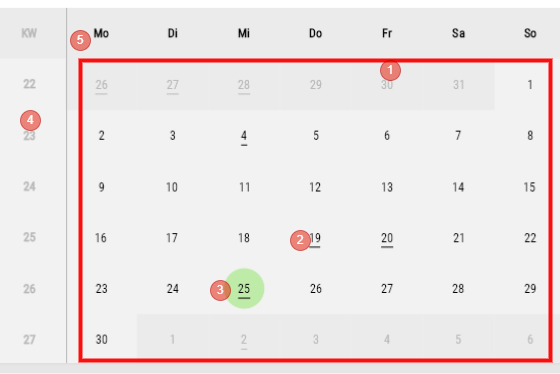
##### Calendar Area

<div drawio-diagram="1850"><img src="https://en.wiki.dedesales.de/uploads/images/gallery/2026-08/SaZzPdTVJlI2mljU-wdcvzqiejgi4vwpl-drawing-9-1750844572.png" alt="wdcvZqIejgI4Vwpl-drawing-9-1750844572.png"/></div>

1. Calendar
2. Days with an underline indicate that at least one Appointment is stored here
3. Current Day
4. Week
5. Days of week
 

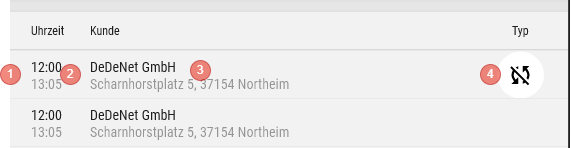
##### List View of Appointments on a Day

<div drawio-diagram="1847"><img src="https://en.wiki.dedesales.de/uploads/images/gallery/2026-08/IsAxM6U63qmBbMo2-otecc28suhqxzryr-drawing-9-1750844279.png" alt="otecC28suhQXzrYR-drawing-9-1750844279.png"/></div>

1. Colour code
2. Time (Start and End)
3. Customer with Street and Location
4. Appointment Type (see here)
 

- Clicking on an Appointment opens the Appointment mask
- Context menu (Swipe or Right-click) 
    - Edit
    - Delete
    - Customer
 

##### Navigation

<div drawio-diagram="1849"><img src="https://en.wiki.dedesales.de/uploads/images/gallery/2026-08/QDJHWrCmKsioOLoZ-xyflids2oubbzyxm-drawing-9-1750844357.png" alt="XyfLiDS2OUBBzyXM-drawing-9-1750844357.png"/></div>

1. Previous Period
2. Next Period
3. Today (jumps to the current Period and selects the current Day)
 

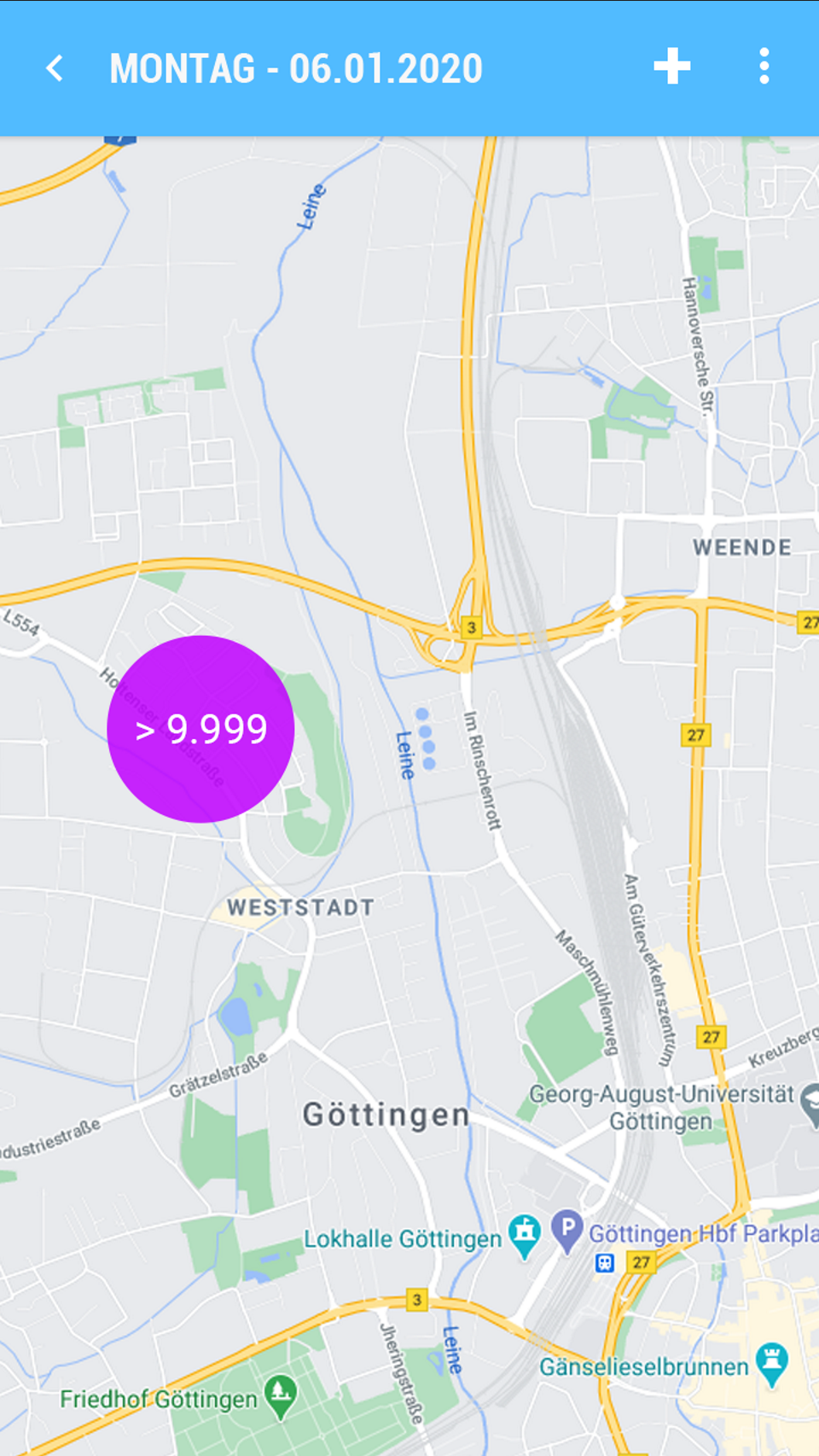
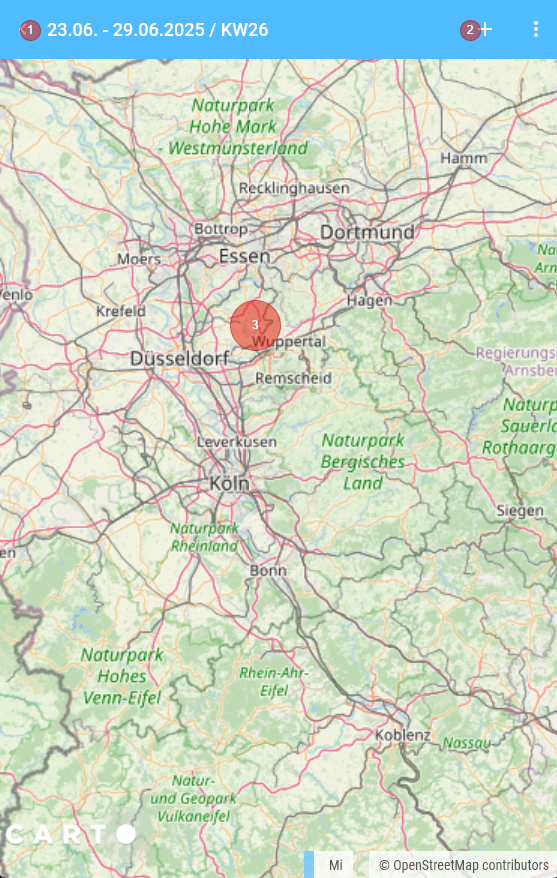
##### Map view

<div drawio-diagram="1853"><img src="https://en.wiki.dedesales.de/uploads/images/gallery/2026-08/N8Az0k2g6PUPCr7K-5ly8furguhwdb6ff-drawing-9-1750845243.png" alt="5ly8fUrgUHwDb6ff-drawing-9-1750845243.png"/></div>

1. Navigation back to View Calendar
2. Add Appointment
3. Map 
    - The map is centred based on the entry for the Employee (only with Tour optimisation licence)
    - Without Tour optimisation licence with entry of the Coordinates in the Role

# Landscape Mode

<div drawio-diagram="1855"><img src="https://en.wiki.dedesales.de/uploads/images/gallery/2026-08/wInPFyqKeY6zeDAz-tz0olqgjjcb9t0bn-drawing-9-1750845603.png" alt="tZ0OlqGJjCB9t0bn-drawing-9-1750845603.png"/></div>

<div id="bkmrk-kalenderwoche-und-ja">

1. Week and Year
2. Toggle functions between the views Day View / Work week / Week / View Month
3. Today - Button 
    - Jumps to the current week of the day bar and selects Today.
 
 </div><div id="bkmrk-i.-kalenderwoche-und"></div>##### Day Bar

<div id="bkmrk-%28nur-sichtbar-bei-ta">(only Visible in Day View / Weekly Overview)[![image.png](https://en.wiki.dedesales.de/uploads/images/gallery/2026-08/4xnrLAuoYIpQlEfA-vtsfkwgbjmk5xpkd-image.png)](https://wiki.dedesales.de/uploads/images/gallery/2025-06/VTsFkWgbJMK5xpKd-image.png)</div><div id="bkmrk-i.-zeigt-die-wochent">Shows the Days of week and Day date and Month (Short form, Jan., Feb.) for each Day in the Week. </div><div id="bkmrk--2"></div><div id="bkmrk--3"></div>##### Day View

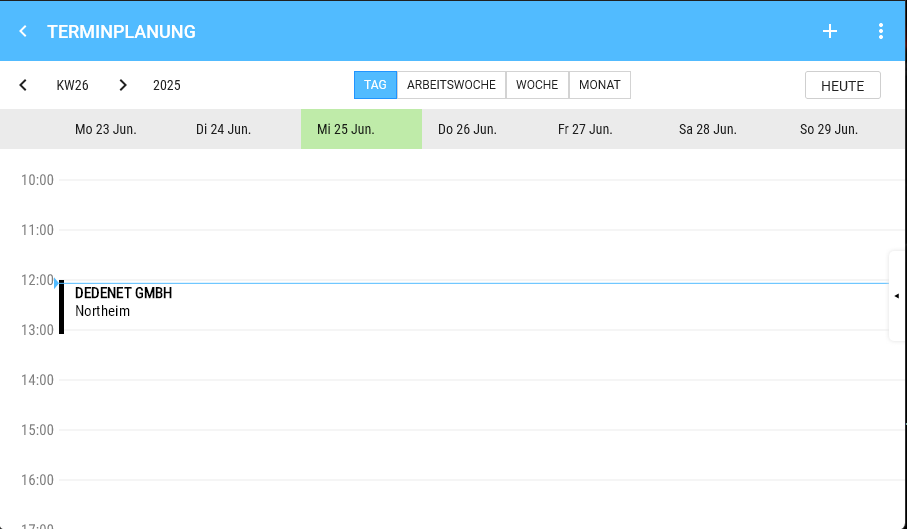
<div id="bkmrk-der-gew%C3%A4hlte-tag-wir">The selected Day is displayed in green.</div>[![image.png](https://en.wiki.dedesales.de/uploads/images/gallery/2026-08/SFk27kD7OCQQ1cUm-1o9aibxgdueawab4-image.png)](https://wiki.dedesales.de/uploads/images/gallery/2025-06/1o9AiBXGdUEAwab4-image.png)

##### Drag &amp; Drop

<div id="bkmrk-i.-longpress-auf-ein">Longpress on an Appointment entry in the View Calendar allows moving the Appointment to another Day or Time.</div><div id="bkmrk-1%29-monatsansicht%3A-ve" style="padding-left:40px;">1) View Month: Moves the Appointment to another Day with the same Time</div><div id="bkmrk-2%29-tages-und-wochena" style="padding-left:40px;">2) Day View and Weekly Overview: Moves the Appointment in 15 Minutes Steps to the desired Time / Day.</div><div id="bkmrk--5"></div><div id="bkmrk--6"></div><div id="bkmrk--7"></div>##### Appointment Details

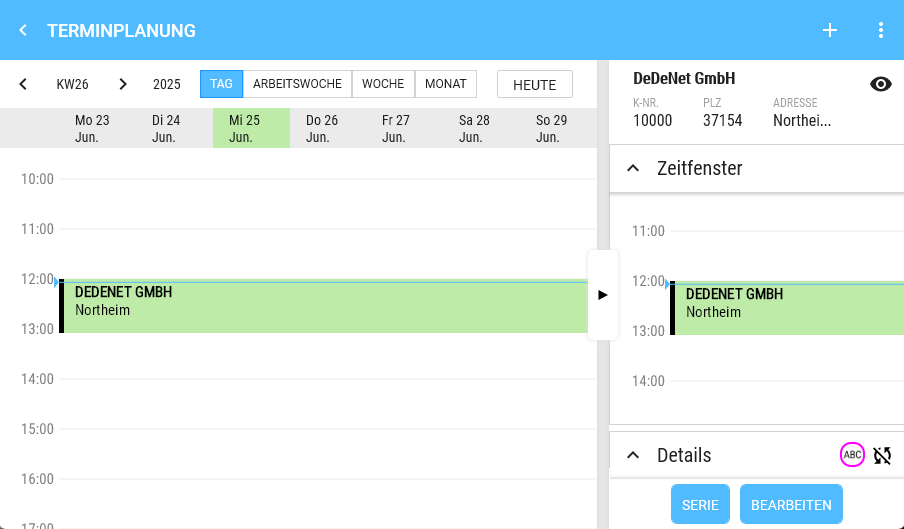
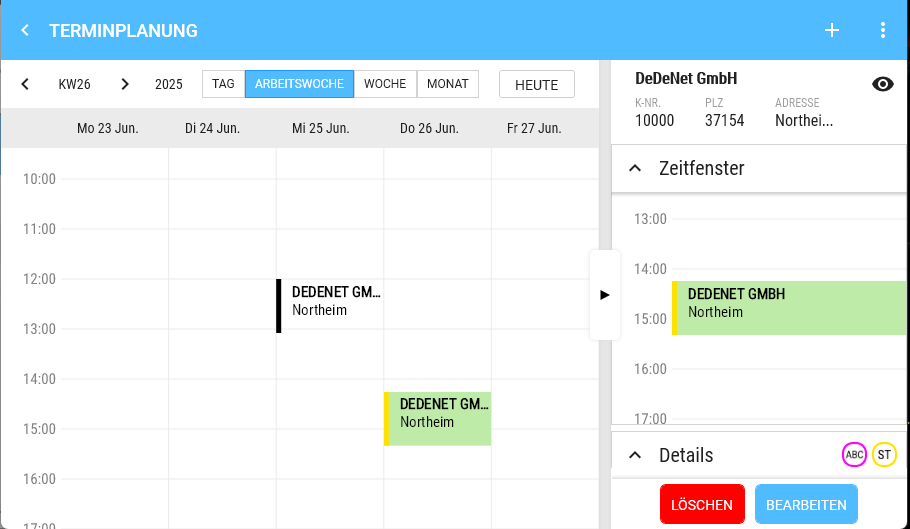
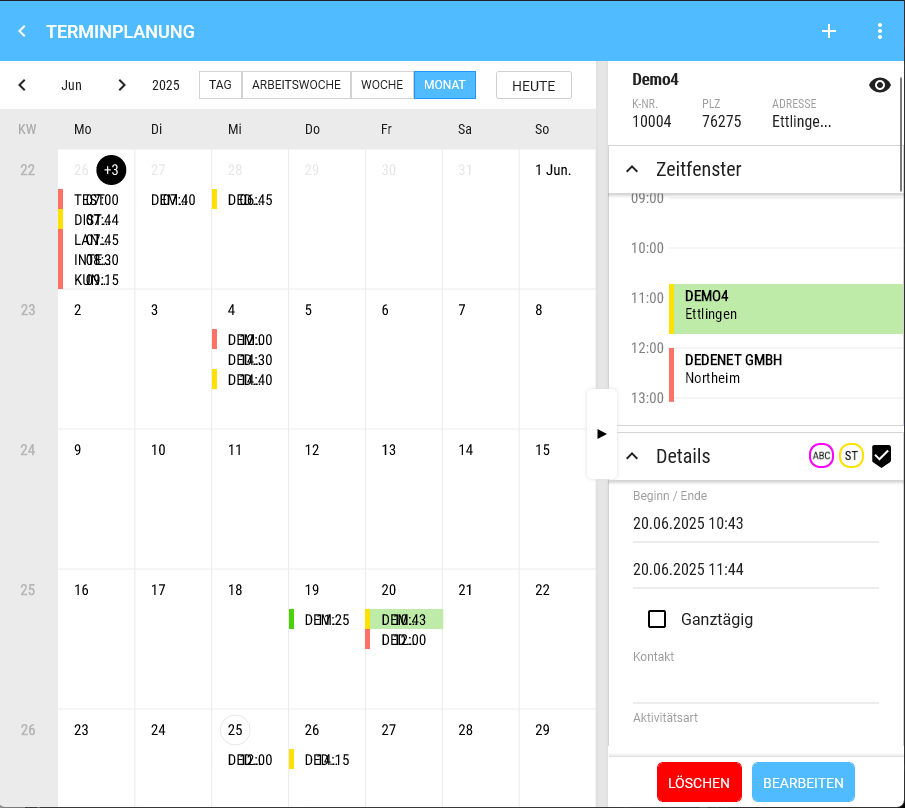
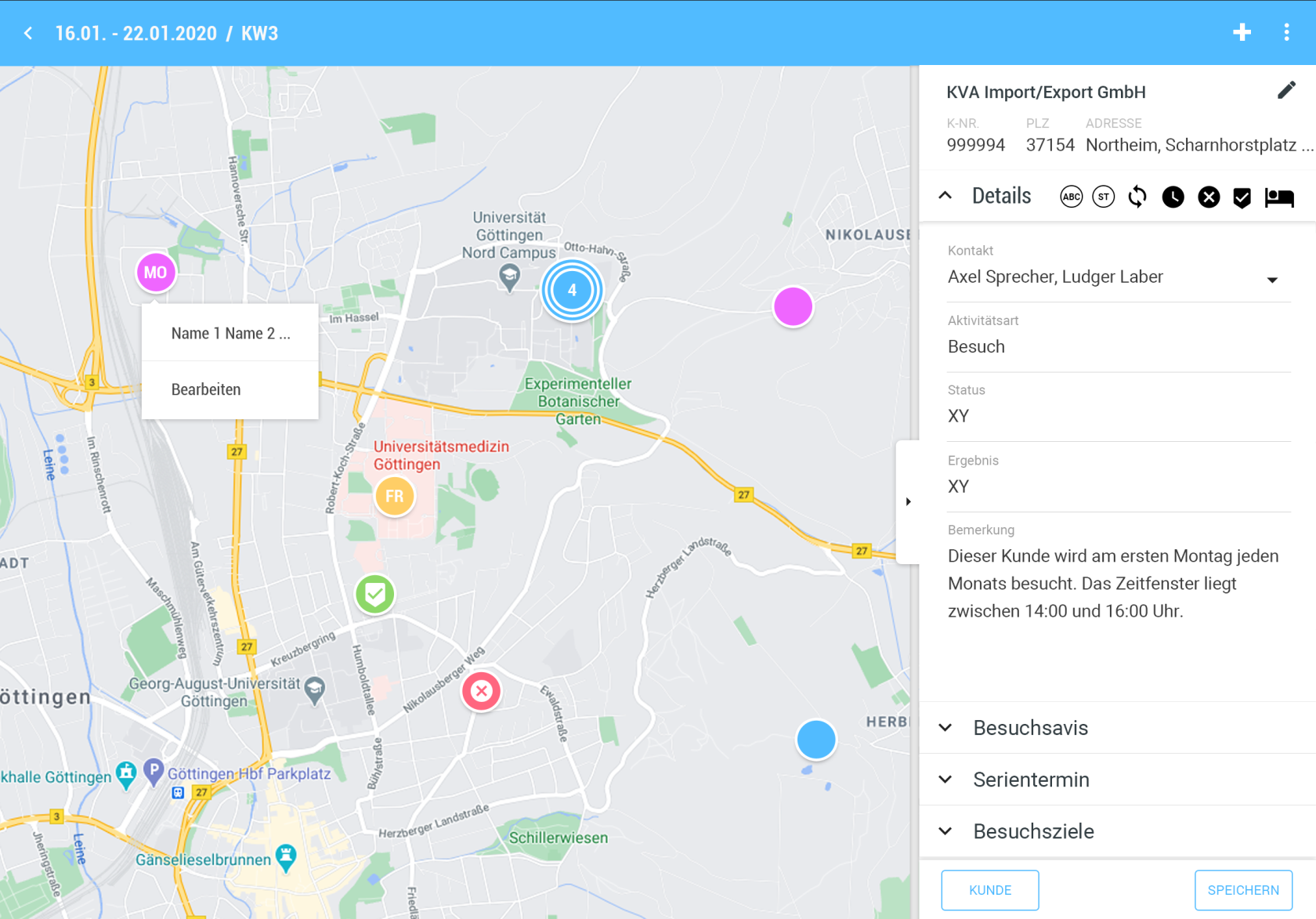
<div id="bkmrk-a.-klickt-man-auf-ei">Clicking on an Appointment opens the right Type via splitter and it can also be Hidden again this way.</div><div id="bkmrk--8"></div>

# Day View / Weekly Overview

1. 1. Left: Time (hours)
    2. Right: Appointment, if one is selected.
    3. Appointment 
        - Height corresponds to real time
        - Content (Only what fits is displayed; if the appointment height is insufficient, content is simply cut off) 
            - Colour code
            - Customer
            - Location
            - Type 
                - Click: Opens the detail view
                - Multiple appointments at the same time are displayed side by side
    4. Long press  
        - in the calendar on a free time slot creates an appointment. Start time and Date are pre-set.
        - The slot size for the Start time is 30 Minutes.
    5. If the current day is Visible, the current Time is shown by a horizontal line.
 
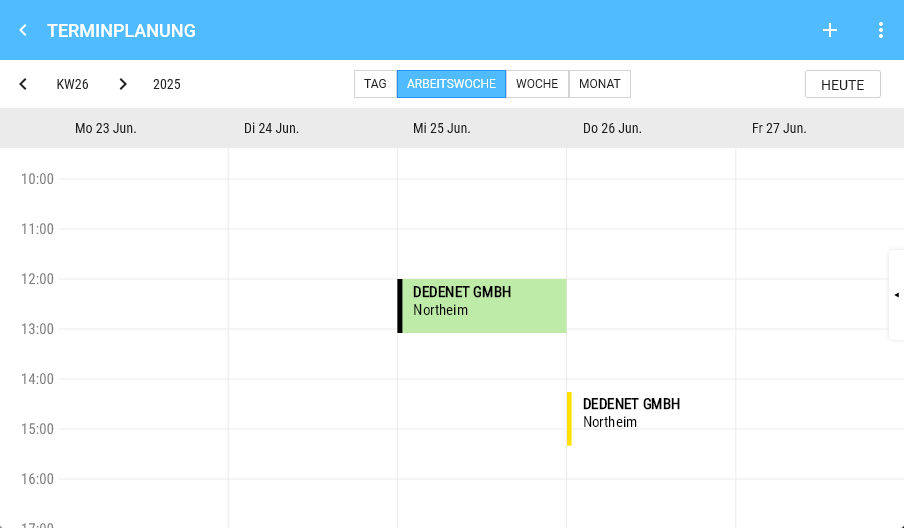
<table id="bkmrk-tagesansicht-termind" style="border-collapse:collapse;width:100%;"><colgroup><col style="width:50%;"></col><col style="width:50%;"></col></colgroup> <tbody> <tr> <td>Day View</td> <td>Appointment details

 </td> </tr> <tr> <td>[![image.png](https://en.wiki.dedesales.de/uploads/images/gallery/2026-08/4akaVjjRhU3oosr2-4aqggpwiwybur9nf-image.png)](https://wiki.dedesales.de/uploads/images/gallery/2025-06/4aqGgPwIwybUR9NF-image.png)

 </td> <td>[![image.png](https://en.wiki.dedesales.de/uploads/images/gallery/2026-08/LRlM6olyk6ybyc9l-mdeopuugjdxz4irr-image.png)](https://wiki.dedesales.de/uploads/images/gallery/2025-06/MDeOPuuGJDXz4irr-image.png)

 </td> </tr> <tr> <td>Weekly Overview</td> <td>Appointment details</td> </tr> <tr> <td>[![image.png](https://en.wiki.dedesales.de/uploads/images/gallery/2026-08/FpAvanjtrrWH56PC-dthycfqe30hguwq6-image.png)](https://wiki.dedesales.de/uploads/images/gallery/2025-06/dtHycFQE30HGUwq6-image.png)

 </td> <td>[![image.png](https://en.wiki.dedesales.de/uploads/images/gallery/2026-08/I2euzlR78rSyAwQr-8fteglm2erzfxfx7-image.png)](https://wiki.dedesales.de/uploads/images/gallery/2025-06/8FtegLM2ErZFXfX7-image.png)

 </td> </tr> </tbody></table>

# View Month

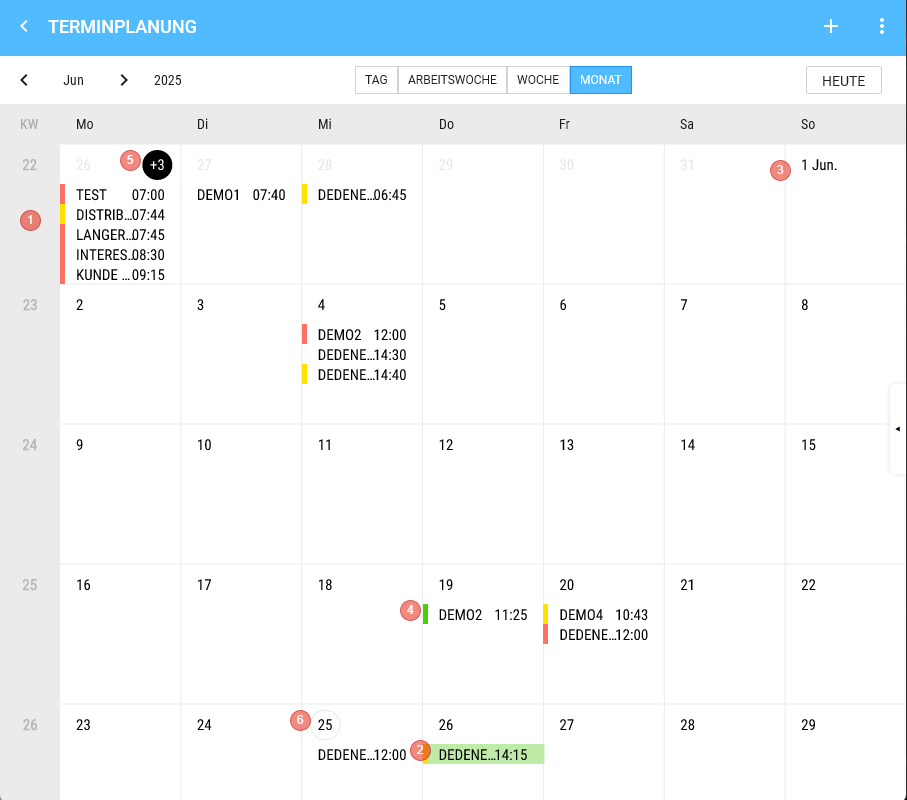
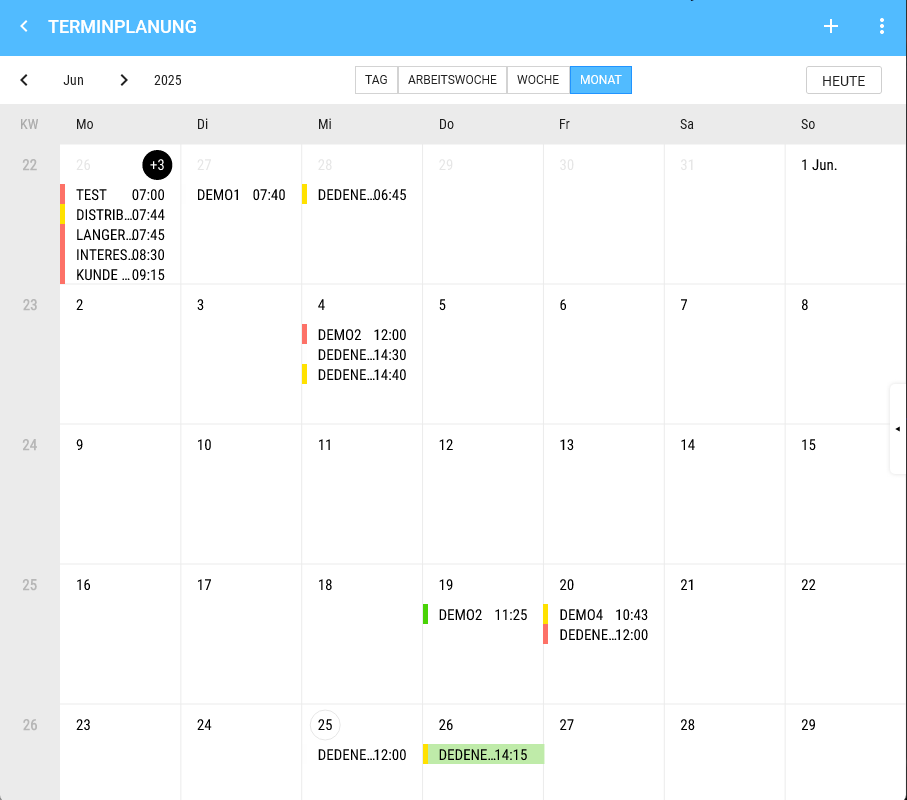
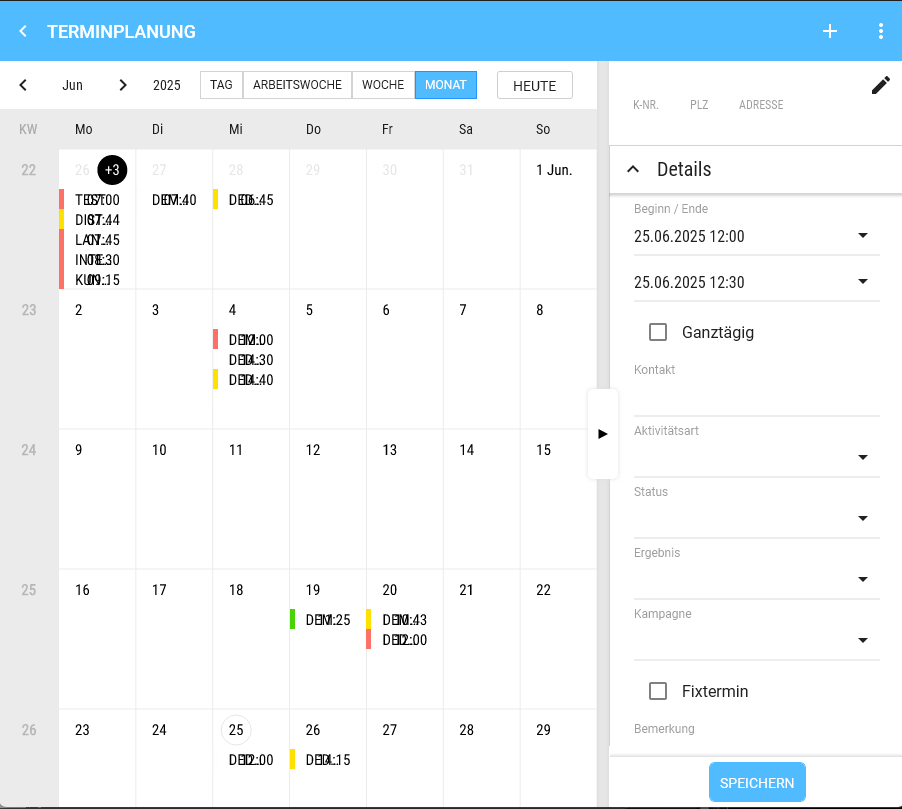
<div drawio-diagram="1866"><img src="https://en.wiki.dedesales.de/uploads/images/gallery/2026-08/M9wM04aguDup8Cw2-pzuuvsbbst00dbaw-drawing-9-1750847679.png" alt="pzuuVsbbST00DbAw-drawing-9-1750847679.png"/></div>

1. Weeks
2. Appointment, if one is selected.
3. The calendar can be scrolled vertically (endless) 
    - We show 4 Weeks + remainder.
    - On the 1st of a Month, we always add the Month (abbreviated).
4. Appointment 
    - Height is fixed (there is space for 5 appointments stacked)
    - Content 
        - 1) Colour code
        - 2) Customer
        - 3) Time
    - Click shows the appointment details on the Right.
5. Day 
    - Day title 
        - 1) If more appointments exist on that Day than can be displayed, the number of non-visible appointments is shown in the day title (e.g. "+2") 
            - a) Clicking on the "+2" switches to the Day View.
        - 2) Double-click switches to the Day View of the corresponding Day.
6. The current Day is shown with a grey border. 
    - Appointments are displayed top-down
    - Longpress 
        - Creates an appointment on that Day
 
<table id="bkmrk-klick-auf-das-auge-%C3%B6" style="border-collapse:collapse;width:100%;"><colgroup><col style="width:50%;"></col><col style="width:50%;"></col></colgroup> <tbody> <tr> <td>[![image.png](https://en.wiki.dedesales.de/uploads/images/gallery/2026-08/rPz1CtmK1UQqByFl-3fzdtg2jvw2d1wmx-image.png)](https://wiki.dedesales.de/uploads/images/gallery/2025-06/3FzDTg2JvW2d1WMX-image.png)

 </td> <td>[![image.png](https://en.wiki.dedesales.de/uploads/images/gallery/2026-08/oL8MsLe3xTeuyt28-keszcaecmfrgfwoy-image.png)](https://wiki.dedesales.de/uploads/images/gallery/2025-06/KESZCaecMFrGFWOy-image.png)

 </td> </tr> <tr> <td>View Month</td> <td>Click on the eye opens the Customer masterdata.  
</td> </tr> <tr> <td>[![image.png](https://en.wiki.dedesales.de/uploads/images/gallery/2026-08/EYt8Fx9xAlVPbibR-0do0qtsoppjuh3fp-image.png)](https://wiki.dedesales.de/uploads/images/gallery/2025-06/0Do0QTSopPJUh3fP-image.png)

 </td> <td>  
</td> </tr> <tr> <td>Click on the pencil changes the Customer.

 </td> <td>  
</td> </tr> </tbody></table>

# Map (Landscape Mode)

<div id="bkmrk-in-der-landscape-sic">In Landscape view (except in View Month, where the map makes no sense) you can activate the map.</div><div id="bkmrk-man-springt-dann-in-">You then jump to the identical period in the Map view. </div><div id="bkmrk-%C3%96ffnet-man-die-karte">If you open the Map view without customers, the area of the Home address is displayed, provided the Tour optimisation is licensed. Otherwise, the Coordinates from the Role are shown. If these are also empty, the map centres on Göttingen / Kassel.</div><div id="bkmrk-die-kartensicht-enth">The Map view contains the following elements:</div><div id="bkmrk-">  
</div>### Header

<div drawio-diagram="1870"><img src="https://en.wiki.dedesales.de/uploads/images/gallery/2026-08/3qlIuG78aTuKvNjK-ex9fjbvicgnztswv-drawing-9-1750848383.png" alt="EX9FJBvIcgNzTswV-drawing-9-1750848383.png"/></div>

<div id="bkmrk-a.-titel">

1. Title: Current display period + calendar week
2. Back arrow to switch back to the time view
3. Plus (activates the radius selection)
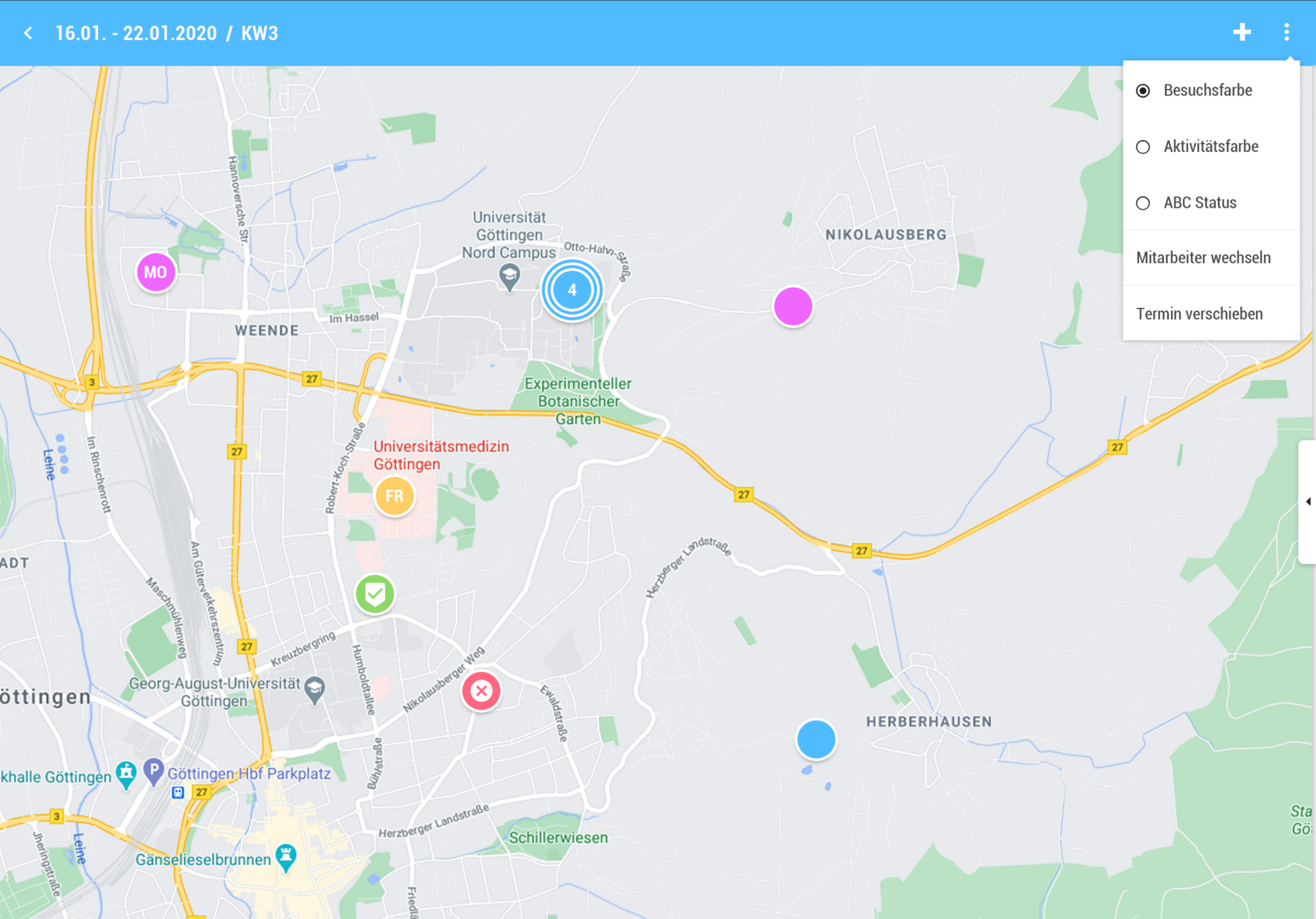
4. Triple Point 
    - "Map" and "List" are not visible
    - Customers (toggles the grid on/off)
    - Customer names 
        - (Toggle, displays "Name1 Name2 Name3" under the PINs)
 
 </div><div id="bkmrk--3">  
</div>### Display

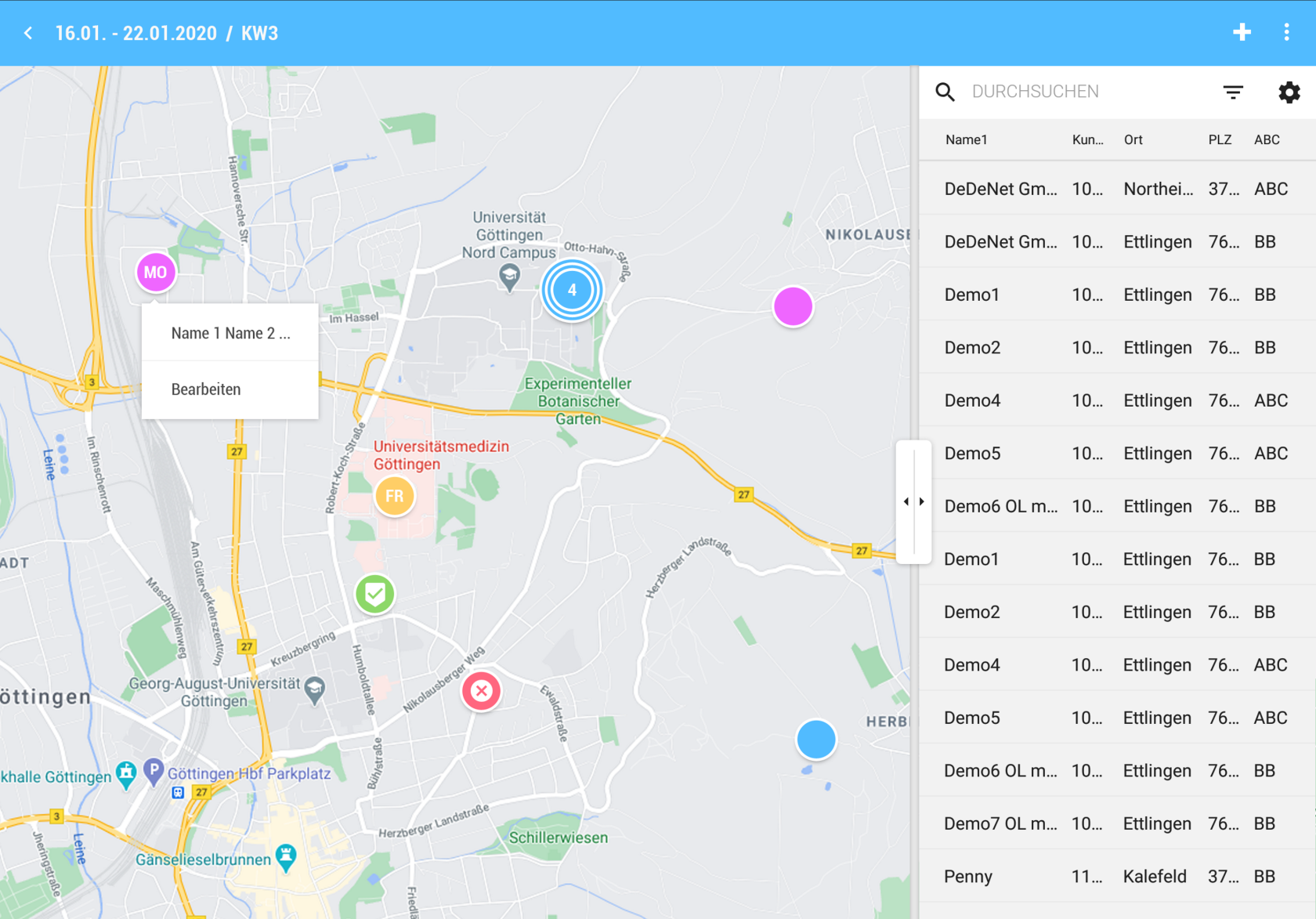
[![image.png](https://en.wiki.dedesales.de/uploads/images/gallery/2026-08/boF9qL8pFipz8N1D-jzlh9rcoxhdx1nre-image.png)](https://wiki.dedesales.de/uploads/images/gallery/2025-06/JZLh9RcoXHDX1NrE-image.png)

<div id="bkmrk-a.-karte-%282%2F3%29">Map (2/3)</div>

- All Appointments in the selected period are displayed.
- Customers from the Result list are displayed in the grid. 
    - 1) Deleted customers are not shown on the map.
    - 2) Pin (circle) 
        - a) For more than 1,000 customers to display, the Customer name is not shown on the map.
    - 3) Click on Pin 
        - a) If an Appointment exists: Opens the Appointment view on the right and hides the grid if visible.
        - b) If no Appointment exists: Like +, the selected Customer is already preselected.
    - 4) The Colour of PIN is defined by the corresponding setting in the Triple Point menu. 
        - a) Darker shades should be chosen so that the font colour does not clash with the Colour of PIN.
    - 5) If the PIN is already scheduled in the Appointment calendar 
        - a) Weekly Overview: Shows the Day of week abbreviated (MO, TU, WE, FR, SA, SU).
        - b) Day View: Shows the order according to Calendar management (1st, 2nd, 3rd, … ).
        - c) If the Appointment is Done or cancelled, the corresponding symbols are shown instead of the described abbreviations.
    - 6) For route drawing, there is a separate route colour for each Day of week.
 
<div id="bkmrk-iii.-pin-cluster">

- Pin Cluster 
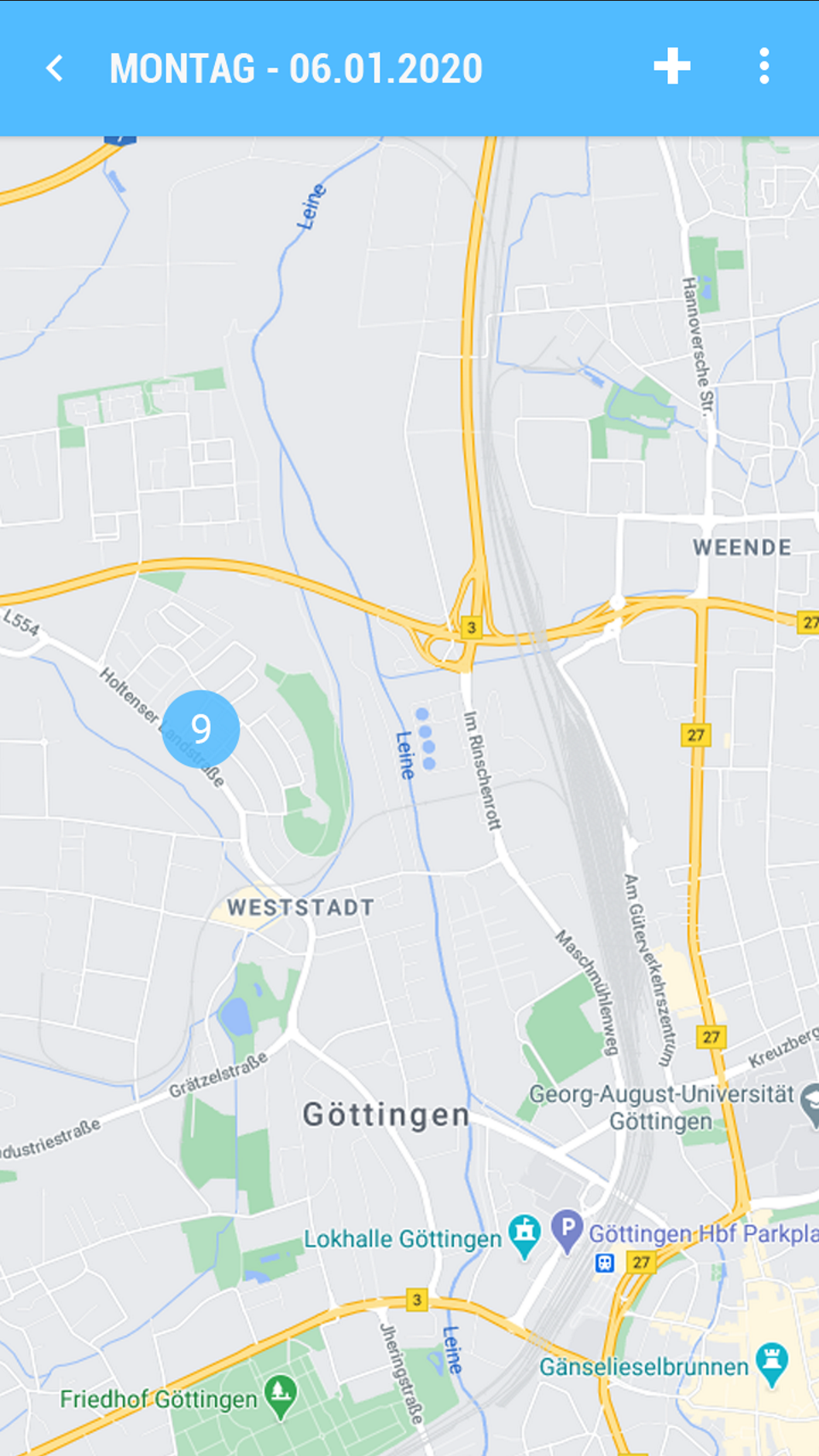
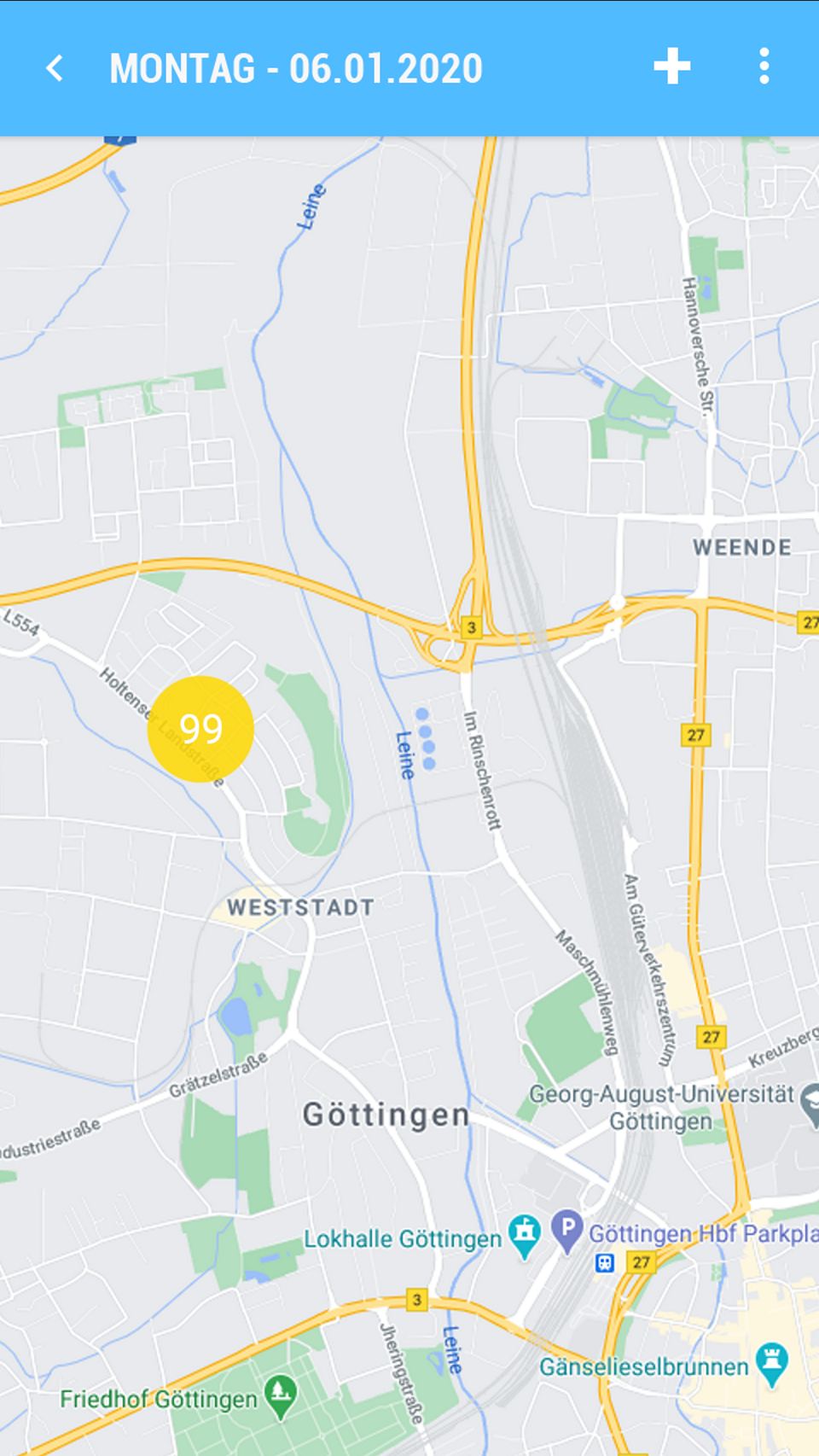
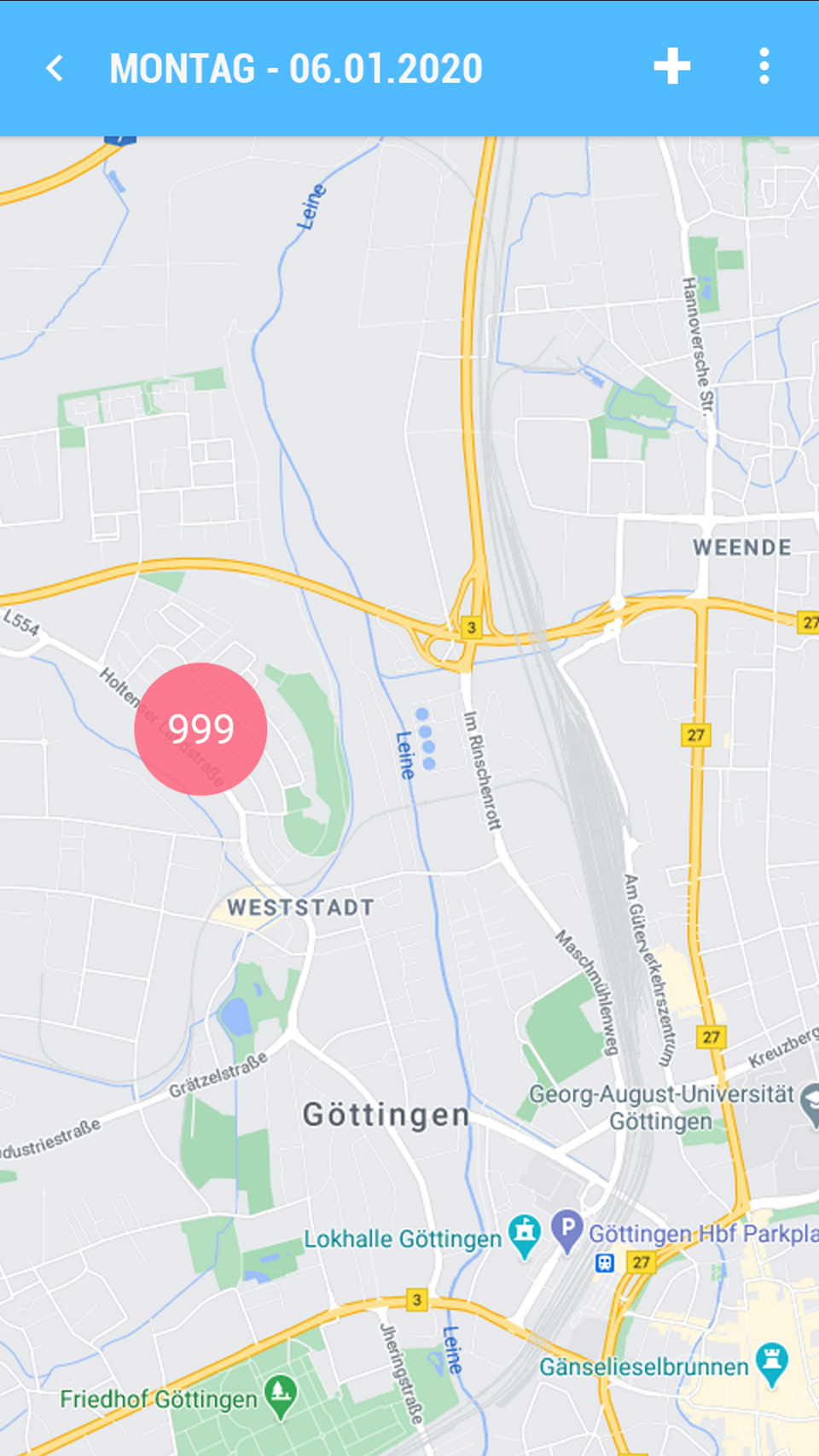
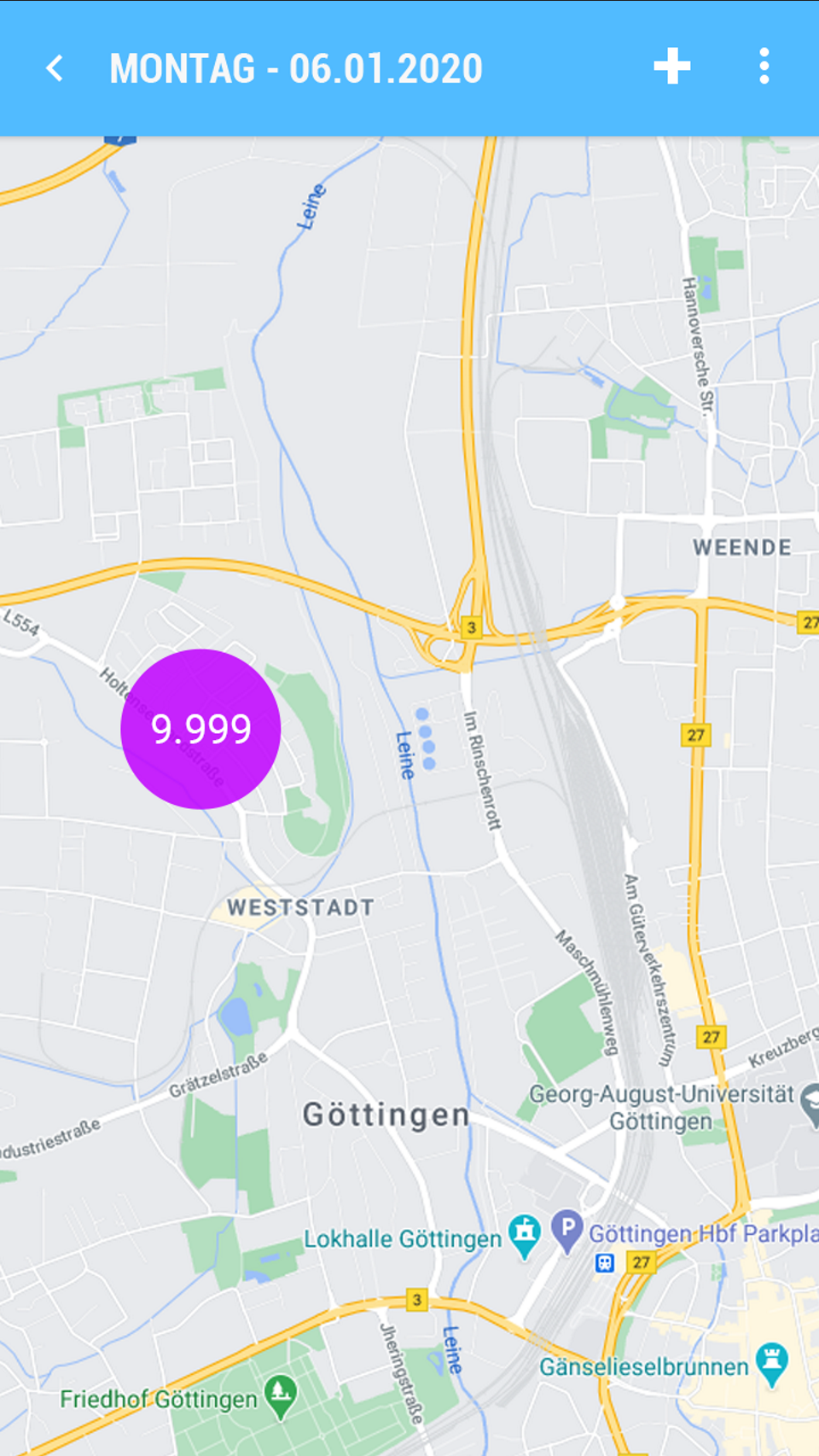
    - 1) Contains the Quantity of Pins included. Colour and Size of the cluster change depending on the Quantity of Pins as follows: 
        - a) 9 (Colour = Blue)
        - b) 99 (Colour = Yellow)
        - c) 999 (Colour = Red)
        - d) 9,999 (Colour = Purple)
        - e) &gt; 9,999 (Colour = Purple)
    - 2) Clicking on a cluster zooms in two levels further. 
        - a) If at the lowest zoom level a cluster is still required, a cluster pin is still shown. Clicking on the pin opens a popup with all Customers contained. Selecting an entry then opens the Promotion for the PIN.
        - b) Grid 
            - Name1
            - Name2 (Visible only in Landscape)
            - Name3 (Visible only in Landscape)
            - Street
            - Postal code (half width)
            - Location
 
 </div><div id="bkmrk-b.-grid-kundensuche-">Grid Customer Search (1/3)</div><div id="bkmrk-click-auf-einen-kund">Clicking on a Customer zooms the position on the map</div><div id="bkmrk--6"></div><div id="bkmrk-contextmen%C3%BC-%C2%A0tripple"><table style="border-collapse:collapse;width:101.429%;height:648px;"> <tbody> <tr style="height:29.7969px;"> <td style="height:29.7969px;width:50.001%;">Context menu</td> <td style="height:29.7969px;width:50.001%;"> Triple Point</td> </tr> <tr style="height:300.422px;"> <td style="height:300.422px;width:50.001%;">[![image.png](https://en.wiki.dedesales.de/uploads/images/gallery/2026-08/eRUUFvLmH47AU6bt-abvfz1ji5hgfcsph-image.png)](https://wiki.dedesales.de/uploads/images/gallery/2025-06/AbVfz1Ji5HGFCsPh-image.png)

 </td> <td style="height:300.422px;width:50.001%;">[![image.png](https://en.wiki.dedesales.de/uploads/images/gallery/2026-08/2RPN3DU9z04lvwER-ucr1g14phodejwfb-image.png)](https://wiki.dedesales.de/uploads/images/gallery/2025-06/uCr1G14PhODeJwfb-image.png)

 </td> </tr> <tr style="height:29.7969px;"> <td style="height:29.7969px;width:50.001%;">Edit Appointment</td> <td style="height:29.7969px;width:50.001%;"> </td> </tr> <tr> <td style="width:50.001%;">[![image.png](https://en.wiki.dedesales.de/uploads/images/gallery/2026-08/FZe8UIMWaoT6CE2D-veg245zfvv2vxcvr-image.png)](https://wiki.dedesales.de/uploads/images/gallery/2025-06/veG245zFvv2VXcvR-image.png)</td> <td style="width:50.001%;"> </td> </tr> </tbody> </table>

 </div><table id="bkmrk-beispiel-cluster-pin" style="border-collapse:collapse;width:100%;height:29.7969px;"><colgroup><col style="width:20%;"></col><col style="width:20%;"></col><col style="width:20%;"></col><col style="width:20%;"></col><col style="width:20%;"></col></colgroup> <tbody> <tr> <td>Example Cluster Pin</td> <td>  
</td> <td>  
</td> <td>  
</td> <td> </td> </tr> <tr style="height:29.7969px;"> <td style="height:29.7969px;">[![image.png](https://en.wiki.dedesales.de/uploads/images/gallery/2026-08/fz86XD1xruoSVQpc-jfxcycu2tzfistby-image.png)](https://wiki.dedesales.de/uploads/images/gallery/2025-06/JfxCYcU2TZFiSTby-image.png)</td> <td style="height:29.7969px;">[![image.png](https://en.wiki.dedesales.de/uploads/images/gallery/2026-08/paWstnVXqz6aH5xB-nvsosrpkm6llfnwa-image.png)](https://wiki.dedesales.de/uploads/images/gallery/2025-06/NvsoSrPkm6llfnWa-image.png)</td> <td style="height:29.7969px;">[![image.png](https://en.wiki.dedesales.de/uploads/images/gallery/2026-08/5yOMcNWBTc1KoHok-ctycm388qouo4ziu-image.png)](https://wiki.dedesales.de/uploads/images/gallery/2025-06/CtYcm388QouO4Ziu-image.png)</td> <td style="height:29.7969px;">[![image.png](https://en.wiki.dedesales.de/uploads/images/gallery/2026-08/quSELDSdSEeyrRAO-ggkjsidkx2tcplkk-image.png)](https://wiki.dedesales.de/uploads/images/gallery/2025-06/GGkJsidkx2tCpLkK-image.png)</td> <td style="height:29.7969px;">[![image.png](https://en.wiki.dedesales.de/uploads/images/gallery/2026-08/ImVlXw30qxdbVGJO-zo9pv95tl2ebxm65-image.png)](https://wiki.dedesales.de/uploads/images/gallery/2025-06/zo9Pv95TL2EBXm65-image.png)

 </td> </tr> </tbody> </table>

<div id="bkmrk-contextmen%C3%BC-%C2%A0"></div>

# List

<table id="bkmrk-titel-verf%C3%BCgbar-widg" style="border-collapse:collapse;width:112.381%;height:59.5938px;border-width:1px;"><colgroup><col style="width:100%;"></col></colgroup> <thead> <tr style="height:29.7969px;"> <td style="height:29.7969px;">Title</td> </tr> </thead> <tbody> <tr style="height:29.7969px;"> <td style="height:29.7969px;">#### Appointment list

Current display period for Day/Week/Work week. In the View Month, the period always also includes the previous and following month.

Available

- Customer details 
    - only appointments for the selected customer and period are displayed
- Homepage dashboard 
    - all customers with appointments in the currently selected period are displayed
 
 </td> </tr> </tbody> </table>

### General

#### Kebab menu ([![image.png](https://en.wiki.dedesales.de/uploads/images/gallery/2026-08/DSOzSi3uEaiMZWCJ-hpximage.png)](https://wiki.dedesales.de/uploads/images/gallery/2025-02/hpximage.png))


<table id="bkmrk-typ-men%C3%BCpunkt-erl%C3%A4ut" style="border-collapse:collapse;width:100%;height:289.969px;"><colgroup><col style="width:5.24434%;"></col><col style="width:31.2214%;"></col><col style="width:63.5343%;"></col></colgroup> <thead> <tr style="height:29.7969px;"> <td style="height:29.7969px;">Type</td> <td style="height:29.7969px;">Menu item</td> <td style="height:29.7969px;">Explanation</td> </tr> </thead> <tbody> <tr style="height:29.7969px;"> <td style="height:29.7969px;"> </td> <td style="height:29.7969px;">  
</td> <td style="height:29.7969px;">"Map" and "List" are not visible</td> </tr> <tr style="height:63.3906px;"> <td style="height:63.3906px;"> </td> <td style="height:63.3906px;">Delete   
</td> <td style="height:63.3906px;">Deletes the selected entries. In the case of a serial appointment, only this serial appointment is deleted. No confirmation is requested.</td> </tr> </tbody> </table>


##### Column definition

<table id="bkmrk-bezeichnung-sichtbar" style="border-collapse:collapse;width:100%;height:2019.17px;"><colgroup><col style="width:28.7247%;"></col><col style="width:14.6603%;"></col><col style="width:11.4401%;"></col><col style="width:7.86864%;"></col><col style="width:37.4255%;"></col></colgroup> <thead> <tr style="height:29.7969px;"> <td style="height:29.7969px;">Name</td> <td style="height:29.7969px;">Visible</td> <td style="height:29.7969px;">Sort</td> <td style="height:29.7969px;">Full Text</td> <td style="height:29.7969px;">Explanation</td> </tr> </thead> <tbody> <tr style="height:29.7969px;"> <td style="height:29.7969px;">Colour code</td> <td style="height:29.7969px;">ForceVisible</td> <td style="height:29.7969px;">  
</td> <td style="height:29.7969px;">  
</td> <td style="height:29.7969px;">The colour code corresponds to the current selection of the colour display in the calendar management.</td> </tr> <tr style="height:29.7969px;"> <td style="height:29.7969px;">Name 1</td> <td style="height:29.7969px;">Visible</td> <td style="height:29.7969px;">  
</td> <td style="height:29.7969px;">Yes</td> <td style="height:29.7969px;">  
</td> </tr> <tr style="height:29.7969px;"> <td style="height:29.7969px;">Name 2

 </td> <td style="height:29.7969px;">Hidden</td> <td style="height:29.7969px;">  
</td> <td style="height:29.7969px;">Yes</td> <td style="height:29.7969px;">  
</td> </tr> <tr style="height:29.7969px;"> <td style="height:29.7969px;">Name 3</td> <td style="height:29.7969px;">Hidden</td> <td style="height:29.7969px;">  
</td> <td style="height:29.7969px;">Yes</td> <td style="height:29.7969px;">  
</td> </tr> <tr style="height:29.7969px;"> <td style="height:29.7969px;">Customer</td> <td style="height:29.7969px;">VisibleOnlyLandscape</td> <td style="height:29.7969px;">  
</td> <td style="height:29.7969px;">Yes</td> <td style="height:29.7969px;">  
</td> </tr> <tr style="height:29.7969px;"> <td style="height:29.7969px;">Street</td> <td style="height:29.7969px;">VisibleOnlyLandscape</td> <td style="height:29.7969px;">  
</td> <td style="height:29.7969px;">Yes</td> <td style="height:29.7969px;">  
</td> </tr> <tr style="height:29.7969px;"> <td style="height:29.7969px;">Postcode</td> <td style="height:29.7969px;">VisibleOnlyLandscape</td> <td style="height:29.7969px;">  
</td> <td style="height:29.7969px;">Yes</td> <td style="height:29.7969px;">  
</td> </tr> <tr style="height:29.7969px;"> <td style="height:29.7969px;">Place</td> <td style="height:29.7969px;">Visible</td> <td style="height:29.7969px;">  
</td> <td style="height:29.7969px;">Yes</td> <td style="height:29.7969px;">  
</td> </tr> <tr style="height:29.7969px;"> <td style="height:29.7969px;">Appointment start</td> <td style="height:29.7969px;">Visible</td> <td style="height:29.7969px;">ASC</td> <td style="height:29.7969px;">  
</td> <td style="height:29.7969px;">dd.mm.yyyy hh:mm  
</td> </tr> <tr style="height:29.7969px;"> <td style="height:29.7969px;">Appointment end</td> <td style="height:29.7969px;">Visible</td> <td style="height:29.7969px;">  
</td> <td style="height:29.7969px;">  
</td> <td style="height:29.7969px;">dd.mm.yyyy hh:mm  
</td> </tr> <tr style="height:29.7969px;"> <td style="height:29.7969px;">Type of activity</td> <td style="height:29.7969px;">Hidden</td> <td style="height:29.7969px;">  
</td> <td style="height:29.7969px;">  
</td> </tr> <tr style="height:29.7969px;"> <td style="height:29.7969px;">Appointment status</td> <td style="height:29.7969px;">Hidden</td> <td style="height:29.7969px;">  
</td> <td style="height:29.7969px;">  
</td> </tr> <tr style="height:29.7969px;"> <td style="height:29.7969px;">Result</td> <td style="height:29.7969px;">Hidden</td> <td style="height:29.7969px;">  
</td> <td style="height:29.7969px;">  
</td> </tr> <tr style="height:29.7969px;"> <td style="height:29.7969px;">Fixed appointment</td> <td style="height:29.7969px;">Hidden</td> <td style="height:29.7969px;">  
</td> <td style="height:29.7969px;">  
</td> </tr> <tr style="height:29.7969px;"> <td style="height:29.7969px;">Created by</td> <td style="height:29.7969px;">Hidden</td> <td style="height:29.7969px;">  
</td> <td style="height:29.7969px;">  
</td> </tr> <tr style="height:29.7969px;"> <td style="height:29.7969px;">Created for  
</td> <td style="height:29.7969px;">Hidden</td> <td style="height:29.7969px;">  
</td> <td style="height:29.7969px;">  
</td> </tr> <tr style="height:29.7969px;"> <td style="height:29.7969px;">ABC status  
</td> <td style="height:29.7969px;">Hidden</td> <td style="height:29.7969px;">  
</td> <td style="height:29.7969px;">  
</td> </tr> <tr style="height:29.7969px;"> <td style="height:29.7969px;">Country</td> <td style="height:29.7969px;">Hidden</td> <td style="height:29.7969px;">  
</td> <td style="height:29.7969px;">  
</td> </tr> <tr style="height:29.7969px;"> <td style="height:29.7969px;">Telephone number</td> <td style="height:29.7969px;">Hidden</td> <td style="height:29.7969px;">  
</td> <td style="height:29.7969px;">  
</td> </tr> <tr style="height:29.7969px;"> <td style="height:29.7969px;">Fax number</td> <td style="height:29.7969px;">Hidden</td> <td style="height:29.7969px;">  
</td> <td style="height:29.7969px;">  
</td> </tr> <tr style="height:29.7969px;"> <td style="height:29.7969px;">E-mail

 </td> <td style="height:29.7969px;">Hidden</td> <td style="height:29.7969px;">  
</td> <td style="height:29.7969px;">  
</td> </tr> <tr style="height:29.7969px;"> <td style="height:29.7969px;">Sales office

 </td> <td style="height:29.7969px;">Hidden</td> <td style="height:29.7969px;">  
</td> <td style="height:29.7969px;">  
</td> </tr> <tr style="height:29.7969px;"> <td style="height:29.7969px;">Price list

 </td> <td style="height:29.7969px;">Hidden</td> <td style="height:29.7969px;">  
</td> <td style="height:29.7969px;">  
</td> </tr> <tr style="height:29.7969px;"> <td style="height:29.7969px;">Last visit

 </td> <td style="height:29.7969px;">Hidden</td> <td style="height:29.7969px;">  
</td> <td style="height:29.7969px;">  
</td> </tr> <tr style="height:29.7969px;"> <td style="height:29.7969px;">Visiting frequency

 </td> <td style="height:29.7969px;">Hidden</td> <td style="height:29.7969px;">  
</td> <td style="height:29.7969px;">  
</td> </tr> <tr style="height:231.359px;"> <td style="height:231.359px;">Due date (from version 10)

 </td> <td style="height:231.359px;">Hidden</td> <td style="height:231.359px;">  
</td> <td style="height:231.359px;">  
</td> <td style="height:231.359px;">The text for this column is determined as follows:  
no BR: no visiting frequency present in the customer master data  
no visit: no last visit present  
not due: Last visit + Visiting frequency &gt; current calendar week  
Now: Last visit + Visiting frequency == current calendar week  
Overdue (1): Last visit + Visiting frequency &lt; current calendar week  
Overdue (2): Last visit + (Visiting frequency \* 2) &lt;= current calendar week  
</td> </tr> <tr style="height:29.7969px;"> <td style="height:29.7969px;">Visit duration

 </td> <td style="height:29.7969px;">Hidden</td> <td style="height:29.7969px;">  
</td> <td style="height:29.7969px;">  
</td> </tr> <tr style="height:29.7969px;"> <td style="height:29.7969px;">Tour

 </td> <td style="height:29.7969px;">Hidden</td> <td style="height:29.7969px;">  
</td> <td style="height:29.7969px;">  
</td> </tr> <tr style="height:29.7969px;"> <td style="height:29.7969px;">Start week

 </td> <td style="height:29.7969px;">Hidden</td> <td style="height:29.7969px;">  
</td> <td style="height:29.7969px;">  
</td> </tr> <tr style="height:29.7969px;"> <td style="height:29.7969px;">Client

 </td> <td style="height:29.7969px;">Hidden</td> <td style="height:29.7969px;">  
</td> <td style="height:29.7969px;">  
</td> </tr> <tr style="height:29.7969px;"> <td style="height:29.7969px;">Attribute 1-16

 </td> <td style="height:29.7969px;">Hidden</td> <td style="height:29.7969px;">  
</td> <td style="height:29.7969px;">  
</td> </tr> <tr style="height:29.7969px;"> <td style="height:29.7969px;">Type

 </td> <td style="height:29.7969px;">Hidden</td> <td style="height:29.7969px;">  
</td> <td style="height:29.7969px;">  
</td> </tr> <tr style="height:29.7969px;"> <td style="height:29.7969px;">Currency

 </td> <td style="height:29.7969px;">Hidden</td> <td style="height:29.7969px;">  
</td> <td style="height:29.7969px;">  
</td> </tr> <tr style="height:29.7969px;"> <td style="height:29.7969px;">Area

 </td> <td style="height:29.7969px;">Hidden</td> <td style="height:29.7969px;">  
</td> <td style="height:29.7969px;">  
</td> </tr> <tr style="height:29.7969px;"> <td style="height:29.7969px;">Customer since

 </td> <td style="height:29.7969px;">Hidden</td> <td style="height:29.7969px;">  
</td> <td style="height:29.7969px;">  
</td> </tr> <tr style="height:29.7969px;"> <td style="height:29.7969px;">State

 </td> <td style="height:29.7969px;">Hidden</td> <td style="height:29.7969px;">  
</td> <td style="height:29.7969px;">  
</td> </tr> <tr style="height:29.7969px;"> <td style="height:29.7969px;">Main contact

 </td> <td style="height:29.7969px;">Hidden</td> <td style="height:29.7969px;">  
</td> <td style="height:29.7969px;">  
</td> </tr> <tr style="height:29.7969px;"> <td style="height:29.7969px;">Delivery block</td> <td style="height:29.7969px;">Hidden</td> <td style="height:29.7969px;">  
</td> <td style="height:29.7969px;">  
</td> </tr> <tr style="height:29.7969px;"> <td style="height:29.7969px;">Incoterms</td> <td style="height:29.7969px;">Hidden</td> <td style="height:29.7969px;">  
</td> <td style="height:29.7969px;">  
</td> </tr> <tr style="height:29.7969px;"> <td style="height:29.7969px;">Incoterm2</td> <td style="height:29.7969px;">Hidden</td> <td style="height:29.7969px;">  
</td> <td style="height:29.7969px;">  
</td> </tr> <tr style="height:29.7969px;"> <td style="height:29.7969px;">Terms of payment</td> <td style="height:29.7969px;">Hidden</td> <td style="height:29.7969px;">  
</td> <td style="height:29.7969px;">  
</td> </tr> <tr style="height:29.7969px;"> <td style="height:29.7969px;">Terms of delivery</td> <td style="height:29.7969px;">Hidden</td> <td style="height:29.7969px;">  
</td> <td style="height:29.7969px;">  
</td> </tr> <tr style="height:29.7969px;"> <td style="height:29.7969px;">Customer group</td> <td style="height:29.7969px;">Hidden</td> <td style="height:29.7969px;">  
</td> <td style="height:29.7969px;">  
</td> </tr> <tr style="height:29.7969px;"> <td style="height:29.7969px;">Account group</td> <td style="height:29.7969px;">Hidden</td> <td style="height:29.7969px;">  
</td> <td style="height:29.7969px;">  
</td> </tr> <tr style="height:29.7969px;"> <td style="height:29.7969px;">Internet</td> <td style="height:29.7969px;">Hidden</td> <td style="height:29.7969px;">  
</td> <td style="height:29.7969px;">  
</td> </tr> <tr style="height:29.7969px;"> <td style="height:29.7969px;">Listing</td> <td style="height:29.7969px;">Hidden</td> <td style="height:29.7969px;">  
</td> <td style="height:29.7969px;">  
</td> </tr> <tr style="height:29.7969px;"> <td style="height:29.7969px;">Send invoice separately  
</td> <td style="height:29.7969px;">Hidden</td> <td style="height:29.7969px;">  
</td> <td style="height:29.7969px;">  
</td> </tr> <tr style="height:29.7969px;"> <td style="height:29.7969px;">Delivery note without price  
</td> <td style="height:29.7969px;">Hidden</td> <td style="height:29.7969px;">  
</td> <td style="height:29.7969px;">  
</td> </tr> <tr style="height:29.7969px;"> <td style="height:29.7969px;">ILN  
</td> <td style="height:29.7969px;">Hidden</td> <td style="height:29.7969px;">  
</td> <td style="height:29.7969px;">  
</td> </tr> <tr style="height:29.7969px;"> <td style="height:29.7969px;">Invoice discount</td> <td style="height:29.7969px;">Hidden</td> <td style="height:29.7969px;">  
</td> <td style="height:29.7969px;">  
</td> </tr> <tr style="height:29.7969px;"> <td style="height:29.7969px;">Form of payment</td> <td style="height:29.7969px;">Hidden</td> <td style="height:29.7969px;">  
</td> <td style="height:29.7969px;">  
</td> </tr> <tr style="height:29.7969px;"> <td style="height:29.7969px;">Customer category</td> <td style="height:29.7969px;">Hidden</td> <td style="height:29.7969px;">  
</td> <td style="height:29.7969px;">  
</td> </tr> <tr style="height:29.7969px;"> <td style="height:29.7969px;">Price group code</td> <td style="height:29.7969px;">Hidden</td> <td style="height:29.7969px;">  
</td> <td style="height:29.7969px;">  
</td> </tr> <tr style="height:29.7969px;"> <td style="height:29.7969px;">Association</td> <td style="height:29.7969px;">Hidden</td> <td style="height:29.7969px;">  
</td> <td style="height:29.7969px;">  
</td> </tr> <tr style="height:29.7969px;"> <td style="height:29.7969px;">Advertising material</td> <td style="height:29.7969px;">Hidden</td> <td style="height:29.7969px;">  
</td> <td style="height:29.7969px;">  
</td> </tr> <tr style="height:29.7969px;"> <td style="height:29.7969px;">Tax Ident Number  
</td> <td style="height:29.7969px;">Hidden</td> <td style="height:29.7969px;">  
</td> <td style="height:29.7969px;">  
</td> </tr> <tr style="height:29.7969px;"> <td style="height:29.7969px;">VAT ID</td> <td style="height:29.7969px;">Hidden</td> <td style="height:29.7969px;">  
</td> <td style="height:29.7969px;">  
</td> </tr> <tr style="height:29.7969px;"> <td style="height:29.7969px;">Status</td> <td style="height:29.7969px;">Hidden</td> <td style="height:29.7969px;">  
</td> <td style="height:29.7969px;">  
</td> </tr> <tr style="height:29.7969px;"> <td style="height:29.7969px;">Order block

 </td> <td style="height:29.7969px;">Hidden</td> <td style="height:29.7969px;">  
</td> <td style="height:29.7969px;">  
</td> </tr> <tr style="height:29.7969px;"> <td style="height:29.7969px;">Supervised</td> <td style="height:29.7969px;">Hidden</td> <td style="height:29.7969px;">  
</td> <td style="height:29.7969px;">  
</td> </tr> </tbody> </table>

<details id="bkmrk-faq-wie-steuere-ich-"> <summary>FAQ</summary>

 </details><details id="bkmrk-release-ab-version-1"> <summary>Release</summary>

##### From version 10

</details>

# Licence Tour optimisation operational

# Optimisation

<table id="bkmrk-titel-verf%C3%BCgbar-widg" style="border-collapse:collapse;width:100%;height:61.3907px;"><colgroup><col style="width:100%;"></col></colgroup> <thead> <tr style="height:29.7969px;"> <td style="height:29.7969px;">Title</td> </tr> </thead> <tbody> <tr style="height:31.5938px;"> <td style="height:31.5938px;">Tour optimisation</td> </tr> </tbody> </table>

### General

#### Kebab menu ([![image.png](https://en.wiki.dedesales.de/uploads/images/gallery/2026-08/DSOzSi3uEaiMZWCJ-hpximage.png)](https://wiki.dedesales.de/uploads/images/gallery/2025-02/hpximage.png))


<table id="bkmrk-typ-men%C3%BCpunkt-erl%C3%A4ut" style="border-collapse:collapse;width:100%;height:289.969px;"><colgroup><col style="width:5.24434%;"></col><col style="width:31.2214%;"></col><col style="width:63.5343%;"></col></colgroup> <thead> <tr style="height:29.7969px;"> <td style="height:29.7969px;">Type</td> <td style="height:29.7969px;">Menu item</td> <td style="height:29.7969px;">Explanation</td> </tr> </thead> <tbody> <tr style="height:63.3906px;"> <td style="height:63.3906px;">![Can be activated and deactivated.](https://en.wiki.dedesales.de/uploads/images/gallery/2026-08/j0IzWtcJu0TfdOJ8-3lrej9amvpkhzlxv-n5zimage.png)

 </td> <td style="height:63.3906px;">Tour optimisation</td> <td style="height:63.3906px;"> </td> </tr> <tr style="height:29.7969px;"> <td style="height:29.7969px;"> </td> <td style="height:29.7969px;">Personal locations</td> <td style="height:29.7969px;">  
</td> </tr> </tbody> </table>

<div id="bkmrk-tourenoptimierung">Tour optimisation</div><div id="bkmrk-1.-start-%28ort%29">1. Start (Location)</div><div id="bkmrk-2.-f%C3%BCr-jeden-tag-aus">2. For each day from the view you came from, a block with the following information is displayed</div>a. \[Picker\] Day of week, Date

<div id="bkmrk-"></div><div id="bkmrk-i.-keine-aktion-%28sta">

- - - No action (default for all days &lt;= today)
        - Apply customers, do not optimise day (see also Public holiday calendar)
        - Optimise (default for all days &gt; today)
 
 </div><div id="bkmrk-b.-fahrzeit-%28timespa" style="padding-left:40px;">b. Travel time (TimeSpan from until) &#124; Destination (Location, picker see Start/Destination)</div><div id="bkmrk--1" style="padding-left:40px;"></div><div id="bkmrk-c.-die-daten-werden-" style="padding-left:40px;">c. The data is preloaded from the Working hours and Home address, or if already present in the week also the hotel information (as in 3.0)</div><div id="bkmrk--2" style="padding-left:40px;"></div><div id="bkmrk-d.-die-schieber-sind" style="padding-left:40px;">d. The sliders are all active by default</div><div id="bkmrk--4" style="padding-left:40px;"></div><div id="bkmrk-e.-am-ersten-tag-wir" style="padding-left:40px;">e. On the first day the Home address is set by default, unless the previous day ended with a hotel. Then the hotel is set here.</div><div id="bkmrk-%C2%A7-ist-der-erste-tag-">

- - - If the first day is a Monday there is usually no previous day, as Sundays are not worked and the Home address is set. However, if I only optimise a single day, e.g. Wednesday, it can happen that the previous day exists and ended with a hotel (as in 3.0)
 
 </div>f. On all subsequent days "automatically" is set, unless the day ended at a hotel, then the hotel is used.

<div id="bkmrk--5" style="padding-left:40px;"></div><div id="bkmrk-g.-wird-der-schieber" style="padding-left:40px;">g. If the slider is set to "No action", the input fields are deactivated.</div><div id="bkmrk--6" style="padding-left:40px;"></div><div id="bkmrk-3.-aktionsbutton">3. Action button</div><div id="bkmrk-a.-optimieren" style="padding-left:40px;">a. Optimise</div><div id="bkmrk-i.-ergebnis-popup-%28w">

- - - Result popup (not shown on success)
 
 </div><div id="bkmrk-1%29-fehlerfall-%28z.b.-" style="padding-left:80px;">1) Error case (e.g. server not reachable): Corresponding error message is displayed</div><div id="bkmrk-2%29-nicht-alle-termin" style="padding-left:80px;">2) Not all appointments could be optimised</div><div id="bkmrk-a%29-meldung%3A-folgende" style="padding-left:80px;">a) Message: "The following customers (x/y) could not be scheduled due to time constraints: * Confirm to remove the customers from the calendar and apply the result."</div><div id="bkmrk--7" style="padding-left:80px;"></div><div id="bkmrk-b%29-aktionsbutton%3A-%C3%9Cb" style="padding-left:40px;">b) Action button: Apply</div><div id="bkmrk--8"></div>### Start / Destination

    1. Start  
        a. Home address (the Home address is enforced)  
        b. Hotel (only if the previous day ended with a hotel stay)  
        c. The global locations stored in the backend  
        d. The personal locations created in the client  
    2. Destination  
        a. Automatic (the optimisation uses either the Home address or a hotel here)  
        b. Hotel (only if the previous day ended with a hotel stay)  
        c. Home address (the Home address is enforced)  
        d. The global locations stored in the backend  
        e. The personal locations created in the client  
    3. Display  
        a. Name, Street, Postal code, Location, Country


### Personal locations

#### Functions in the title bar

<table id="bkmrk-icon-erl%C3%A4uterung-erm" style="border-collapse:collapse;width:100%;"><colgroup><col style="width:7.20245%;"></col><col style="width:92.9167%;"></col></colgroup> <thead> <tr> <td>Icon</td> <td>Explanation</td> </tr> </thead> <tbody> <tr> <td>+</td> <td>Creation of a personal location

 </td> </tr> </tbody> </table>

#### Grid

<table id="bkmrk-click-swipe-ansichte" style="border-collapse:collapse;width:100%;"><colgroup><col style="width:33.3731%;"></col><col style="width:33.3731%;"></col><col style="width:33.3731%;"></col></colgroup> <thead> <tr> <td>Click</td> <td>Swipe</td> <td>Views</td> </tr> </thead> <tbody> <tr> <td>Edit</td> <td>

1. Delete
 
 </td> <td>

1. Table
 
 </td> </tr> </tbody> </table>

##### Column definition

<table id="bkmrk-bezeichnung-sichtbar" style="border-collapse:collapse;width:100%;height:314.766px;"><colgroup><col style="width:28.7247%;"></col><col style="width:14.6603%;"></col><col style="width:11.4401%;"></col><col style="width:7.86864%;"></col><col style="width:37.4255%;"></col></colgroup> <thead> <tr style="height:29.7969px;"> <td style="height:29.7969px;">Name</td> <td style="height:29.7969px;">Visible</td> <td style="height:29.7969px;">Sort</td> <td style="height:29.7969px;">Full text</td> <td style="height:29.7969px;">Explanation</td> </tr> </thead> <tbody> <tr style="height:29.7969px;"> <td style="height:29.7969px;">Name</td> <td style="height:29.7969px;">Visible</td> <td style="height:29.7969px;">ASC</td> <td style="height:29.7969px;">Yes</td> <td style="height:29.7969px;">  
</td> </tr> <tr style="height:46.5938px;"> <td style="height:46.5938px;">Street</td> <td style="height:46.5938px;">VisibleOnlyLandscape</td> <td style="height:46.5938px;">  
</td> <td style="height:46.5938px;">  
</td> </tr> <tr style="height:29.7969px;"> <td style="height:29.7969px;">Postal code

 </td> <td style="height:29.7969px;">Visible</td> <td style="height:29.7969px;">  
</td> <td style="height:29.7969px;">  
</td> </tr> <tr style="height:29.7969px;"> <td style="height:29.7969px;">Location</td> <td style="height:29.7969px;">Visible</td> <td style="height:29.7969px;">  
</td> <td style="height:29.7969px;">Yes</td> <td style="height:29.7969px;">  
</td> </tr> <tr style="height:29.7969px;"> <td style="height:29.7969px;">Country</td> <td style="height:29.7969px;">Visible</td> <td style="height:29.7969px;">  
</td> <td style="height:29.7969px;">  
</td> </tr> </tbody> </table>

#### Create / Edit

    1. Action button  
        a. Save  
    2. Fields  
        a. Name  
        b. Street  
        c. Postal code  
        d. Location  
        e. Country

### Public holiday calendar

If the Public holiday calendar is available and a corresponding ID is stored for the Employee, the entry changes from "optimise" to "Apply customers, do not optimise day" on days where a public holiday exists.

<details id="bkmrk-faq-wie-steuere-ich-"> <summary>FAQ</summary>

 </details><details id="bkmrk-release-ab-version-1"> <summary>Release</summary>

</details>