Workflow - Steps
A workflow can consist of various steps that either build on each other or interact differently among themselves.

1. Select the definition of the workflow via the drop-down menu (Mandatory field).
2. Assign a name (Mandatory field).
3. If your workflow consists of several steps, indicate which step you are currently creating.
4. If desired, set a description for the step.
5. Define the recipient of the workflow step
- Fixed assignment means that as soon as this workflow step is reached, the specified person automatically receives this step.
- Selection by workflow step owner means that the owner may decide to whom this step can be assigned.
- Selection from group means that a participant of this group can take the workflow.
- Workflow starter means that this person is selected who originally started the workflow. Usually, you only use this point for step 1.
6. Specify whether the recipient from (5) should be notified by E-mail. If checked, an E-mail address must be stored for the defined persons from (5).
7. Specify here until when the workflow step must be processed. If it is not processed in time, it will have a different colour in the client overview. If left at 0, there is no expiry date.
8. Specify here when the recipient from (5) should be reminded again. This reminder should sensibly lie between the date from (7) and (9). If left at 0, there is no reminder.
9. If a workflow is not processed or completed by the specified date from (7), the escalation recipient will be notified. If left at 0, there is no expiry date.
10. Specify whether the workflow is ended with this step (regardless of the set status).
11. Here you select the status that the workflow receives with this step. (Mandatory field)
If you define further steps, go through the points from (1) again. From workflow step 2 onwards, you also get the selection of how the current step can be reached:
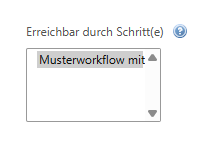
Example representation of a defined workflow
