# Workflow - Evaluation
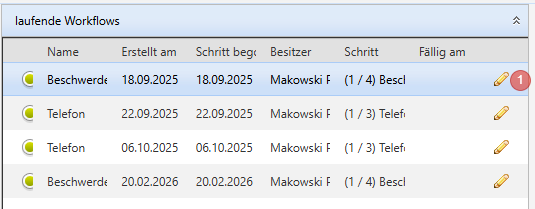
#### Workflow - Summary - ongoing workflows
1. The current owner of the workflow can be changed or the workflow can be deleted via the pencil icon.
Colour code
- - green:
- Status "In progress"
- red:
- Status "escalated"
- without colour code:
- not assigned or step unknown
- Name
- Created on
- Step started
- Owner
- Step
- Due on
- Edit (pencil icon)
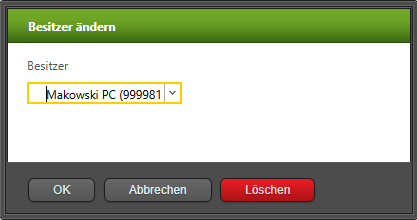
- Here you can change the owner of the workflow:
[](https://wiki.dedesales.de/uploads/images/gallery/2026-03/9mRjTyzPUEhPlm0g-image.png)
Clicking on a workflow displays the [Workflow Details](https://wiki.dedesales.de/link/461#bkmrk-workflow-details-%28hi).
#### Workflow - Summary - completed workflows
1. A completed workflow can be deleted via the icon.
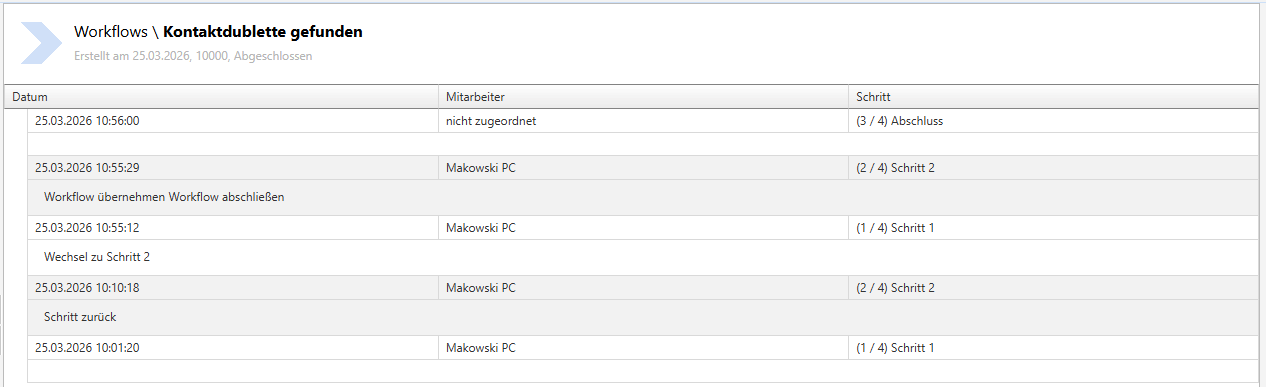
#### Workflow Details (History)
Clicking on a workflow shows the details of the individual steps with any notes stored.
[](https://wiki.dedesales.de/uploads/images/gallery/2026-03/fD3Lu2EeomMLC5uM-image.png)