# Mass maintenance of Jobs / CRM via the Backend
To be able to edit/update multiple records simultaneously, mass maintenance is used.
#### Prerequisite:
All Questions and possible Replies (e.g. in Dropdown lists) must have an ID. If there is no ID, this will be shown as a General Information in the mass maintenance and mass maintenance cannot be performed. The reason is that the IDs name the database fields. Without a database field, the values cannot be saved.
#### Evaluation - CRM - Select Job or CRM
Click in the left Selection which query / CRM you want to Edit.
1\. Then select the button: Export
Change data in Excel as desired.
2\. If necessary, Delete all previously created Replies with the tick, e.g. if you have deleted entire Lines in Excel. If you only want to update existing records, you do not need to set the tick.
3\. After you have made your Amendments in Excel, select them for Import using the button "Add file".
4\. Import the adjusted data with the button "Import".
#### General Information:
Columns can be added in Excel to perform Evaluations or to adjust values based on a new column using a formula. The added columns must be removed again before Import, otherwise no values will be imported.
The mass import will be aborted
- if there are columns without a header
- if there are duplicate columns
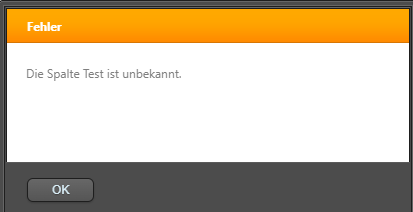
- if the column headers exist that are not present in the Job
Corresponding Error messages will be displayed in a pop-up window, e.g.